


I don’t care about your UI’s color palette. I care about Compliance Rule 17a-4 and whether your “Delete” button actually deletes data (which gets you fined) or just archives it (which keeps you safe).
Most “Best CRM for Financial Advisors” lists are written by generalist marketers who think a CRM is just a digital address book. They aren’t. For Financial Advisors, a CRM is a legal shield and a revenue engine.
In my experience, the #1 reason advisors hate switching CRMs isn’t the cost—it’s the loss of “Muscle Memory Competence.” If you can find a client’s phone number in 12 seconds on your old, ugly software, but it takes 45 seconds on a new, “pretty” tool, you will feel incompetent. Speed feels like competence.
This guide isn’t about features; it’s about Productivity vs. Process. I’ve tested 24 platforms to bring you the top 12 that actually handle the “Two-Way Sync” nightmares of eMoney and the audit trails the SEC demands.
How We Rate Financial CRMs: Our Simple Promise
We don’t just read the sales brochure. We stress-test the “boring” stuff that actually breaks your business.
- The “WORM” Test (Compliance): Does the CRM strictly adhere to “Write Once, Read Many” standards? If we can edit a meeting note from 2023 without a permanent, unalterable digital footprint, it fails.
- The “System of Record” War: We integrate the CRM with eMoney or MoneyGuidePro and change a client’s email address. If the planning software overwrites the CRM during the nightly sync (reverting to the old email), the integration is flawed.
- The “12-Second” Rule: Can a user find a client’s spouse’s name and last meeting note within 12 seconds of picking up a call?
Quick Verdict: The Top Contenders (2026)
|
CRM Name |
Best For… |
The “One Line” Verdict |
Pricing (Est.) |
|---|---|---|---|
|
1. Wealthbox |
Modern / Agile Teams |
The “Slack” of CRMs; easiest to adopt for <40yo advisors. |
$59 – $99/mo |
|
2. Redtail |
High Compliance / Process |
The “Digital Concrete Block”; ugly but bulletproof. |
$39 – $59/mo |
|
Enterprise / Customization |
The “Beast”; infinite power if you have infinite budget. |
$325+/mo | |
|
4. Advyzon |
The “All-In-One” Rebel |
Best if you want to kill your separate billing & reporting software. |
Quote-based |
|
Microsoft Shops |
Powerful if you live in Outlook; painful if you don’t. |
~$125 – $200/mo (Bundled) | |
|
Operations Managers |
The “Lazy Click” blocker; forces staff to follow SOPs. |
~$65/mo | |
|
Best for Data Control & Customization |
The “Salesforce Wrapper” that hides the mess and highlights the growth. |
~$65 – $79/mo | |
|
The Marketing & Automation Play |
Best for viewing multi-custodian data without paying storage fees. |
~$97- $297/mo | |
|
9. HubSpot |
Marketing-First Firms |
Incredible for getting leads, dangerous for compliance (needs overlay). |
~$90/mo + Archiver |
|
10. NexJ Systems |
UHNW / Private Banks |
The “Rolls Royce” for predicting the needs of the ultra-wealthy. |
Enterprise / Custom |
|
11. UGRU |
Solo Advisors on Budget |
The “Swiss Army Knife” that includes financial planning for cheap. |
~$59 – $139/mo |
|
12. Zoho CRM |
“DIY” Coders |
The cheapest option, provided you have 100 hours to configure it yourself. |
~$14 – $40/mo |
The Top CRM Solutions Tailored for Financial Advisors
Read this detailed review to understand which CRM for Financial Advisors will perform better for you.
1. Wealthbox – Best for Modern & Agile Teams
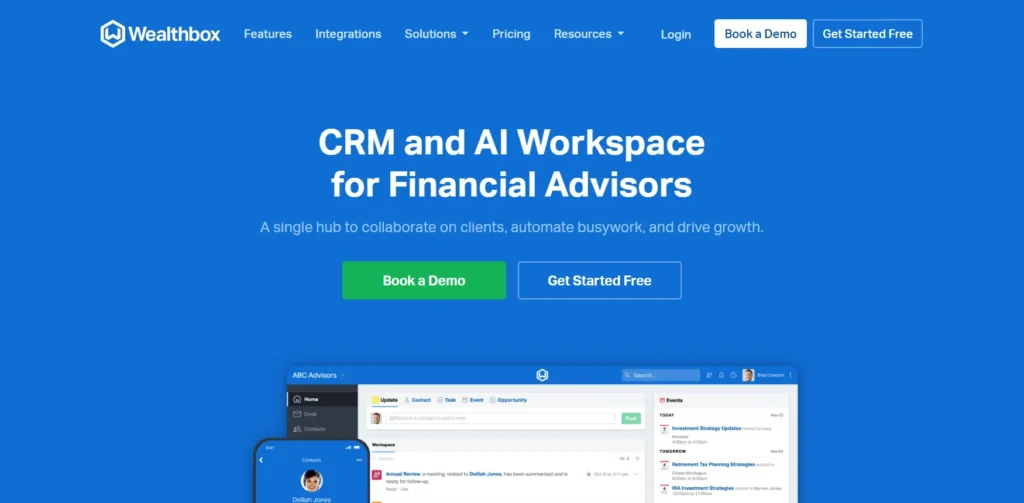
Quick Verdict: If you are recruiting advisors under 40, this is your only option. It prioritizes speed and social-style collaboration over rigid data entry.
Who Is It Really For?
Independent RIAs and agile teams (3-20 users) who hate “filing cabinet” software. It is specifically for firms that view CRM as a communication hub, not just a database.
The Killer Feature (That Actually Matters)
The “Social” Activity Stream.
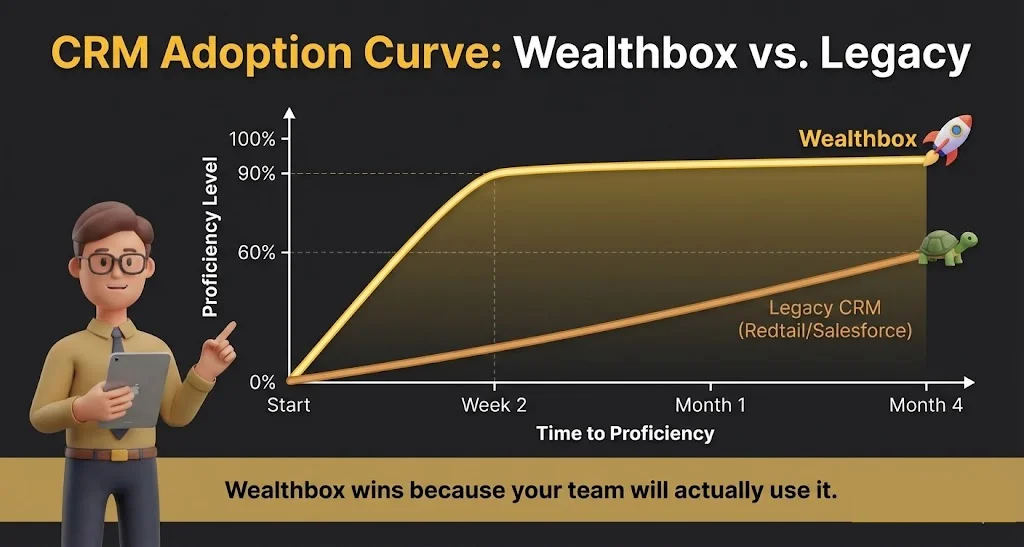
In my experience, adoption fails when CRM feels like data entry. Wealthbox treats client updates like a Twitter/Slack feed. You can @mention a junior advisor on a client note: “@Sarah, check the RMD status on this.” Sarah gets a notification, replies in-thread, and the conversation is permanently logged to the client’s record. It removes the friction of “Emailing about a Client” vs. “Documenting the Client.”
Pricing at a Glance (2026)
- Basic ($59/user/mo): Good for solos, but lacks email sync (Dealbreaker for most).
- Pro ($75/user/mo): The “Real” starting point. Includes email sync and workflow automations.
- Premier ($99/user/mo): Adds advanced Zapier perks and API access.
Note: Wealthbox has crept up in price, but they don’t lock you into long-term contracts like Salesforce does.
Does Wealthbox fit for you? Try Wealthbox now.
The Smartest Way to Get Started
Don’t cheap out on the “Basic” plan. You need the “Mailbox” feature (2-way email sync) which is only on the Pro plan ($75). Without it, you are manually pasting emails into notes, which guarantees your data will be incomplete within 3 months.
Wealthbox: Pros & Cons
|
Pros |
Cons |
|---|---|
|
Zero Learning Curve: New hires learn it in 15 mins. |
Reporting is “Lite”: Deep data mining is weaker than Redtail. |
|
Mobile App: Actually usable (unlike most competitors). |
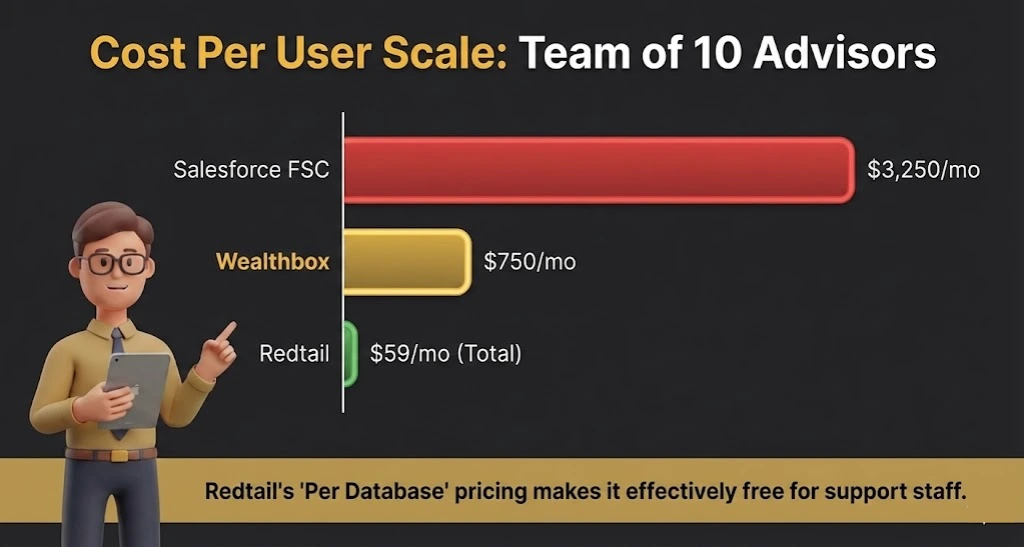
Cost: significantly more expensive per-user than Redtail. |
Who Should AVOID It?
Strict, process-heavy firms who want to force advisors to fill out 15 specific fields before saving a note. Wealthbox is too flexible for “Micro-Managers.”
2. Redtail – Best for High-Compliance & Process
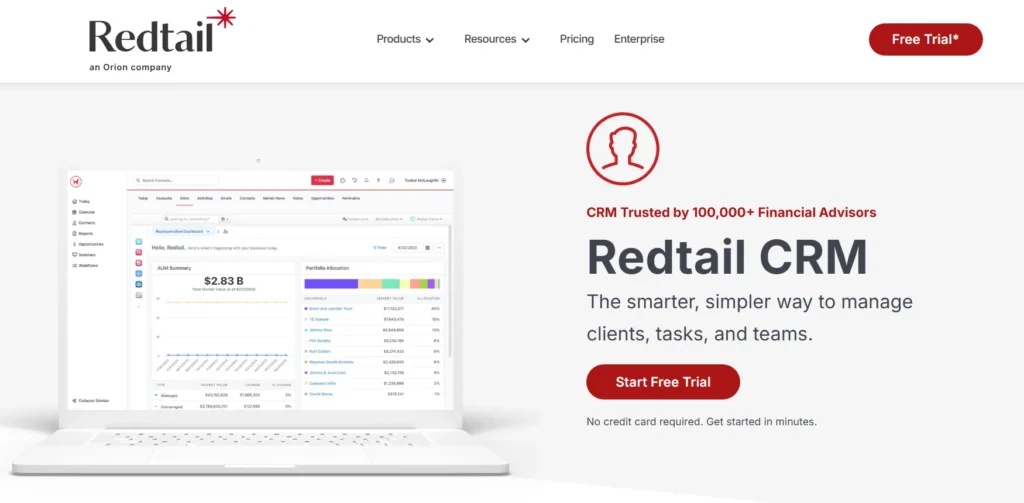
Quick Verdict: The “Microsoft Excel” of CRMs. It’s dense, rigid, and ugly, but it handles compliance and complex workflows better than anyone at this price point.
Who Is It Really For?
Firms where Compliance is the boss. If you are terrified of an SEC audit or have a team of 10+ operational staff who need to manage complex paperwork workflows, Redtail is your safety net.
The Killer Feature (That Actually Matters)
The Workflow Processes.
Wealthbox has “Checklists,” but Redtail has “Workflows.” You can build a branched logic tree for “New Client Onboarding.”
- Example: If Step 1 (Send Agreement) is marked complete, Step 2 (Open Account) assigns to the Ops Team. If Step 1 is “Client Declined,” the workflow jumps to a “Nurture” sequence. It forces your team to follow the Standard Operating Procedure (SOP) or the system literally won’t let them proceed.
Pricing at a Glance (2026)
- Launch ($39/mo for up to 5 users): Incredible value for small teams.
- Growth ($59/mo for UNLIMITED users): This is the best pricing model in the industry. You pay per database, not per head.
- Enterprise: Custom.
Does Redtail CRM fit for you? Try Redtail CRM now.
The Smartest Way to Get Started
Invest in the “Redtail University” training.
Do not try to wing this. The UI is not intuitive. It was built 20 years ago and feels like it. Send your Ops Manager to their training camp (virtual or in-person) so they can build the Workflow templates before you migrate your data.
Redtail: Pros & Cons
|
Pros |
Cons |
|---|---|
|
Compliance Proof: Best “WORM” (Write Once Read Many) logs. |
The UI is Dated: It looks like Windows 98. |
|
Cost: The “Per Database” pricing is a steal for large teams. |
Email Integration: Their internal email archiver is clunky. |
Who Should AVOID It?
“Design-snobs” and speed-demons. If you want to click one button and be done, Redtail will frustrate you. It requires multiple clicks to do almost anything.
3. Salesforce Financial Services Cloud (FSC) – Best for Scaling Enterprises
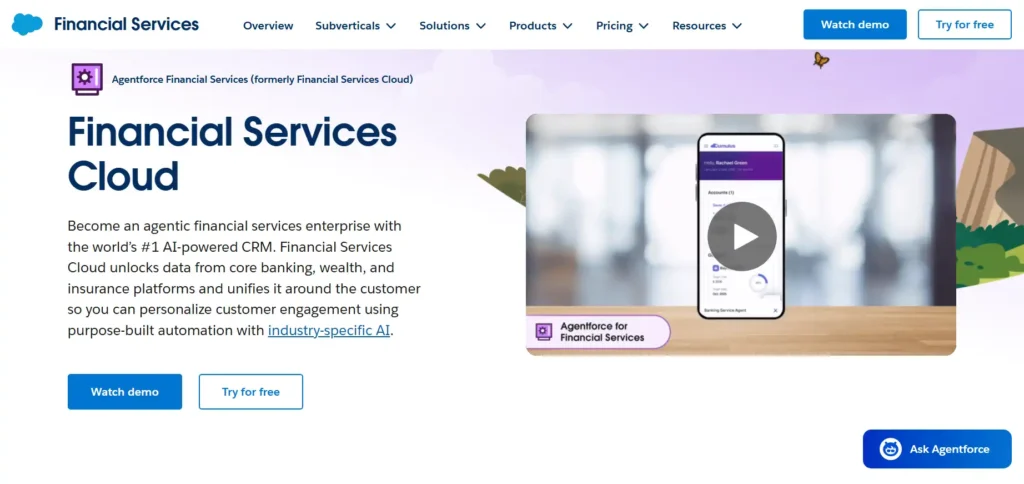
Quick Verdict: The Nuclear Option. It can do anything—if you have the budget to pay a developer to build it. Overkill for 95% of RIAs.
Who Is It Really For?
Firms managing $1B+ AUM or rapid-growth aggregators who need to unify data across multiple departments (Sales, Service, Marketing, Compliance).
The Killer Feature (That Actually Matters)
The “Household” Data Model.
Standard Salesforce breaks when you try to link a husband, wife, trust, and business entity. FSC comes pre-built with a “Financial Services Data Model” that understands Relationships. You can see that “John” is the primary on Account A, the trustee for Account B, and the business partner of “Sarah” in Account C. No other CRM maps complex wealth webs this clearly.
Pricing at a Glance (2026)
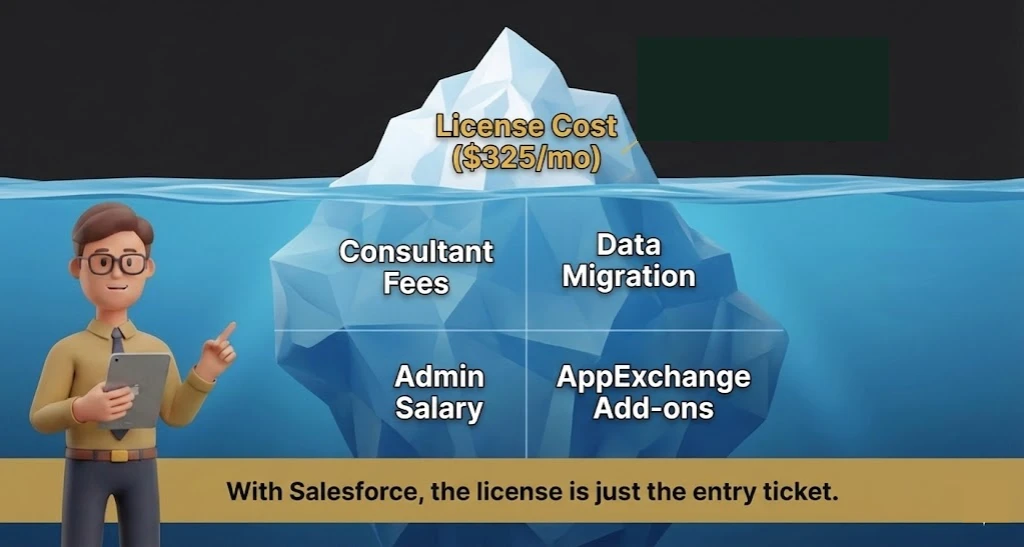
- Starting Price: ~$325/user/month (Billed Annually).
- The Hidden Cost: You cannot just “buy” Salesforce. You need an implementation partner (add $15k – $50k upfront) and likely a part-time administrator.
Does Salesforce Financial Services Cloud (FSC) fit for you? Try Salesforce CRM now.
The Smartest Way to Get Started
Hire an “Overlay” Provider.
Do not buy directly from Salesforce. Buy through a wrapper like Salentica or Practifi. They take the raw Salesforce engine and pre-configure it for advisors so you don’t have to spend 6 months building custom fields.
Salesforce Pros & Cons
|
Pros |
Cons |
|---|---|
|
Limitless Customization: If you can dream it, it can do it. |
Money Pit: Expensive licenses + expensive implementation. |
|
Ecosystem: Integrates with literally everything in fintech. |
Complexity: You need a PhD to administer it. |
Who Should AVOID It?
Firms with under $250M AUM or teams without a dedicated “Tech Guy.” You will spend more time managing the software than managing client assets.
4. Advyzon – Best “All-in-One” Rebel
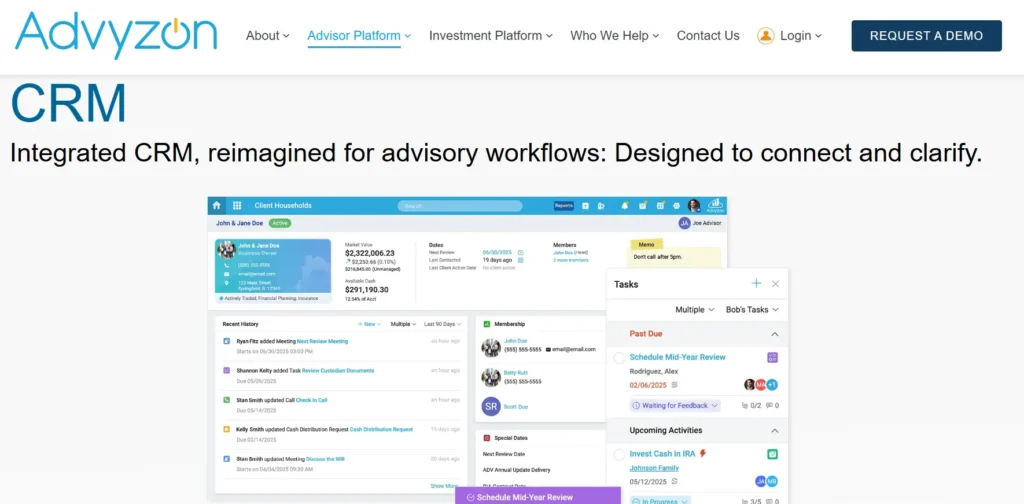
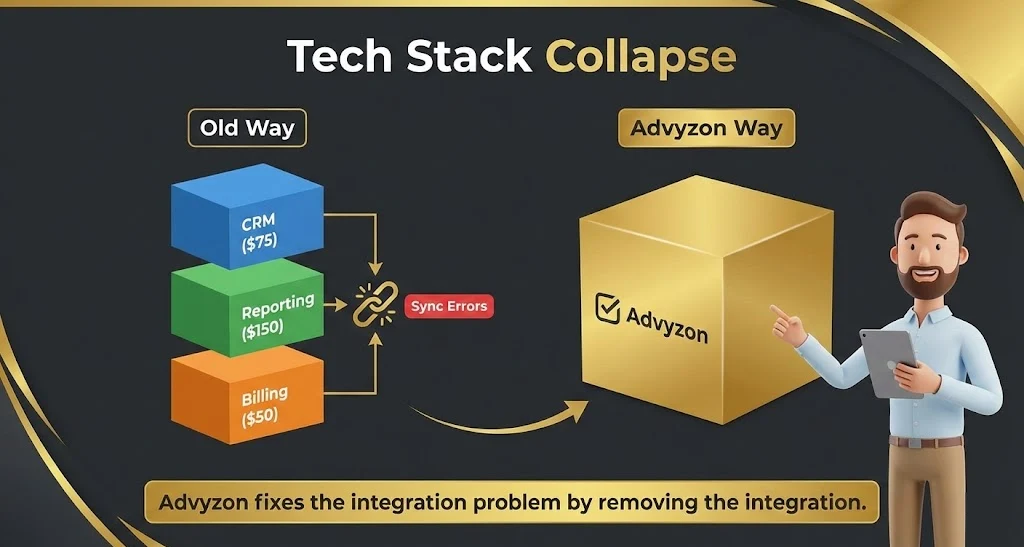
Quick Verdict: The “Anti-Integration” platform. Why struggle to sync your CRM with your Reporting tool when they can be the same tool?
Who Is It Really For?
Advisors who are tired of the “Swivel Chair” interface (switching tabs between CRM, Billing, and Reporting). It’s perfect for solo to mid-sized RIAs who want simplicity.
The Killer Feature (That Actually Matters)
The “Fact Card” Dashboard.
When you open a client record in Advyzon, you don’t just see phone numbers. You see their Portfolio Performance, Asset Allocation, and Billing History right next to their email address. In Redtail or Wealthbox, you have to click a link to open Orion or Black Diamond to see that data. Advyzon puts the “Money” and the “Relationship” on one screen.
Pricing at a Glance (2026)
- Pricing Model: Advyzon is typically quote-based because it replaces three software costs (CRM + Reporting + Billing).
- Estimate: Expect to pay more than a standalone CRM, but less than [CRM + Orion].
Does Advyzon fit for you? Try Advyzon now.
The Smartest Way to Get Started
Commit to the “Full Switch.”
Don’t use Advyzon just for CRM. It’s mediocre as just a CRM. Its power comes when you dump your current portfolio reporting tool and move everything to Advyzon. If you aren’t willing to move your performance reporting, don’t buy this.
Advyzon: Pros & Cons
|
Pros |
Cons |
|---|---|
|
Unified Data: No broken syncs between CRM and Reporting. |
“Jack of All Trades”: The CRM is good, but not great (lacks deep automation). |
|
Support: consistently rated #1 for human customer service. |
Lock-In: Once you are in, it is very hard to leave (migrating history is tough). |
Who Should AVOID It?
Firms who are deeply in love with their current reporting provider (like Black Diamond or Addepar) and just want a CRM to sit on top.
5. Envestnet Tamarac CRM – Best for “Microsoft Shops”
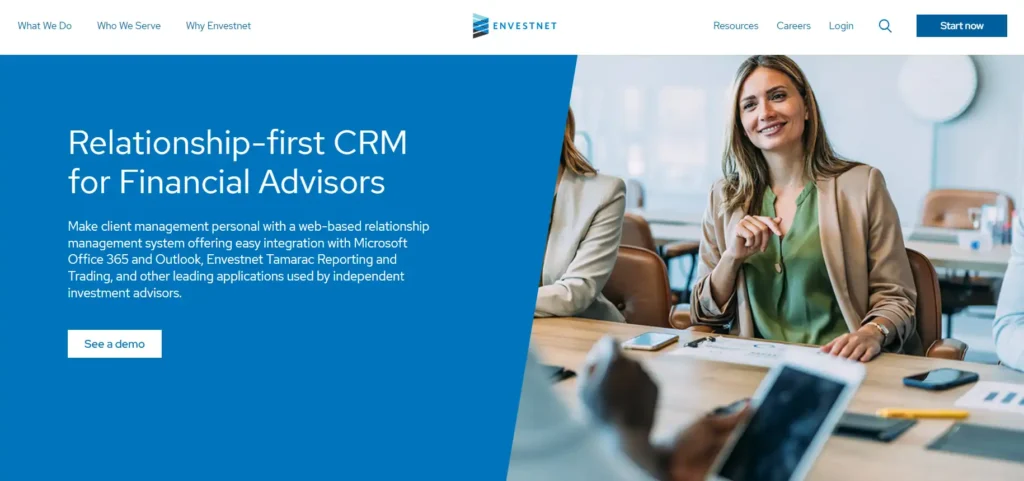
Quick Verdict: If your entire office lives in Outlook, Excel, and Teams, this is your native language. If you use Gmail or Slack, stay away.
Who Is It Really For?
Large RIAs ($500M+ AUM) who are already using the Tamarac Reporting (portfolio accounting) and MoneyGuide (planning) ecosystem. It works best when you go “Full Envestnet.”
The Killer Feature (That Actually Matters)
The “Outlook-First” Logic.
Most CRM for Financial Advisors claim to integrate with Outlook. Tamarac is Outlook (it’s built on Microsoft Dynamics).
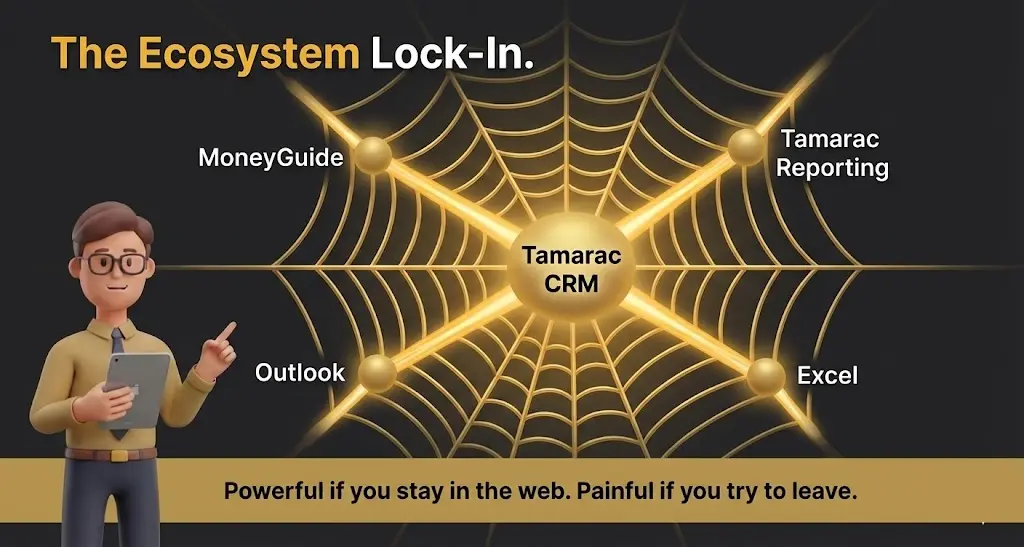
When you are emailing a client, the side panel doesn’t just show “contact info.” It shows their MoneyGuidePro Probability of Success, their last portfolio rebalance, and their unread document uploads—all without leaving your inbox. You can approve a trade or update a financial plan goal directly from an email thread.
Pricing at a Glance (2026)
- Pricing Model: heavily bundled.
- Estimated: Part of the platform fee, but expect ~$15k – $25k annual minimum for the whole Tamarac suite.
- Standalone: Rarely sold alone, but comparably priced to Salesforce if unbundled (~$125/user).
Does Tamarac fit for you? Try Tamarac now.
The Smartest Way to Get Started
Audit your “Microsoft Score.”
Do not buy this if your team uses Macs and Google Workspace. The friction is unbearable. This is strictly for the PC/Office 365 loyalist.
Envestnet Tamarac: Pros & Cons
|
Pros |
Cons |
|---|---|
|
Deepest Integration: It shares DNA with MoneyGuidePro. |
Clunky UI: Dynamics is powerful, but it’s not “pretty.” |
|
Enterprise Scalability: Can handle 100+ advisors easily. |
Slow Updates: Microsoft pushes updates slower than nimble startups. |
Who Should AVOID It?
Solo advisors or anyone using Apple products as their daily driver.
6. AdvisorEngine CRM (formerly Junxure) – Best for Operations Geeks
Quick Verdict: The ugly duckling that runs a tight ship. It’s not flashy, but it handles “back office” chaos better than almost anyone.
Who Is It Really For?
Operations Managers who are tired of advisors ignoring the process. This tool was built by advisors (the Junxure legacy) for advisors. It speaks the language of “RMDs” and “Account Openings” natively.
The Killer Feature (That Actually Matters)
The “Action Sequences” (with teeth).
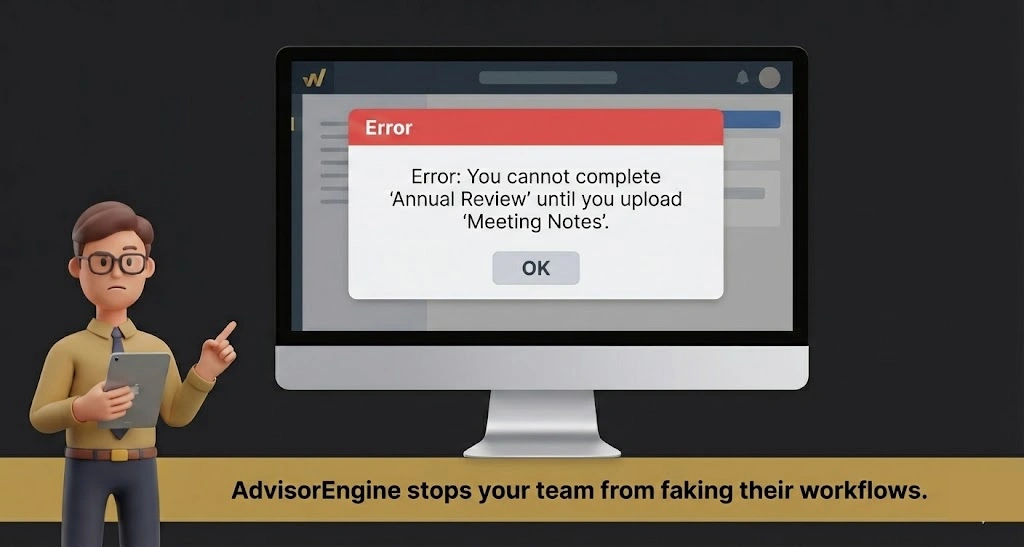
Redtail has workflows, but AdvisorEngine has “Action Sequences” that police your team.
- Experience: You can set a rule where an advisor cannot mark a “Client Review” task as complete until they have uploaded the meeting notes and updated the “Next Review Date” field. It prevents the “Lazy Click” syndrome where staff marks things done without actually doing the data hygiene.
Pricing at a Glance (2026)
- Standard: ~$65/user/month.
- Pricing Model: Simple, per-user pricing. No hidden “platform fees.”
Does AdvisorEngine CRM fit for you? Try AdvisorEngine CRM now.
The Smartest Way to Get Started
Use the Pre-Built Templates.
AdvisorEngine comes with 50+ pre-built workflow templates for things like “Death of a Client” or “Roth Conversion.” Don’t build from scratch—audit their library and tweak it. It saves 100 hours of setup time.
AdvisorEngine CRM: Pros & Cons
| Pros | Cons |
| Operational Depth: Handles complex multi-custodian data well. | Legacy Feel: Even with updates, it feels like older software. |
| Support: Historically excellent access to human help. | Mobile App: Functional, but not delightful. |
Who Should AVOID It?
Marketing-heavy firms. If you want slick email drip campaigns and lead scoring, you’ll need to staple HubSpot onto this. AdvisorEngine is for service, not sales.
7. Maximizer CRM – Best for Data Control & Customization
Quick Verdict: The veteran that refuses to die. It offers a rare mix of “Financial Advisor” specific features with the ability to host your own data (if you want), making it a top pick for control freaks.
Who Is It Really For?
Established firms, particularly in Canada or strict regulatory environments, who need deep “Financial Advisor” specific fields (KYC, householding) right out of the box but refuse to be locked into a “Cloud-Only” contract where they don’t own the server.
The Killer Feature (That Actually Matters)
The “Hybrid” Deployment & Advisor Template.
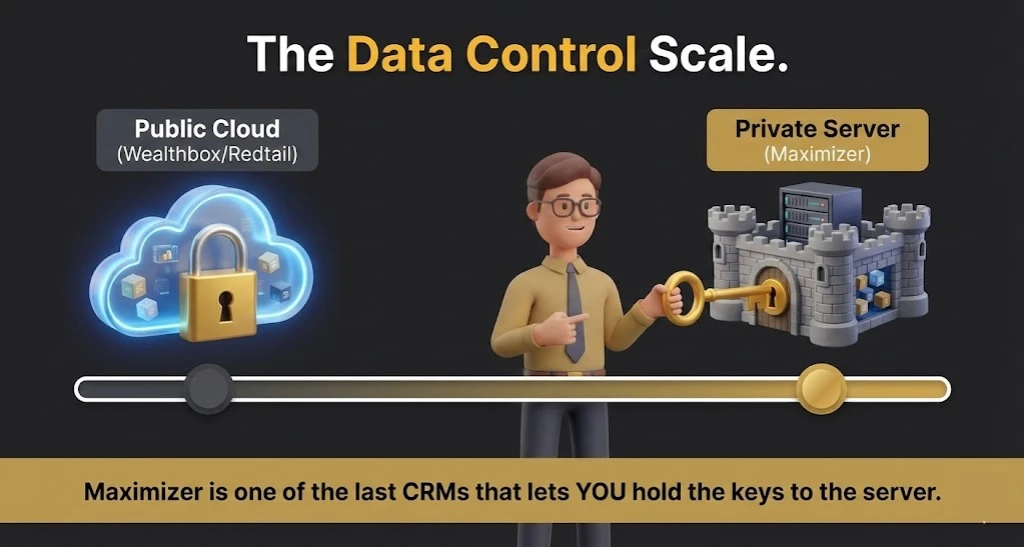
In a world where almost every CRM for Financial Advisors forces you to put your data on their cloud, Maximizer still offers an On-Premise option (alongside their Cloud version).
- Experience: For a client with paranoia about data sovereignty (or strict internal IT mandates), Maximizer was the only modern option that allowed us to host the database on their own private server while still using a modern web interface. Plus, their “Financial Advisor Edition” comes pre-loaded with tabs for “Spouse,” “Trusts,” and “KYC Dates,” so you don’t have to build them.
Pricing at a Glance (2026)
- Base Edition: ~$65/user/mo (Good for general sales, bad for advisors).
- Financial Advisor Edition: ~$79/user/mo (The one you want). Includes the pre-built industry templates and compliance tools.
- Pricing Model: Billed annually. Minimum user counts often apply (usually 3 users).
Does Maximizer CRM fit for you? Try Maximizer CRM now.
The Smartest Way to Get Started
Buy the “Financial Advisor” Edition, not Base.
Do not try to save $14/month by buying the Base edition and building the fields yourself. The “Financial Advisor” edition includes pre-configured workflows for “Client Onboarding” and “Annual Review” that will save you 50 hours of setup time.
Maximizer: Pros & Cons
|
Pros |
Cons |
|---|---|
|
Data Sovereignty: One of the few offering On-Premise/Private Cloud options. |
Minimums: Often requires a 3-user minimum, making it tough for solos. |
|
Deep Compliance: Built-in audit trails and “Read-Only” history are excellent. |
Setup: Heavier setup than Wealthbox; requires some “IT brain” to perfect. |
Who Should AVOID It?
Solo advisors who just want to sign up and start working in 5 minutes. Maximizer feels more like “Enterprise Software” than a “App.” If you want a “Facebook-style” feed, go to Wealthbox.
8. GoHighLevel CRM – The Marketing & Automation Play
Quick Verdict: Not a traditional CRM for Financial Advisors. It is a Marketing War Machine disguised as software. If your primary goal is getting clients (leads, funnels, webinars), this beats Redtail and Wealthbox combined. If your goal is keeping clients (compliance, detailed financial planning logs), it is dangerous unless you know exactly what you are doing.
Who Is It Really For?
“Hunter” Advisors and Marketing-Focused RIAs.
It is for the advisor who runs Facebook ads, hosts webinars, or has a “Lead Magnet” on their website. If you are tired of paying for MailChimp + Calendly + ClickFunnels + SlickText + WordPress, GoHighLevel (GHL) replaces all of them for one price.
The Killer Feature (That Actually Matters)
The “Snapshot” Ecosystem.
You don’t have to build this from scratch.
- Experience: You can download a “Financial Advisor Snapshot”—a pre-built template that installs an entire business logic into your account in one click. It instantly builds a “Retirement Planning Webinar” landing page, a 5-email nurture sequence to get them to show up, a calendar booking bot to schedule the follow-up, and a text message reminder system. A generic CRM like Salesforce forces you to build these; GHL lets you “install” them.

Pricing at a Glance (2026)
- Starter ($97/mo): Includes almost everything for one business.
- Unlimited ($297/mo): Allows you to have unlimited sub-accounts (great if you run a firm with multiple independent advisors who each want their own private dashboard).
- The “HubSpot Killer” Math: To get this level of marketing automation in HubSpot (Marketing Hub Pro), you would pay ~$890/mo. GHL gives it to you for $97.
Does GoHighLevel CRM fit for you? Try GoHighLevel CRM now.
The Smartest Way to Get Started
Don’t build; Buy.
Do not try to configure the automations yourself. Go to a marketplace (like GHL Experts or even Etsy) and buy a “Financial Advisor Snapshot” for ~$200. It will come with pre-written email copy for “Bear Market Reassurance” and “Annual Review Reminders”.
Critical Warning: The “Compliance Gap”
GHL is NOT FINRA/SEC compliant out of the box.
- The Risk: It does not have WORM (Write Once, Read Many) storage natively. If you delete a text message, it’s gone.
- The Fix: You MUST integrate it with a third-party archiving tool like Smarsh or MyWorkDrive. You simply set up a “BCC” rule so that every email sent from GHL is secretly copied to your Smarsh vault. If you skip this step, do not use it for client communication.
GoHighLevel: Pros & Cons
|
Pros |
Cons |
|---|---|
|
“Speed to Lead”: Best-in-class SMS automation. If a lead fills out a form, GHL calls you instantly and bridges you to them. |
Compliance Danger: Requires manual setup to be audit-proof. It is not “safe” by default. |
|
Cost Consolidation: Kills your bills for Calendly, Mailchimp, and ClickFunnels. |
“Jack of All Trades”: The CRM part is basic. It lacks “Household” grouping or deep portfolio integrations. |
Who Should AVOID It?
“Farmer” advisors who live on referrals and never do marketing. If you just need a place to store notes and execute trades, GHL is overkill and under-powered for you.
9. HubSpot CRM (with Compliance Overlays) – Best for Marketing-First Firms
Quick Verdict: The world’s best marketing engine, but a compliance nightmare out of the box. Use this only if “Leads” are more important to you than “Logistics.”
Who Is It Really For?
Growth-obsessed RIAs who treat their firm like a media company. If you run webinars, send 10k emails a week, and live by “Lead Scoring,” Redtail will suffocate you. You need HubSpot.
The Killer Feature (That Actually Matters)
The “Lifecycle Stage” Tracking.
Traditional CRM for Financial Advisors are binary: you are a “Prospect” or a “Client.”
HubSpot is granular. It tracks a lead from “Subscriber” (downloaded an ebook) to “Marketing Qualified Lead” (attended a webinar) to “Sales Qualified Lead” (booked a discovery call).
- Experience: I set this up for a firm targeting doctors. We knew exactly when a prospect was “warm” because HubSpot alerted the advisor: “Dr. Smith just visited the ‘pricing’ page for the 3rd time. Call him now.” Wealthbox cannot do that.
Pricing at a Glance (2026)
- Free: Useless for advisors (no compliance archiving).
- Sales Hub Professional: ~$90 – $100/user/month.
- The “Compliance Tax”: You must purchase a third-party archiver (like Smarsh or Global Relay) to sit on top of HubSpot, adding ~$15/user/mo.
Does HubSpot CRM fit for you? Try HubSpot CRM now.
The Smartest Way to Get Started
Don’t use it for “Client Service.”
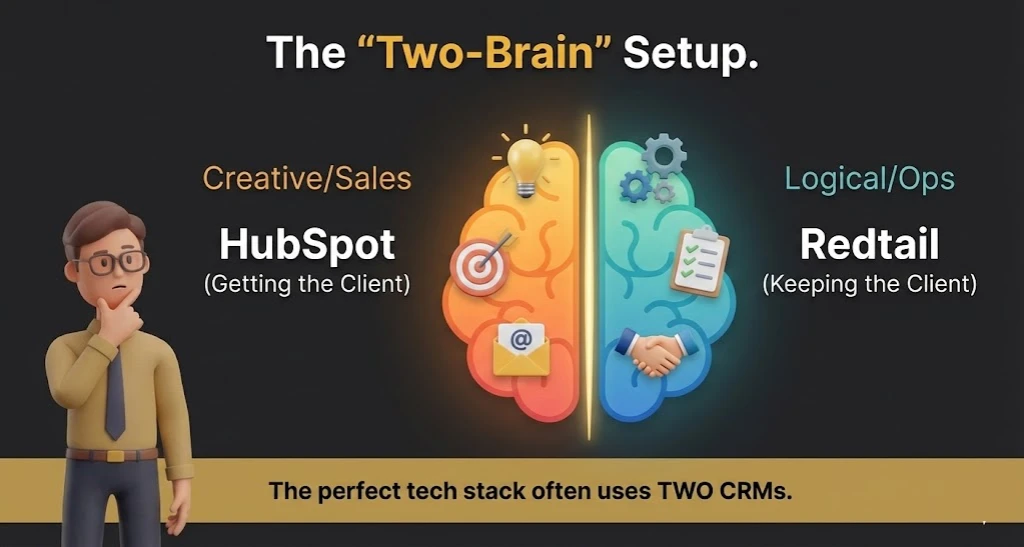
The smartest firms use a “Bi-Directional Sync.” They use HubSpot for the Prospecting phase (Marketing). Once the prospect signs the ACATs papers, they push the data into Redtail/Wealthbox for the Service phase. Do not try to run complex RMD workflows in HubSpot; it wasn’t built for that.
HubSpot: Pros & Cons
|
Pros |
Cons |
|---|---|
|
Lead Intelligence: Sees what your prospects click on your website. |
Compliance Risk: Not FINRA-ready out of the box. |
|
Automation: The email drip campaigns are lightyears ahead of Redtail. |
Cost: Can get very expensive as your contact list grows. |
Who Should AVOID It?
Conservative firms who get 100% of their business from referrals and don’t do digital marketing. HubSpot is an expensive address book if you aren’t using the marketing tools.
10. NexJSystems – Best for UHNW & Private Banking
Quick Verdict: The Rolls Royce. It’s slow, expensive, and heavy, but it offers a “White Glove” experience that standard CRMs can’t touch.
Who Is It Really For?
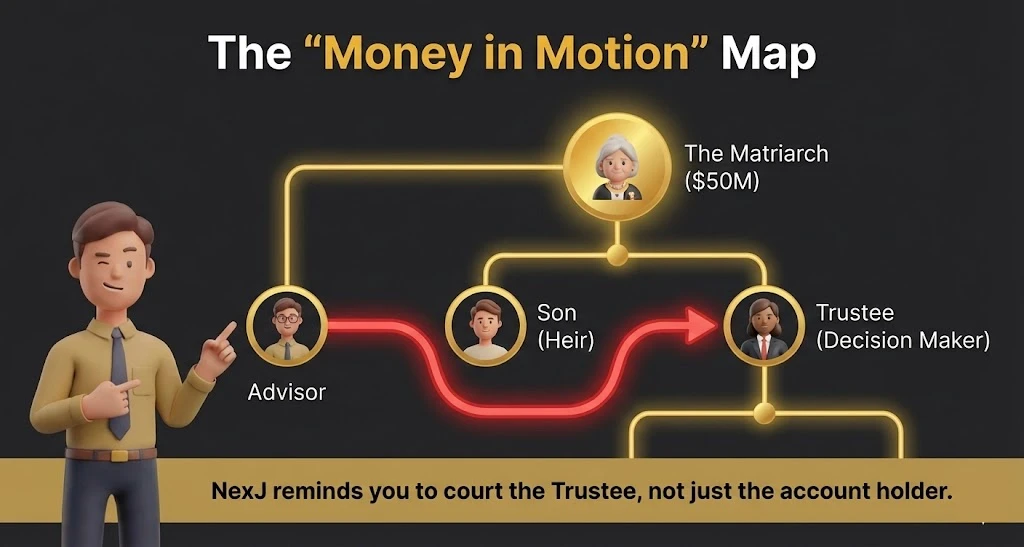
Private Banks and Multi-Family Offices. If your clients have “Staff” (personal assistants, pilots, lawyers) and you need to track who talks to whom, NexJ is the specialist.
The Killer Feature (That Actually Matters)
The “Nudge” AI (CDM).
NexJ’s “Customer Data Management” doesn’t just store data; it predicts needs.
- Experience: It scans the client’s portfolio and life events. If a client’s bond matures in 30 days and their birthday is next week, NexJ suggests a specific call script: “Happy Birthday, and by the way, we have $500k in cash settling soon.” It synthesizes data points that usually live in separate silos.
Pricing at a Glance (2026)
- Enterprise Only: No public pricing.
- Estimate: Expect six-figure annual contracts. This is not for the mass market.
Does NexJ Systems fit for you? Try NexJ Systems now.
The Smartest Way to Get Started
Map the “Sphere of Influence.”
Use NexJ’s relationship mapping to track the “Gatekeepers.” Most CRMs link a husband and wife. NexJ links the Client to their Estate Attorney, their CPA, and their Adult Children. When the primary client passes away, you already have a relationship with the heirs because the CRM prompted you to nurture them for years.
NexJ Systems :Pros & Cons
|
Pros |
Cons |
|---|---|
|
Relationship Mapping: Visualizes complex family trees/wealth webs. |
Accessibility: You can’t just “sign up.” It’s a massive deployment. |
|
Vertical Specific: Built strictly for wealth management (no customization needed). |
User Interface: Feels “Corporate” and dense. |
Who Should AVOID It?
Any firm with less than $2B in assets. You are bringing a bazooka to a knife fight.
11. UGRU – CRM for Financial Planners & Advisors
Quick Verdict: The Swiss Army Knife you’ve never heard of. It combines CRM, Financial Planning, and Accounting into one surprisingly affordable browser tab.
Who Is It Really For?
Solo Advisors on a Budget. If you are starting an RIA from scratch and can’t afford the “Big Three” stack (CRM + eMoney + Orion), UGRU gives you “Good Enough” versions of all of them for one price.
The Killer Feature (That Actually Matters)
Built-In Financial Planning.
This is rare. Usually, CRM and Planning are enemies. In UGRU, the CRM data is the Planning data.
- Experience: You don’t have to “Sync” data to MoneyGuidePro. You just click “Create Plan” inside the contact record. It can run Monte Carlo simulations and cash flow analysis natively. It is not as pretty as eMoney, but it is accurate and instant.
Pricing at a Glance (2026)
- CRM Plus: ~$59/user/month.
- Operations Suite (with Planning): ~$139/user/month.
- Value: Getting a Planning tool included saves you ~$1,200/year per user compared to buying eMoney separately.
Does UGRU CRM fit for you? Try UGRU CRM now.
The Smartest Way to Get Started
Treat it as a “Bridge” Tool.
I often recommend UGRU to breakaway brokers who are leaving a wirehouse (like Merrill or Morgan Stanley). They need a full tech stack on Day 1 without spending $50k. UGRU gets you operational in 48 hours. You might outgrow it in 5 years, but it survives the startup phase beautifully.
UGRU: Pros & Cons
|
Pros |
Cons |
|---|---|
|
Cost Savings: Eliminates the need for separate planning software. |
“Master of None”: The planning isn’t as deep as eMoney; the CRM isn’t as fast as Wealthbox. |
|
Full Accounting: Includes general ledger/bookkeeping features. |
Brand Risk: Smaller user base means fewer 3rd party integrations. |
Who Should AVOID It?
Tech snobs. The interface feels a bit 2015. If you need “Dark Mode” and slick animations, look elsewhere.
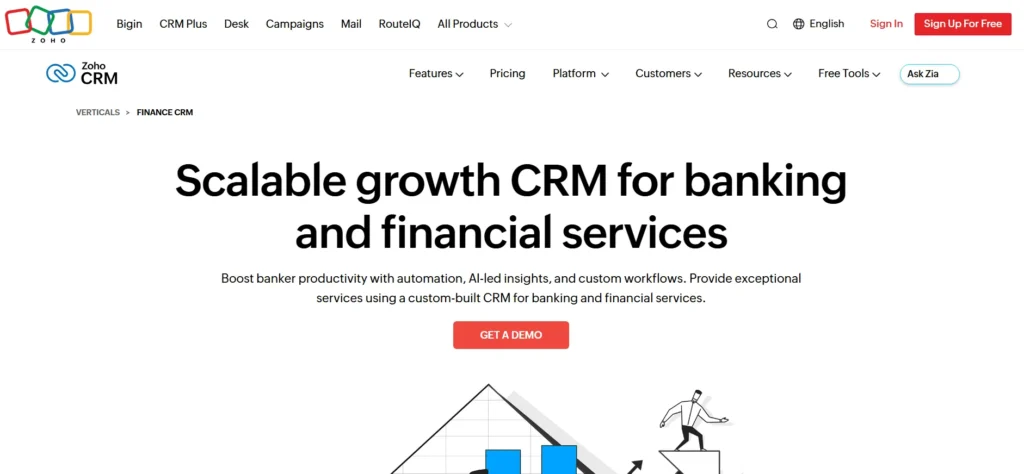
12. Zoho CRM (Finance Suite) – CRM for financial services
Quick Verdict: The “Lego Set.” It is the cheapest option on this list, but you have to build the house yourself.
Who Is It Really For?
Tech-Savvy Advisors who know what an API is and want to build a custom system for pennies on the dollar.
The Killer Feature (That Actually Matters)
Canvas Builder.
Zoho lets you redesign the entire interface without code.
- Experience: I helped a fee-only planner redesign Zoho to look exactly like an iPhone app. We stripped away all the “Sales” buttons and just left big buttons for “Review,” “Onboard,” and “Birthday.” You can make it look like a proprietary piece of software that cost you $100k to build.

Pricing at a Glance (2026)
- Standard: ~$14/user/month.
- Professional: ~$23/user/month.
- Enterprise: ~$40/user/month.
- The Reality: You will likely need the “Zoho One” bundle (~$37/mo) to get the email and signing tools included.
Does Zoho CRM fit for you? Try Zoho CRM now.
The Smartest Way to Get Started
Use the “Zoho Finance” Templates.
Don’t start with blank Zoho. Look for the “Financial Services” vertical setup. It pre-renames “Deals” to “AUM Opportunities” and “Leads” to “Prospects.” It saves you the semantic headache of translating sales speak to advisor speak.
Zoho CRM: Pros & Cons
|
Pros |
Cons |
|---|---|
|
Incredible Value: Feature-for-feature, it’s 20% the cost of Salesforce. |
High Friction: It requires significant setup time to feel “right.” |
|
Customizability: You can change everything. |
Support: Support is often offshore and script-based. |
Who Should AVOID It?
Anyone who wants “Out of the Box” functionality. If you just want to log in and start working, Zoho will make you cry.
The “No-Regret” Financial CRM Buying Guide: How to Avoid a $50k Mistake
Most advisors buy a CRM based on a demo. This is a fatal error. A demo is a scripted Broadway show; your daily life is a messy improv class.
I have seen firms spend $50,000 implementing Salesforce only to abandon it six months later because it was “too hard to enter a phone number.” To avoid becoming that statistic, ignore the sales pitch and stress-test these four specific areas.
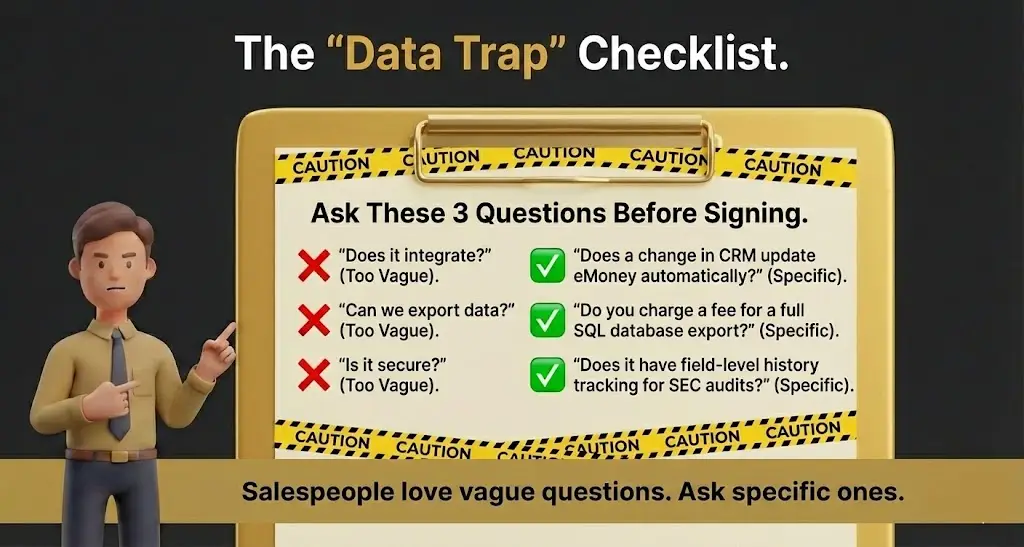
1. The “Bi-Directional” Integration Lie
Every CRM salesperson will tell you, “Yes, we integrate with eMoney/Orion/Schwab.”
You must ask: “Is it bi-directional, or is it a one-way street?”
- The Trap: Many CRMs only pull data. They can show you the account balance from Schwab, but if you update the client’s address in the CRM, it won’t push that update to Schwab. This forces you to do double-entry.
- The Fix: Demand to see a live test. Ask the rep to change a phone number in the CRM and show it updating in the financial planning software within 5 minutes. If they can’t show it, assume it doesn’t exist.
2. The “Saturday Morning” UX Test
Your CRM is not for you; it is for your laziest employee.
Adoption is the #1 killer of CRM software. If the interface is clunky, your advisors will keep their “real” notes in a spiral notebook or an Excel sheet, rendering your expensive software useless.
- The Test: Log in on a Saturday morning with zero training. Try to do three things:
- Add a new contact.
- Schedule a recurring meeting.
- Find a specific email from last month.
- If you encounter friction or have to look for a “Save” button for more than 5 seconds, walk away. Friction kills data hygiene.
3. The “Data Hostage” Clause
How easy is it to leave?
SaaS companies love to make onboarding easy and offboarding impossible.
- The Reality: specialized CRM for Financial Advisors like Advyzon or Tamarac are notoriously sticky. Because they intertwine your portfolio data with your CRM data, untangling them later is a nightmare.
- The Check: Before you sign, ask: “If I leave in 3 years, in what format do I get my data?”
- Good Answer: “CSV files with all relational links intact.”
- Bad Answer: “PDFs of client records” (This is useless) or “We charge a $5,000 exit fee for a SQL dump.”
4. Compliance: The “Audit Trail” Reality
The SEC doesn’t care if your CRM is pretty. They care if it is WORM (Write Once, Read Many) compliant.
- The Requirement: You need a “Field History” tracker.
- The Scenario: An advisor changes a client’s “Risk Tolerance” from Conservative to Aggressive on Monday. On Tuesday, the market crashes. On Wednesday, the client sues.
- The Defense: A good CRM (like Redtail or Salesforce) will show exactly who made the change, when they made it, and what the previous value was. A bad CRM will just show the new value, leaving you defenseless.
Comparison: “Best-of-Breed” vs. “All-in-One”
This is the philosophical choice you must make before looking at features.
|
Feature |
The “Best-of-Breed” Stack |
The “All-in-One” Platform |
|---|---|---|
|
Typical Setup |
Wealthbox + eMoney + Orion |
Advyzon or Envestnet Tamarac |
|
Pros |
You use the absolute best tool for every job. If you hate your CRM, you can swap it without breaking your planning tool. |
Advyzon or Envestnet Tamarac |
|
Cons |
“Franken-stack”: You are constantly managing integrations. Updates to one tool might break the connection to another. |
“Mediocrity Trap”: The CRM might be great, but the planning tool might be weak. You are stuck with the bundle. |
|
Who Wins? |
Independent, tech-forward RIAs who want flexibility. |
Operations-focused firms who want simplicity over power. |
Demystifying CRM Costs: What You Actually Get at Each Price Point
Advisors often ask me, “Why pay $300 for Salesforce when Redtail is $50?”
Here is the raw breakdown of where your money goes.
- The “Database” Tier ($30 – $60/mo)
- Examples: Redtail, Zoho.
- What you get: A place to store names and notes. Basic calendar sync.
- What you miss: Intelligent automation, lead scoring, and deep bi-directional syncing with custodians. You are doing the data entry manually.
- The “Productivity” Tier ($75 – $100/mo)
- Examples: Wealthbox, HubSpot Pro.
- What you get: Time. Email is automatically captured (no copy-paste). Workflows trigger automatically. The system “nudges” you.
- The ROI: If the software saves you 1 hour a week, it pays for itself here.
- The “Platform” Tier ($150 – $350/mo)
- Examples: Salesforce FSC, Practifi, Tamarac.
- What you get: Data Sovereignty. You can warehouse data from 10 different sources, run complex SQL-style queries, and build custom apps on top of the CRM.
- The ROI: Necessary only for firms where data is the product.
Your Action Plan: 5 Steps to a Successful CRM Migration
Changing CRMs is like open-heart surgery while running a marathon. Do not wing it.
- The “Data Cleanse” (Month 1): Before you even buy the new tool, export your current contacts to Excel. Delete the dead weight. If you haven’t spoken to them in 5 years, do not pay to migrate them.
- The “Field Map” (Month 1): Create a document mapping your old fields to the new ones. (e.g., Old CRM “Spouse Name” -> New CRM “Relationship: Spouse”).
- The “Power User” Pilot (Month 2): Do not launch to everyone at once. Pick your two most tech-savvy advisors. Let them break the new system for 2 weeks. Fix their complaints.
- The “Blackout” Weekend (Month 2): Schedule the migration for a Friday afternoon. Shut down the old system. Migrate data. Verify on Saturday. No one logs in until Monday.
- The “Burn the Ships” Protocol (Month 3): Remove “Read Only” access to the old CRM after 30 days. If you leave the old safety blanket available, people will keep using it.
CRM for Financial Advisors: Current Stats
The landscape of financial advice technology is shifting rapidly. It’s no longer just about having a database; it’s about how that database talks to your planning software and leverages AI.
Here are the 5 most critical statistics defining the CRM market for advisors in 2026:
- CRM is Now “Table Stakes”: Adoption is nearly universal among successful firms. According to the 2024 RIA Benchmarking Study, robust adoption of digital workflows (anchored by CRM) is a primary driver for the top 20% of performing firms, with adoption rates in the Americas hovering over 84%.
- The “AI” Dividend is Real: The hype has turned into utility. Recent reports indicate that 85% of advisors now view AI tools as beneficial to their practice, specifically for reducing administrative workloads by 20-30%.
- The “David vs. Goliath” Split: While Salesforce is often touted as the leader, independent advisors tell a different story. Industry analysis by Michael Kitces reveals that Salesforce holds only about 17% market share among independent advisors, with many preferring specialized overlays or dedicated tools like Redtail.
- ROI is Higher Than You Think: For every dollar spent on CRM implementation, the average return is $8.71. This massive ROI comes from automating the “boring” tasks—data entry and follow-ups—that otherwise consume billable hours.
If your CRM is clunky, your talent will leave. A stunning 92% of advisors say they would switch firms over bad technology, making your software choices a critical retention strategy.
What to Do Next
If you are still paralyzed by choice, do the “12-Second Test.” Request a free trial of Wealthbox and Redtail. Input one fake client. Then, set a timer and try to find that client’s phone number and add a note. Whichever one felt natural—buy that one. The “best” CRM for Financial Advisors is the one you actually use.
FAQ
1. Can I just use Excel as my CRM?
No. Aside from being incredibly inefficient, Excel does not have an immutable audit trail. If the SEC asks for your client notes from 2024 and you hand them an Excel file (which can be edited without a timestamp), you are begging for a fine.
2. Does Wealthbox integrate with Outlook?
Yes, but only on the “Pro” plan and higher. The 2-way sync is solid; if you delete an email in Wealthbox, it stays in Outlook (safety), but if you archive it in Outlook, it stays in Wealthbox (record keeping).
3. Is Salesforce worth the money for a solo advisor?
Almost never. The setup time and cost are prohibitive. Unless you plan to hire 5 advisors in the next 12 months, stick to Wealthbox or Redtail.
4. What is the best CRM for insurance advisors?
If you are heavy on insurance products (Annuities, Life), look at Equisoft or AgencyBloc. The tools listed above (Redtail/Wealthbox) are better suited for AUM/Investment advisors.
5. How do I move my data from Redtail to Wealthbox?
Wealthbox has a dedicated “Switch Team.” Because Redtail is the most common competitor, Wealthbox has built a specific importer tool that maps Redtail’s data structure almost perfectly. It is usually free with an annual contract.