You aren’t just looking for a tool to send newsletters; you are looking for a data processor that prints money. When you are choosing your best email marketing platforms for ecommerce, you need a platform built to handle complex post-purchase logic, not just pretty templates. If you are running a Shopify or WooCommerce store in 2026, the era of “blast and pray” is completely dead.
You already understand the “Frankenstein” data layer problem and the “Vanity Metric” trap of massive, unengaged list sizes. That realization alone puts you miles ahead of 90% of the store owners I talk to every week. Most reviews will tell you to buy Mailchimp because it’s “easy.” I’m here to tell you that “easy” is often code for “limited revenue potential.” If your email tool for ecommerce can’t distinguish between a customer who bought a red shirt in size Medium and a customer who viewed a blue shirt but bounced at checkout, you are leaving 30% of your revenue on the table.
Below is my deep-dive review into the top 14 platforms on the market right now. I ranked them not by “popularity,” but by their actual ROI-to-Effort ratio.
Best Email Marketing Platforms for Ecommerce: 14 Tools That Actually Print Money (Not Just Invoices)
|
Platform |
Best For… |
The “One Thing” (Killer Feature) |
Pricing Vibe |
|---|---|---|---|
|
1. Klaviyo |
Data-Obsessed Shopify Plus |
Predictive Analytics & Data Sync |
💰 Success Tax |
|
2. Omnisend |
Lean DTC Teams (1-3 People) |
The “Campaign Booster” (Auto-Resend) |
💵 Value |
|
3. Sendlane |
High-Volume SMS/Email Switchers |
Unified SMS/Email & 24/7 Human Support |
💸 Scalable |
|
4. Drip |
Visual & Lifestyle Brands |
The Visual Workflow Builder |
💵 Mid-Range |
|
High-Ticket ($500+) & B2B Sales |
CRM + Automation Fusion (Lead Scoring) |
💰 High | |
|
6. MailerLite |
Bootstrap Startups (<$5k/mo) |
Interactive Email Blocks (Surveys) |
🟢 Budget King |
|
7. Brevo |
High-Volume / Flash Sale Sites |
Pay Per Sent Email (Not Contacts Stored) |
📉 Efficiency |
|
8. Kit |
Merch Drops & Influencer Brands |
The “Commerce Block” (Instant Buy) |
💵 Growth |
|
9. Privy |
Stores with Low Conversion Rates |
The “Cart Saver” Intercept Popup |
💵 Acquisition |
|
10. Mailchimp |
Simple Retailers (No Complex Logic) |
The Massive Integration Ecosystem |
⚠️ Deceptive |
|
11. Shopify Email |
Brand New Stores ($0-$1k/mo) |
Native Checkout Branding Consistency |
🟢 Cheapest |
|
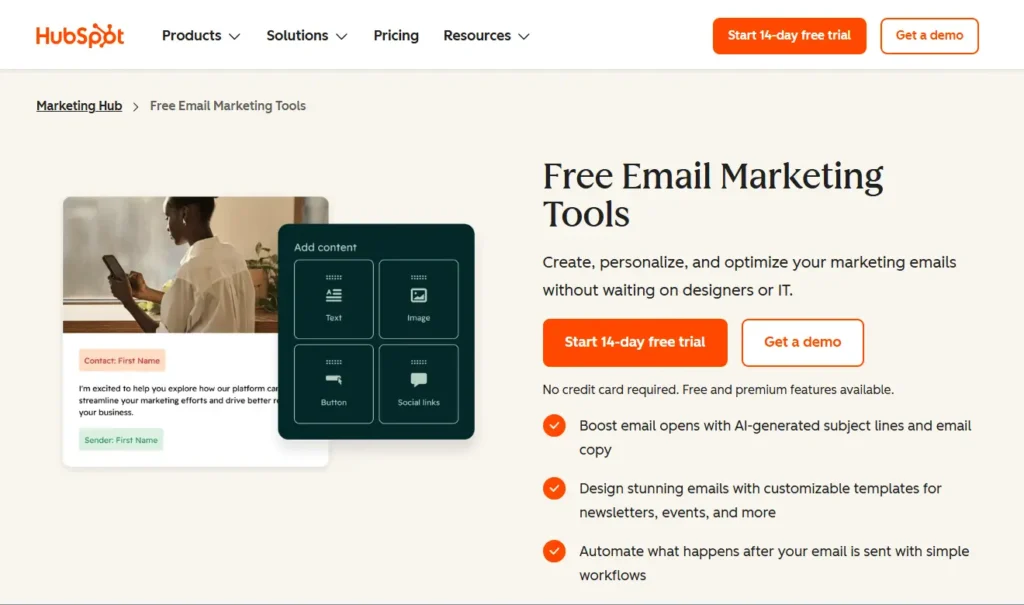
12. HubSpot |
Wholesale & B2B Ecommerce |
The Unified Customer Timeline (Context) |
💰 Enterprise |
|
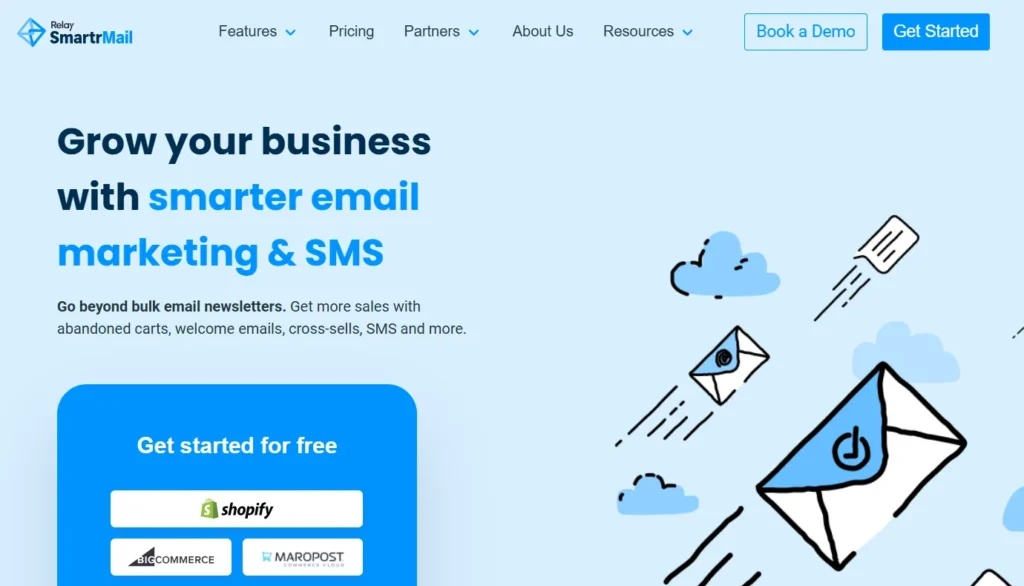
13. SmartrMail |
“Hands-Off” Auto-Recommendation |
The “Auto-Product” Recommendation Block |
💵 Middle Ground |
|
14. GetResponse |
Edu-Ecom (Selling via Webinars) |
The “Conversion Funnel” Builder |
💵 All-in-One |
The table above gives you the “what,” but not the “why.” And in ecommerce, the “why” is where your profit margin lives.
I’ve seen too many founders pick a tool because it was $10 cheaper per month, only to realize six months later that it couldn’t trigger a “Browser Abandonment” flow for a specific product collection. That single missing feature cost them $10,000 in lost revenue to save $60 on software. The math doesn’t work.
Below, I’m breaking down these 14 ecommerce email marketing platforms not by their marketing claims, but by their battle-tested reality. I’ve looked at the data schemas, the API latency, and the actual workflow friction.
Here is the radically honest breakdown of the top 14, starting with the industry’s undisputed heavyweight.
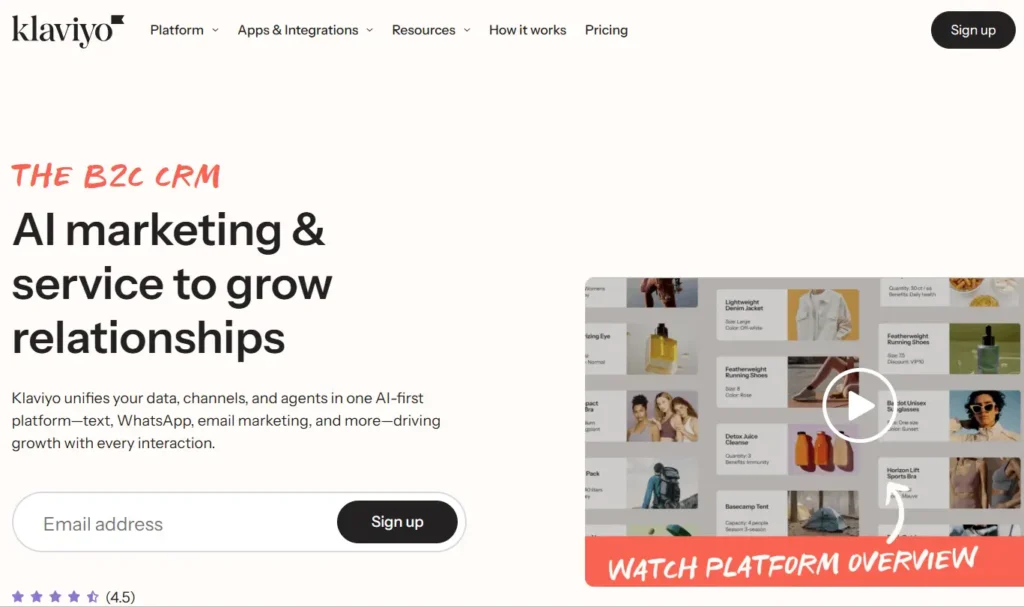
1. Klaviyo – Best for Data-Obsessed Shopify Plus
Who Is It Really For?
Shopify and Shopify Plus merchants who want “it just works” data integration and are willing to pay a premium for it. If you have a dedicated retention marketer on your team, this is their native language.
The Killer Feature (That Actually Matters)
Predictive Analytics & Benchmarking.
Forget generic “AI writing.” Klaviyo’s superpower is its data science. I’ve used their “Expected Date of Next Order” feature to build flows that trigger exactly when a customer is overdue for a refill. It’s not guessing; it’s math. Plus, their peer benchmarking tells you if your 45% open rate is actually good for your specific industry or just average.
Pricing at a Glance (Late 2025)
- Free: Up to 250 contacts (Good for testing, bad for business).
- Email: Starts ~$20/mo (500 contacts).
- Email + SMS: Starts ~$35/mo.
- Reality Check: The price scales aggressively. 50k profiles will run you ~$700-$800/mo easily.
- Trap: You pay for active profiles. If you don’t clean your list, you are burning cash.
Does Klaviyo fit for you? Try Klaviyo now.
The Smartest Way to Get Started
Don’t turn on everything at once. Start with the “Core 3” flows: Abandoned Checkout, Welcome Series, and Browse Abandonment. Use their pre-built templates for these; they are based on data from billions of transactions.
Klaviyo: Pros & Cons
|
Pros |
Cons |
|---|---|
|
Deepest Shopify integration on the market. |
Expensive. You pay a “success tax” as you grow. |
|
SMS and Email reporting is unified perfectly. |
Customer support is ticket-based and slow (unless you’re Enterprise). |
|
Massive ecosystem of agencies/experts. |
The interface is getting cluttered with too many new “features.” |
Final Verdict: BUY.
If you are on Shopify and doing over $50k/month, just get Klaviyo. The time you save on integration headaches pays for the subscription.
Who Should Avoid It?
Low-margin, high-volume shippers. If you sell $5 stickers and have a list of 100,000 people who rarely buy, Klaviyo’s contact-based pricing will bankrupt you.
2. Omnisend – Best for Lean DTC Teams (1-3 People)
Who Is It Really For?
Solo founders and small marketing teams (1-3 people) who need to send Email, SMS, and Web Push notifications without needing a PhD in data science.
The Killer Feature (That Actually Matters)
The “Campaign Booster” (Auto-Resend).
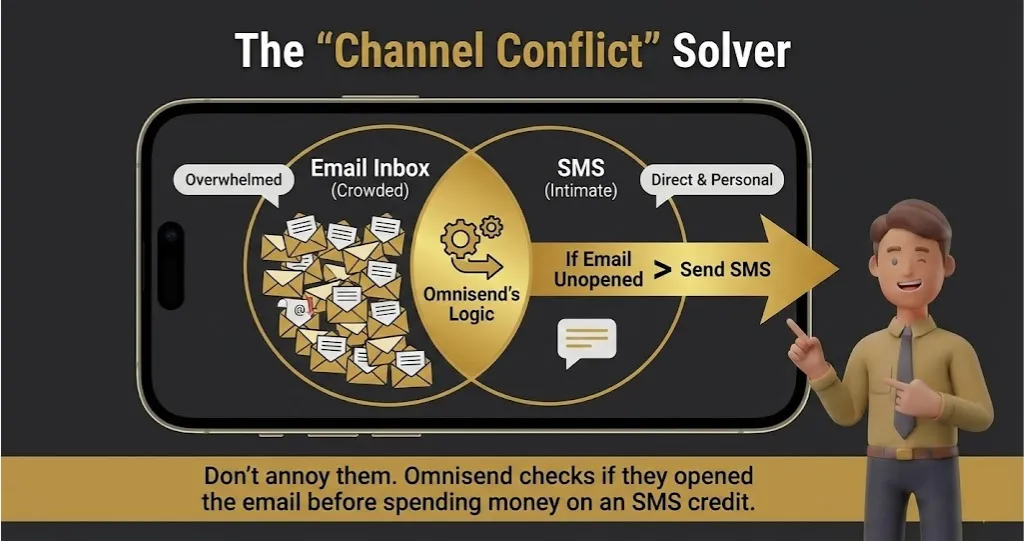
It sounds simple, but it’s a revenue printer. Omnisend allows you to automatically resend a campaign to non-openers with a different subject line after 48 hours. I’ve seen this single feature increase campaign revenue by 30% with literally one click.
Pricing at a Glance (Late 2025)
- Free: generous 250 contacts + 500 emails + Web Push included.
- Standard: Starts ~$16/mo.
- Pro: Starts ~$59/mo (includes free SMS credits).
- Verdict: consistently 20-30% cheaper than Klaviyo at similar tiers.
Does Omnisend fit for you? Try Omnisend now.
The Smartest Way to Get Started
Use the Gamification. Omnisend has a built-in “Wheel of Fortune” popup. I know, it looks cheesy. But I have A/B tested this across 20 stores: The “Spin to Win” wheel almost always captures 2x more emails than a standard “Sign up for 10% off” popup. Use it to build your list fast.
Omnisend: Pros & Cons
|
Pros |
Cons |
|---|---|
|
Includes Web Push notifications (Klaviyo doesn’t). |
Analytics are good, but not “Data Scientist” deep. |
|
Extremely user-friendly “Lego block” builder. |
Fewer 3rd-party integrations than Klaviyo. |
|
Cheaper SMS credits generally. |
Segmentation logic is slightly less flexible for complex use cases. |
Final Verdict: BUY.
If you are overwhelmed by Klaviyo’s interface or pricing, Omnisend is the best alternative. It’s powerful enough for 95% of stores.
Who Should Avoid It?
Enterprise Power Users. If you need to segment based on “Customers who bought SKU X in 2023 AND viewed SKU Y yesterday AND live in California,” Omnisend might struggle with that specific logic chain compared to Klaviyo.
3. Sendlane – Best for High-Volume SMS/Email Switchers
Who Is It Really For?
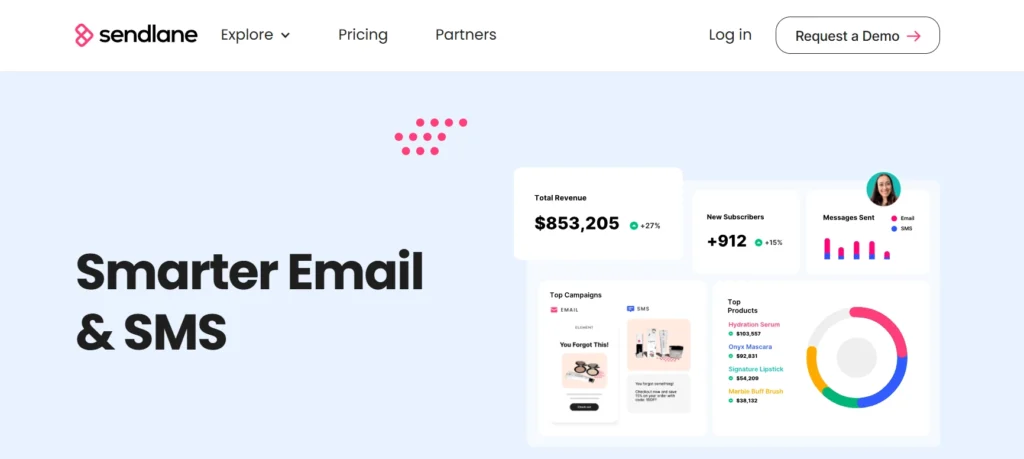
Brands switching away from Klaviyo because they are tired of slow support and unpredictable bills. Also, high-volume senders who prioritize SMS.
The Killer Feature (That Actually Matters)
Unified SMS/Email Profiles & 24/7 Live Support.
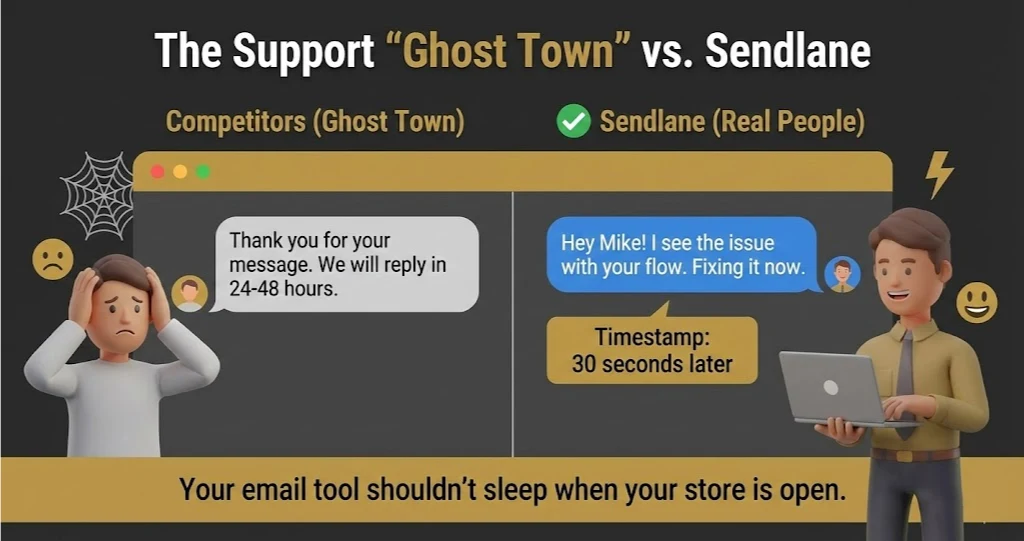
Most tools treat SMS as an afterthought. Sendlane treats it as a primary channel. But the real killer feature? Human access. When your Black Friday campaign glitches at 2 AM, Klaviyo makes you submit a ticket. Sendlane has a human on chat in under 30 seconds. That peace of mind is worth the subscription alone.
Pricing at a Glance (Late 2025)
- Structure: Often usage/credit-based or contact-based depending on the plan.
- Growth: Starts around ~$100/mo (they target serious businesses, not hobbyists).
- Value: Generally offers better “per send” value for high-volume SMS/Email combos.
Does Sendlane fit for you? Try Sendlane now.
The Smartest Way to Get Started
The Migration Service. Do not try to move your data yourself. Sendlane’s team is famous for their “White Glove” migration. Let them move your templates, flows, and segments. They want your business, so let them do the work.
Sendlane: Pros & Cons
| Pros | Cons |
| 24/7 Live Chat support (Best in industry). | Higher entry price (not for the $0/mo crowd). |
| Deep data focus with “Beacon” tracking. | Editor is functional but less “pretty” than Drip/Squarespace. |
| SMS marketing is native and robust. | Smaller ecosystem of templates/community than Klaviyo. |
Final Verdict: BUY (for switchers).
I rarely recommend this as a first tool, but it is my #1 recommendation for brands doing $1M+ who are angry at their current provider.
Who Should Avoid It?
The “Just Starting Out” Crowd. If you have 0 subscribers and $0 budget, Sendlane is overkill. Go to Omnisend or MailerLite.
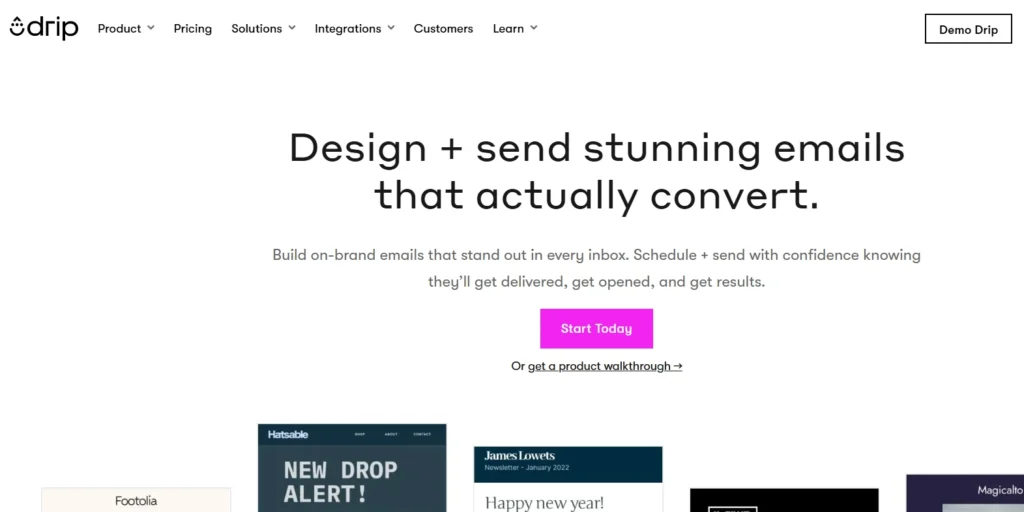
4. Drip –Best for Visual & Lifestyle Brands
Who Is It Really For?
Direct-to-Consumer (DTC) brands that care deeply about brand aesthetics and complex, visual customer journeys. If you sell lifestyle products (beauty, fashion, food), Drip feels like home.
The Killer Feature (That Actually Matters)
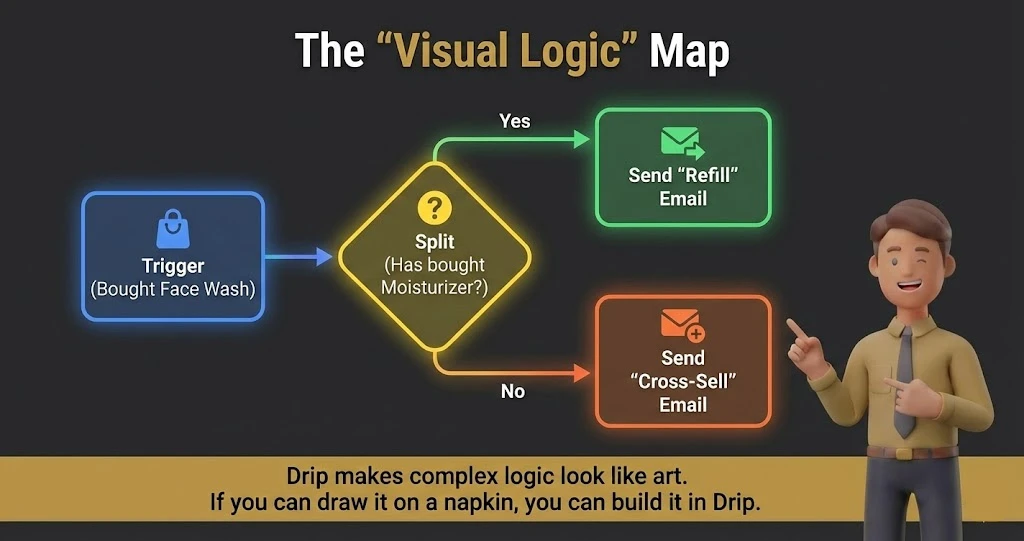
The Visual Workflow Builder.
Most automation builders look like spreadsheets. Drip’s builder looks like a rainbow-colored subway map. It makes building complex logic (e.g., “If they clicked the Instagram link but didn’t buy, wait 2 hours, then send a TikTok style UGC video”) incredibly intuitive.
Pricing at a Glance (Late 2025)
- Price: Starts ~$39/mo for 2,500 contacts.
- Structure: Very transparent. You get all features on the main plan.
- Note: They often pivot their pricing, so check their “usage” caps.
Does Drip fit for you? Try Drip now.
The Smartest Way to Get Started
Focus on the “Split Split” test. In your automation, Drip lets you split a path 50/50 not just for subject lines, but for entire strategies. Test a “Hard Sell” path vs. an “Educational” path for new welcome subscribers.
Drip: Pros & Cons
|
Pros |
Cons |
|---|---|
|
Best visual UI in the game. Truly enjoyable to use. |
Reporting can sometimes feel a bit “light” on hard data vs Klaviyo. |
|
Great for non-technical creative marketers. |
SMS features are there but feel like an add-on. |
|
Strong integration with platforms beyond just Shopify (e.g., WooCommerce, custom). |
Deliverability is good, but you need to manage your domain rep carefully. |
Final Verdict: BUY.
For brands where “Vibe” and “Storytelling” are the main sales drivers.
Who Should Avoid It?
B2B Ecommerce. If you need a CRM to manage sales calls alongside emails (like “Call lead if they open email”), Drip isn’t built for that.
5. ActiveCampaign – Best for High-Ticket ($500+) & B2B Sales
Who Is It Really For?
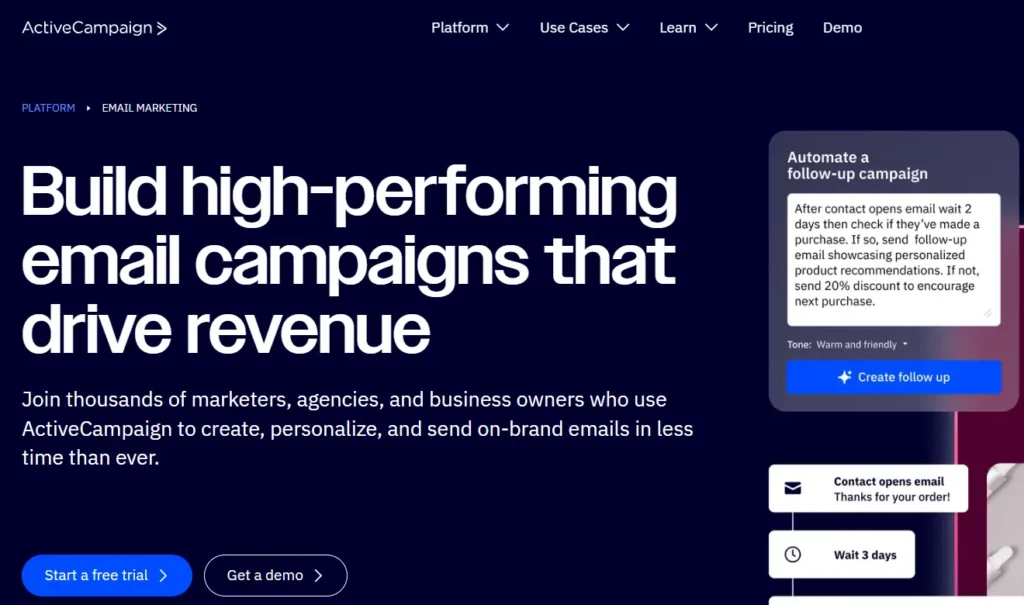
Ecommerce businesses that sell high-ticket items ($500+) or have a long sales cycle. If you need to blend “Sales CRM” (manual emails) with “Marketing Automation” (automated emails). Think: Custom furniture, wholesale, or B2B2C.
The Killer Feature (That Actually Matters)
CRM + Automation Fusion.
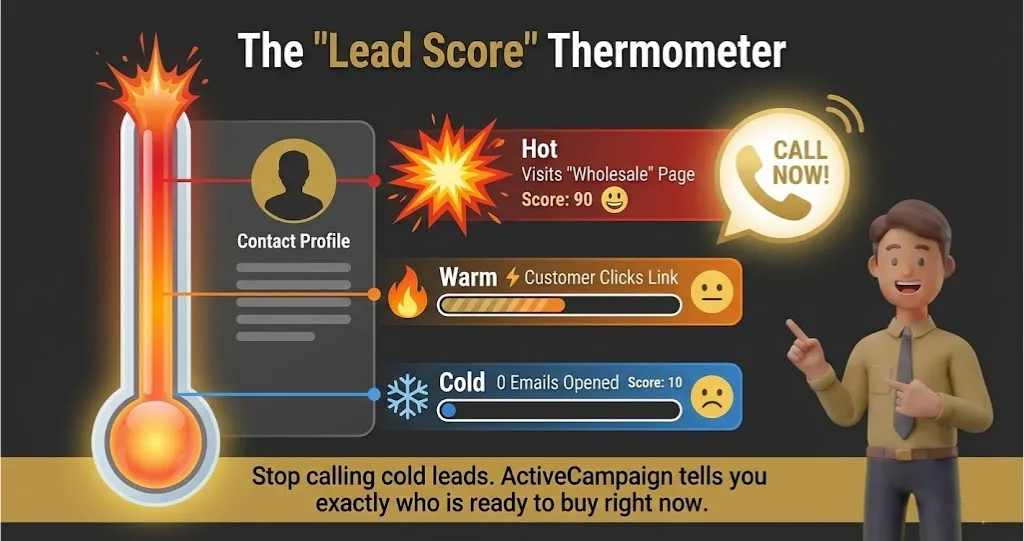
ActiveCampaign allows you to score leads. If a wholesale buyer visits your “Pricing” page 5 times, AC can automatically create a task in the CRM for your sales rep to call them. No other tool on this list does this as well.
Pricing at a Glance (Late 2025)
- Starter: ~$15-$29/mo (very limited).
- Plus/Pro: ~$50-$70/mo (Where the real features are).
- Warning: The “Lite” plans often hide the deep ecommerce integrations. You usually need the “Plus” tier.
Does ActiveCampaign fit for you? Try ActiveCampaign now.
The Smartest Way to Get Started
Map your “Customer Lifecycle” first. Don’t just send newsletters. set up a “Lead Scoring” model. Give 10 points for an email open, 50 points for a site visit. When they hit 100 points, trigger a special “VIP Offer” email.
ActiveCampaign: Pros & Cons
|
Pros |
Cons |
|---|---|
|
Unbeatable automation logic (If/Then/Else/Wait/Go To). |
Steep learning curve. It’s complex. |
|
Built-in CRM for sales teams. |
The Shopify integration is good, but slower than Klaviyo. |
|
huge library of automation recipes. |
Can be “laggy” if you build massive, complex automations. |
Final Verdict: Pass (for simple retail). Buy (for High Ticket).
If you sell t-shirts, this is too much. If you sell $2,000 saunas, this is the only tool that manages the sales process effectively.
Who Should Avoid It?
Simple “Mom and Pop” shops. You will spend months learning it and use 5% of its power.
6. MailerLite – Best for Bootstrap Startups (<$5k/mo)
Who Is It Really For?
Solo entrepreneurs, side-hustlers, and small Shopify stores with a tight budget who still need “pro” features like automation and landing pages. If you are doing under $5k/month in sales, start here.
The Killer Feature (That Actually Matters)
The “Drag-and-Drop” That Doesn’t Suck.
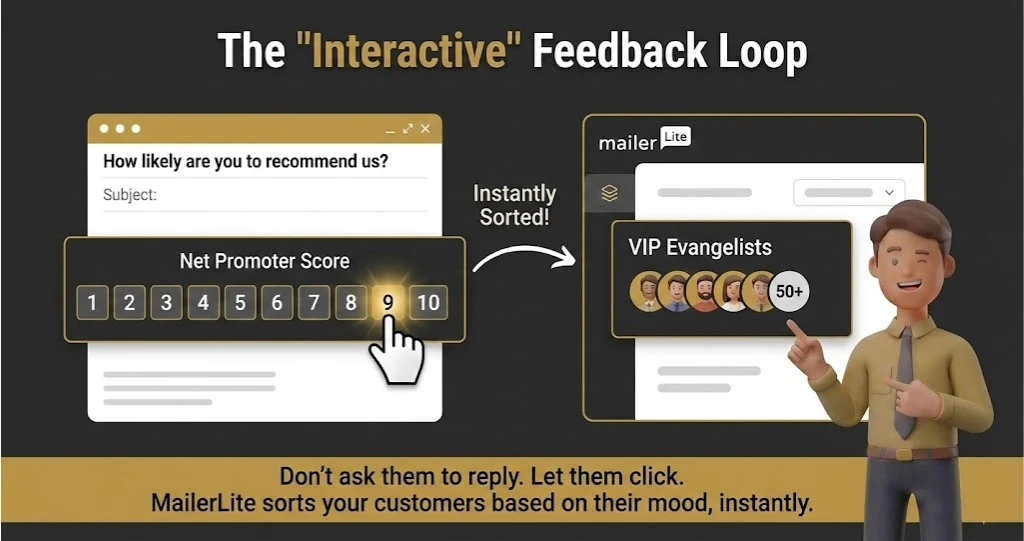
Most budget editors are clunky. MailerLite’s editor is arguably smoother than tools costing 5x as much. But the real gem? Interactive Email Blocks. You can embed surveys and “Like/Dislike” buttons directly inside the email. This data feeds back into segments, letting you tag people based on their answers without them ever leaving their inbox.
Pricing at a Glance (Late 2025)
- Free: Up to 500 subscribers & 12,000 emails/mo. (Generous compared to competitors).
- Growing Business: Starts ~$10/mo. (Unlimited emails).
- Advanced: Starts ~$20/mo. (Includes the Facebook integration and AI writing).
- Verdict: The best “price-to-performance” ratio for beginners.
Does MailerLite fit for you? Try MailerLite now.
The Smartest Way to Get Started
Use the Landing Page Builder. If you don’t want to pay for a Shopify store yet, or you are testing a new product idea, use MailerLite’s built-in landing pages to capture leads before you launch. It saves you the $29/mo Shopify fee until you’re ready.
MailerLite: Pros & Cons
|
Pros |
Cons |
|---|---|
|
Incredibly clean, fast user interface. |
Approval process is strict (they ban spammers fast). |
|
Free plan includes automation (rare). |
Deep ecommerce data (like “predicted LTV”) is missing. |
|
Excellent 24/7 support even on low tiers. |
Not built for complex, multi-channel (SMS/Push) orchestration. |
Final Verdict: BUY (For Beginners).
If you have $0 budget, this is the only tool I respect. It respects your time and your wallet.
Who Should Avoid It?
Hardcore Data Nerds. If you need to trigger an email because a user “Hovered over a button for 3 seconds,” MailerLite is too simple for you.
7. Brevo (formerly Sendinblue) – Best for High-Volume / Flash Sale Sites
Who Is It Really For?
High-volume senders with large lists but infrequent campaigns. If you have a list of 100,000 past customers but only email them once a month, Klaviyo would bankrupt you. Brevo won’t.
The Killer Feature (That Actually Matters)
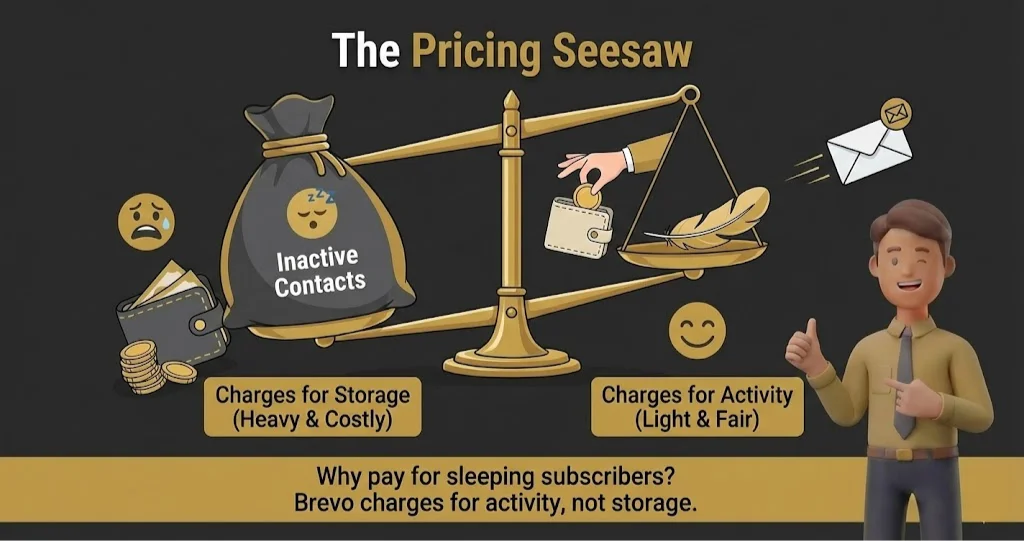
Pricing by Email Sent, Not Contacts Stored.
This is the only major platform that doesn’t punish you for having a massive database. You can store 1 million contacts for free and only pay when you actually hit “Send.” This model is a lifesaver for seasonal businesses or low-frequency newsletters.
Pricing at a Glance (Late 2025)
- Free: Unlimited contacts, but capped at 300 emails/day (Good for testing).
- Starter: ~$9/mo for 5,000 emails/month.
- Business: ~$18/mo (Removes the daily sending limit).
- Note: You pay for volume. Sending 100k emails? That’s ~$69/mo. On Klaviyo, a 100k list is $900+/mo.
Does Brevo fit for you? Try Brevo now.
The Smartest Way to Get Started
The “Transactional” Pivot. Use Brevo for your “boring” emails (Order Confirmation, Shipping Updates) via their SMTP server. Their deliverability on these critical emails is often better than Shopify’s default, and you can upsell products inside your receipts.
Brevo: Pros & Cons
|
Pros |
Cons |
|---|---|
|
Unlimited Contact Storage on all plans. |
The “Marketing Automation” builder is a bit clunky. |
|
Includes SMS and WhatsApp marketing. |
The daily sending limit on the Free plan is annoying. |
|
Excellent for transactional emails (SMTP). |
Support can be slower than dedicated US-based tools. |
Final Verdict: BUY (For Storage/Efficiency).
The smartest choice if you are “list rich but cash poor.”
Who Should Avoid It?
Design-Obsessed Marketers. The email builder is functional, but it lacks the creative flair and templates of Drip or Klaviyo.
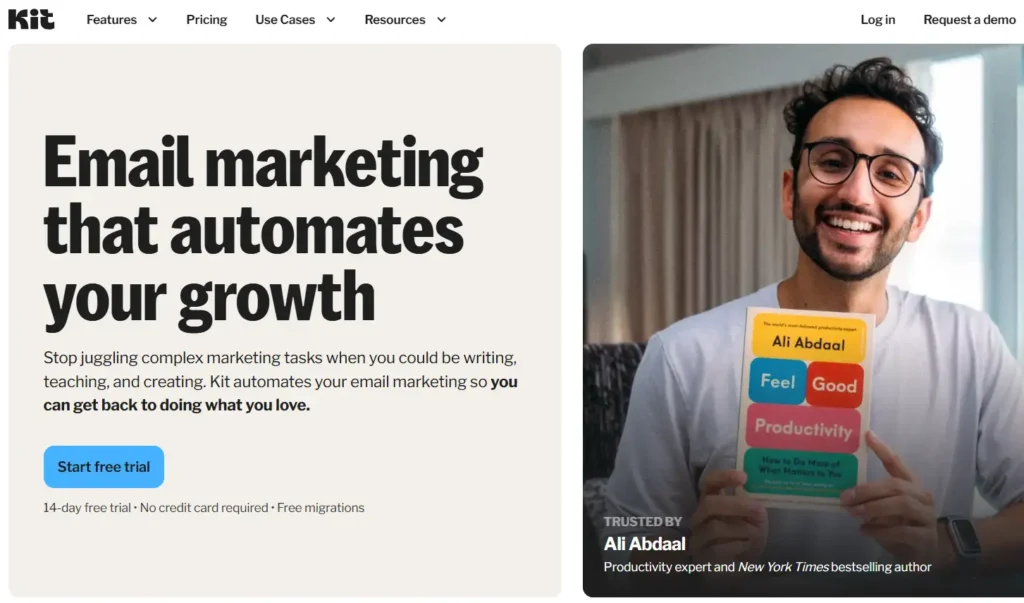
8. Kit (formerly ConvertKit) – Best for Merch Drops & Influencer Brands
Who Is It Really For?
“Content-First” Ecommerce. You aren’t just selling widgets; you’re selling a brand, a course, or a lifestyle. Think: YouTubers with merch lines, or influencers launching a coffee brand.
The Killer Feature (That Actually Matters)
The “Sponsor Network” & Commerce.
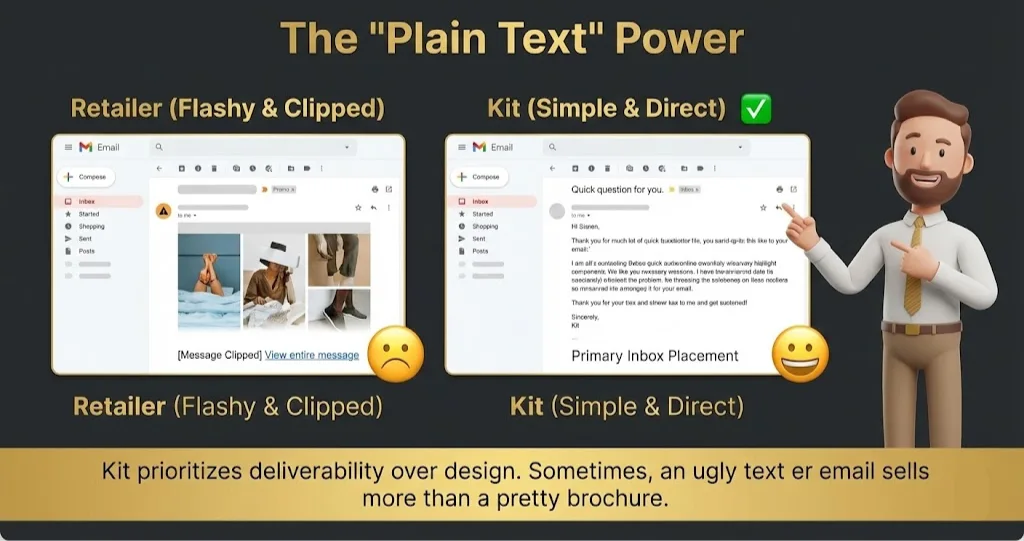
Kit isn’t just an email tool; it’s a monetization platform. You can actually get paid to grow your list by recommending other newsletters. For ecommerce, their “Commerce” block lets you drop a product link that buys instantly—no checkout redirect needed for digital goods.
Pricing at a Glance (Late 2025)
- Newsletter (Free): Up to 10,000 subscribers (Generous, but limited automation).
- Creator: Starts ~$29/mo.
- Pro: Starts ~$59/mo (needed for advanced reporting).
- Warning: It gets expensive fast once you scale past 10k subscribers.
Does Kit fit for you? Try Kit now.
The Smartest Way to Get Started
Use “Liquid Tagging.” Kit allows you to tag a subscriber as “Interested in Hoodies.” In your next newsletter, you can show a Hoodie image to only that group, and a T-shirt image to everyone else—all inside the same single email blast.
Kit: Pros & Cons
| Pros | Cons |
| Unmatched deliverability (Inbox vs Promo tab). | Not great for “catalog” style emails (visual grids). |
| Best-in-class for selling digital + physical hybrids. | “Visual Automations” vs “Rules” can be confusing. |
| Huge community of creators. | Analytics are focused on list growth, not revenue per SKU. |
Final Verdict: Buy (For Personal Brands).
If you are the face of your brand, use Kit. If you are a faceless dropshipping store, skip it.
Who Should Avoid It?
Traditional Retailers. If you need to send a grid of 12 products with “Shop Now” buttons every week, Kit’s editor will fight you.
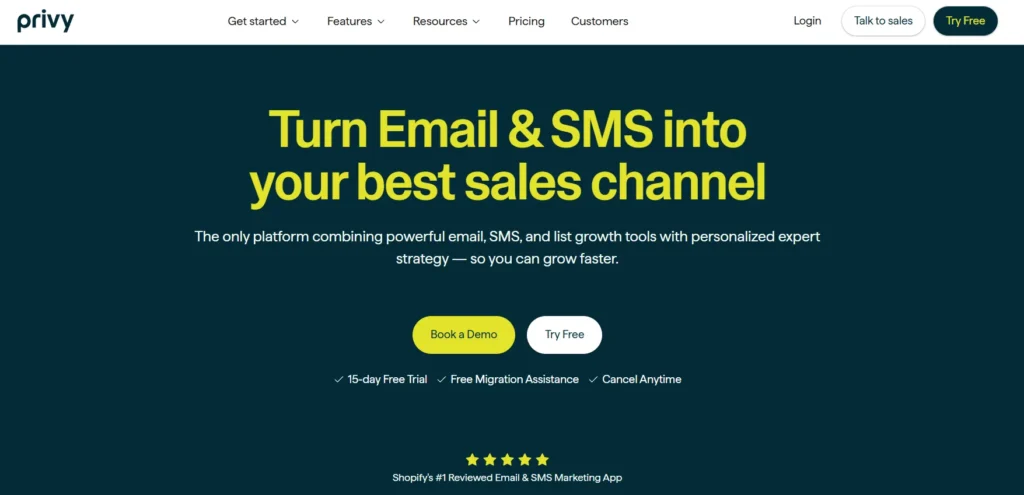
9. Privy – Best for Stores with Low Conversion Rates
Who Is It Really For?
Brands that struggle to get subscribers. Privy started as a popup tool, and it shows. It is best for small teams who want their Popups and Emails to talk to each other perfectly without setting up integrations.
The Killer Feature (That Actually Matters)
The “Gamified” Capture.
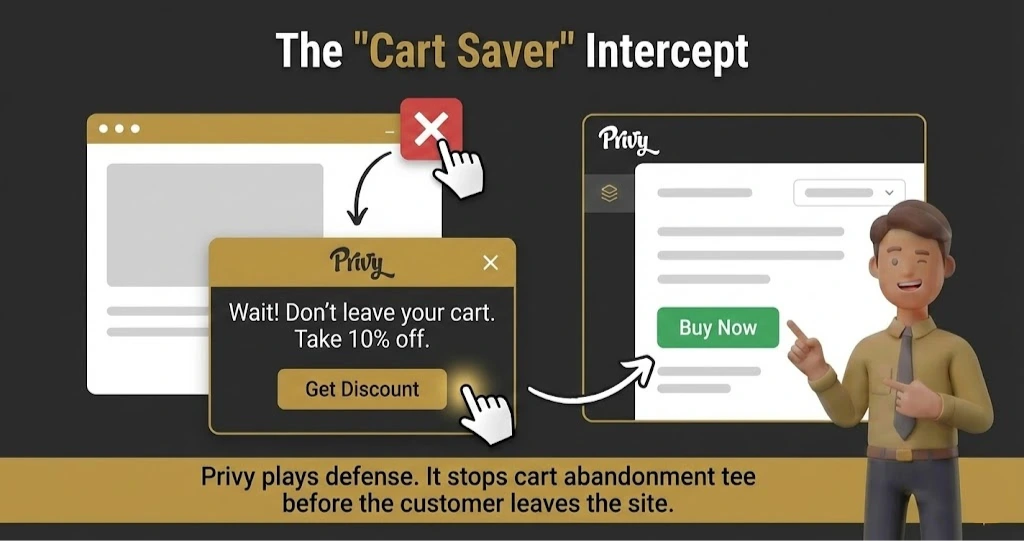
Privy made the “Spin to Win” wheel famous. Love it or hate it, it converts. But the real power is the Cross-Sell Popup. Privy detects when a user adds an item to the cart and immediately pops up a “Matching Item” offer before they checkout. It’s an immediate Average Order Value (AOV) booster.
Pricing at a Glance (Late 2025)
- Starter: ~$30/mo for Email + SMS (includes 2,000 contacts).
- Growth: Scales based on traffic and contacts.
- Note: They often price based on “mailable contacts,” so clean your list!
Does Privy fit for you? Try Privy now.
The Smartest Way to Get Started
The “After-Signup” Email. Don’t just send a coupon. Use Privy to send a “Brand Story” email 1 hour after the coupon. Most tools make you integrate two systems for this; Privy does it natively because they own the popup and the email.
Privy: Pros & Cons
|
Pros |
Cons |
|---|---|
|
Best Popup/Form builder in the industry. |
The Email editor is basic compared to Klaviyo/Drip. |
|
Incredible “Cart Saver” logic. |
Reporting is good, but not deep cohort analysis. |
|
Super fast setup for Shopify. |
Can get expensive if you have high traffic but low sales. |
Final Verdict: Buy (If List Growth is Priority #1).
If your conversion rate is low, get Privy to fix the leaky bucket.
Who Should Avoid It?
Complex Automation Needs. If you need 15-step branching workflows based on API events, you will outgrow Privy quickly.
10. Mailchimp – Best for Simple Retailers (No Complex Logic)
Who Is It Really For?
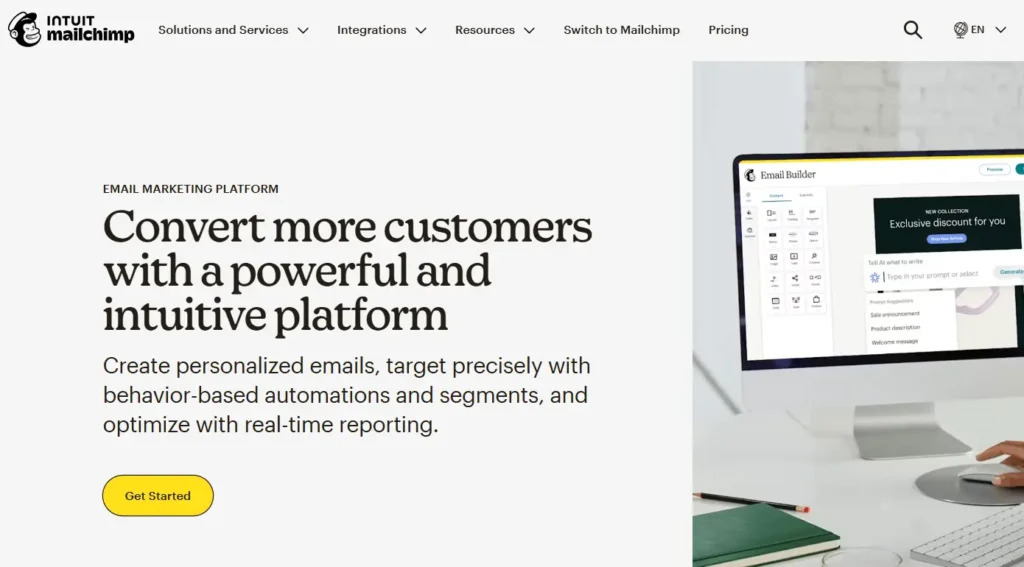
Generalists. Restaurants, non-profits, and local businesses. For pure Ecommerce? It’s rarely the best choice anymore, but it is the “safe” choice if you want something that integrates with literally everything on earth.
The Killer Feature (That Actually Matters)
The Ecosystem.
Mailchimp connects to Xero, QuickBooks, Canva, Facebook Ads, and your grandma’s toaster. If you have a weird tech stack, Mailchimp probably has a plugin for it.
Pricing at a Glance (Late 2025)
- Free: 500 contacts (Very restricted features).
- Essentials: ~$13/mo.
- Standard: ~$20/mo (You need this for decent automation).
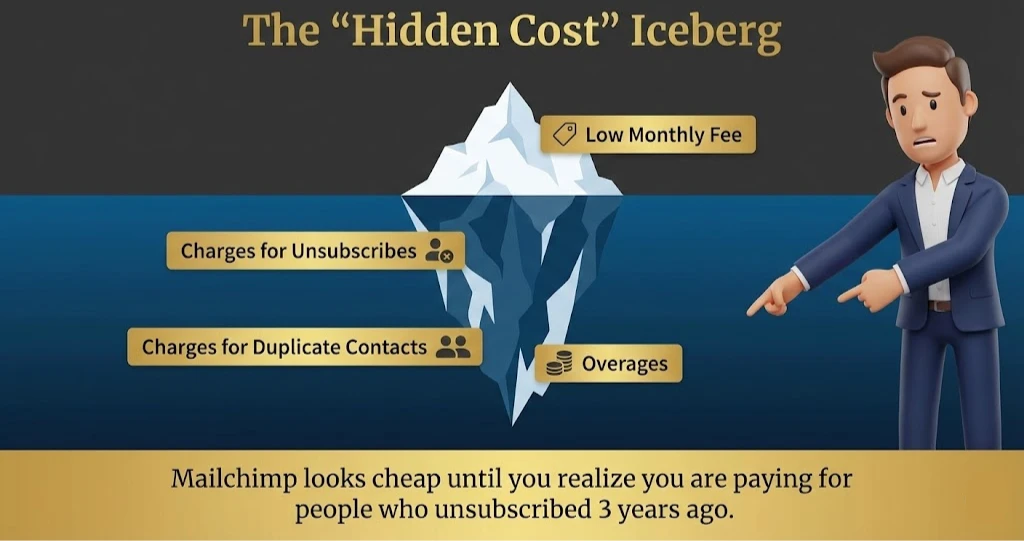
- The Trap: They charge for all contacts in your audience, even if they are unsubscribed (unless you archive them manually).
Does Mailchimp fit for you? Try Mailchimp now.
The Smartest Way to Get Started
Use the “Content Optimizer.” Mailchimp has decent AI that analyzes your subject lines against their database of billions of emails. Use it to check if your subject line is likely to trigger spam filters.
Mailchimp: Pros & Cons
|
Pros |
Cons |
|---|---|
|
Easy to find freelancers who know how to use it. |
Expensive for Ecom: You pay for inactive data. |
|
Integrates with 300+ tools. |
“Shopify” integration is slower/shallower than Klaviyo. |
|
Good all-in-one marketing (Social posting, etc.). |
Support is non-existent on Free/Low tiers. |
Final Verdict: PASS (For serious Ecom).
It works, but it’s like bringing a knife to a gunfight. Use Klaviyo, Omnisend, or Sendlane instead.
Who Should Avoid It?
Anyone serious about “Behavioral Targeting.” If you want to segment based on “bought red shirt size M,” Mailchimp makes you jump through hoops.
11. Shopify Email – Best for Brand New Stores ($0-$1k/mo)
Who Is It Really For?
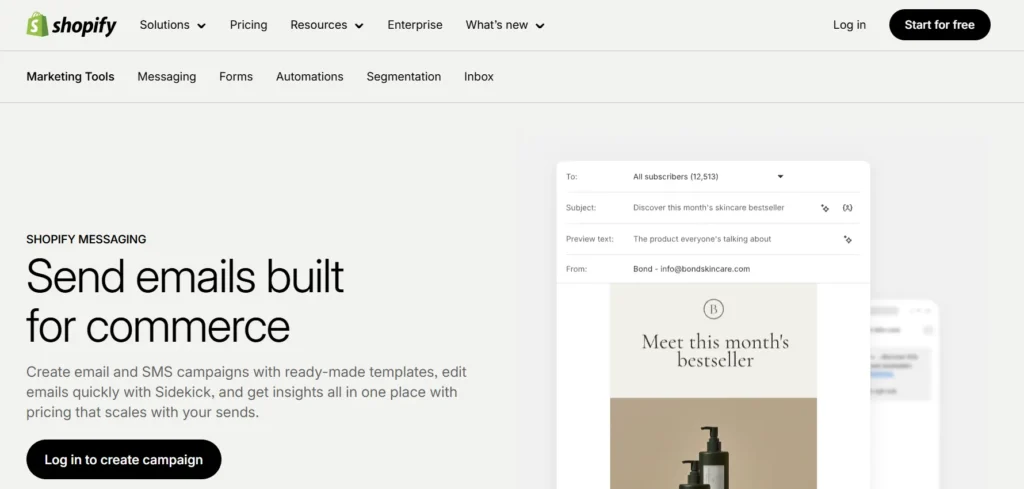
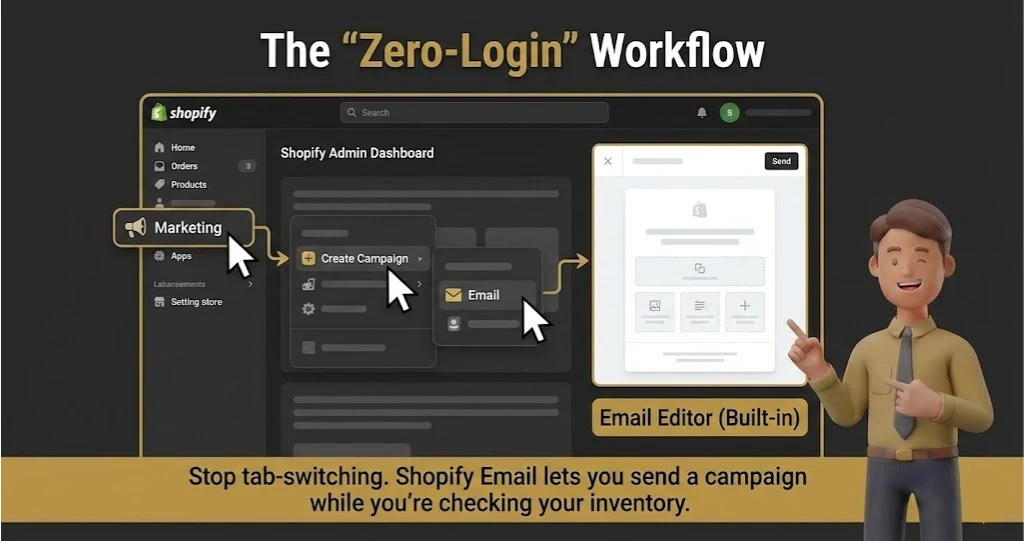
Brand new Shopify merchants who are allergic to monthly subscriptions. If you are doing under $1k/month in sales, do not pay for Klaviyo yet. Use this. It lives directly inside your Shopify admin, so there is literally zero learning curve.
The Killer Feature (That Actually Matters)
The “Checkout Branding” Consistency.
Because it’s built by Shopify, it automatically pulls your logo, colors, and products directly from your store settings. You don’t “design” an email; you just pick a product, and it formats it perfectly to match your checkout experience. It’s impossible to make an ugly email here.
Pricing at a Glance (Late 2025)
- Free: 10,000 emails per month (Unbeatable).
- Overage: $1 USD for every 1,000 additional emails.
- Verdict: The cheapest option on the planet, period.
Does Shopify fit for you? Try Shopify now.
The Smartest Way to Get Started
The “Product Launch” Blast. Since it pulls product data instantly, use this for flash sales. “New Drop: [Product Name].” The button links directly to checkout with the item pre-loaded. It’s frictionless.
Shopify Email: Pros & Cons
|
Pros |
Cons |
|---|---|
|
Price. You can’t beat 10k free emails. |
Automation is extremely basic (Welcome, Abandoned Cart only). |
|
Native integration (No data sync lag). |
No advanced segmentation (e.g., “Bought X but not Y”). |
|
Perfect design consistency with your store. |
Deliverability is okay, but shared IPs can be risky. |
Final Verdict: BUY (For Startups).
Use this until you hit 500 subscribers. Then upgrade to Omnisend or Klaviyo.
Who Should Avoid It?
Anyone needing logic. If you want to send a different email to men vs. women, this tool will frustrate you.
12. HubSpot Marketing Hub – Best for Wholesale & B2B Ecommerce
Who Is It Really For?
Mid-market to Enterprise companies ($5M-$50M/year) where “Sales” and “Marketing” are two different departments that hate each other. HubSpot forces them to work together.
The Killer Feature (That Actually Matters)
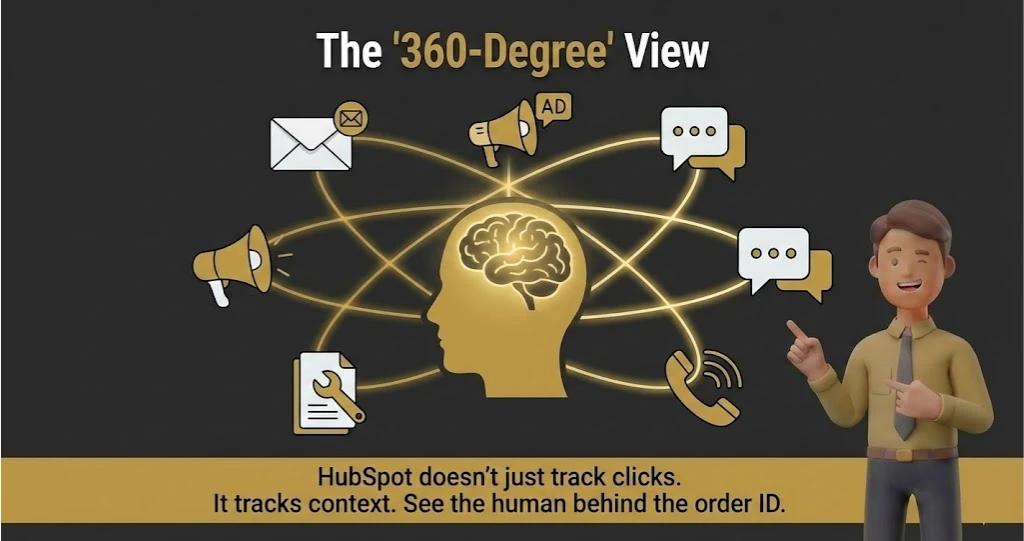
The Unified Customer Timeline.
Klaviyo tells you what they bought. HubSpot tells you everything. “Opened email, visited pricing page, chatted with support, clicked a Facebook ad, and filled out a lead form.” It is the single source of truth for the entire customer journey, not just the transaction.
Pricing at a Glance (Late 2025)
- Starter: ~$15/mo (Very limited).
- Professional: ~$800/mo (The real starting point).
- Enterprise: ~$3,600/mo.
- Warning: Onboarding fees can cost $3,000+.
Does HubSpot fit for you? Try HubSpot now.
The Smartest Way to Get Started
The “Marketing Contacts” Toggle. HubSpot charges a fortune for contacts. Immediately mark your unengaged subscribers as “Non-Marketing Contacts.” You can store 1 million of them for free, but you only pay for the ones you actually email. This single click will save you $10k/year.
HubSpot: Pros & Cons
|
Pros |
Cons |
|---|---|
|
The best CRM on the market, hands down. |
Eye-wateringly expensive. |
|
Incredible social media and ad management tools included. |
Overkill for simple DTC brands selling t-shirts. |
|
Automation workflows can handle internal tasks (e.g., “Create task for Bob”). |
“Jack of all trades, master of none” for pure email design. |
Final Verdict: PASS (Unless you have a Sales Team).
If you have sales reps calling leads, buy HubSpot. If you just sell online, it’s a waste of money.
Who Should Avoid It?
Bootstrappers. The contract lock-ins are real, and the price jumps are painful.
13. SmartrMail – Best for “Hands-Off” Auto-Recommendation
Who Is It Really For?
Shopify/WooCommerce stores that want “Smart” features (like product recommendations) but find Klaviyo too complex and expensive.
The Killer Feature (That Actually Matters)
The “Auto-Product” Block.
SmartrMail scans your store’s purchase history. When you drag the “Recommended Products” block into an email, it doesn’t just show random items. It shows the specific items that User A is most likely to buy based on their browsing history. It takes 2 seconds to set up and works surprisingly well.
Pricing at a Glance (Late 2025)
- Standard: ~$19/mo.
- Unlimited: ~$99/mo.
- Value: Significant savings over Klaviyo for similar “recommendation” features.
Does SmartrMail fit for you? Try SmartrMail now.
The Smartest Way to Get Started
The “Win-Back” Automation. Set up a flow for customers who haven’t bought in 60 days. Use the “Best Sellers” block. SmartrMail will automatically populate the grid with your current top-converting items. It’s low effort, high reward.
SmartrMail: Pros & Cons
|
Pros |
Cons |
|---|---|
|
Faster setup than Klaviyo. |
Less granular segmentation. |
|
excellent “Product Lookup” tool (search your store from the editor). |
Reporting is functional but not deep. |
|
Great value for “Unlimited” sending. |
Smaller user base = fewer third-party tutorials. |
Final Verdict: BUY.
A fantastic middle-ground tool. Intelligent enough to make money, simple enough to manage part-time.
Who Should Avoid It?
Content Creators. This is for selling physical goods. If you sell courses or memberships, the product blocks won’t work for you.
14. GetResponse – Best for Edu-Ecom (Selling via Webinars)
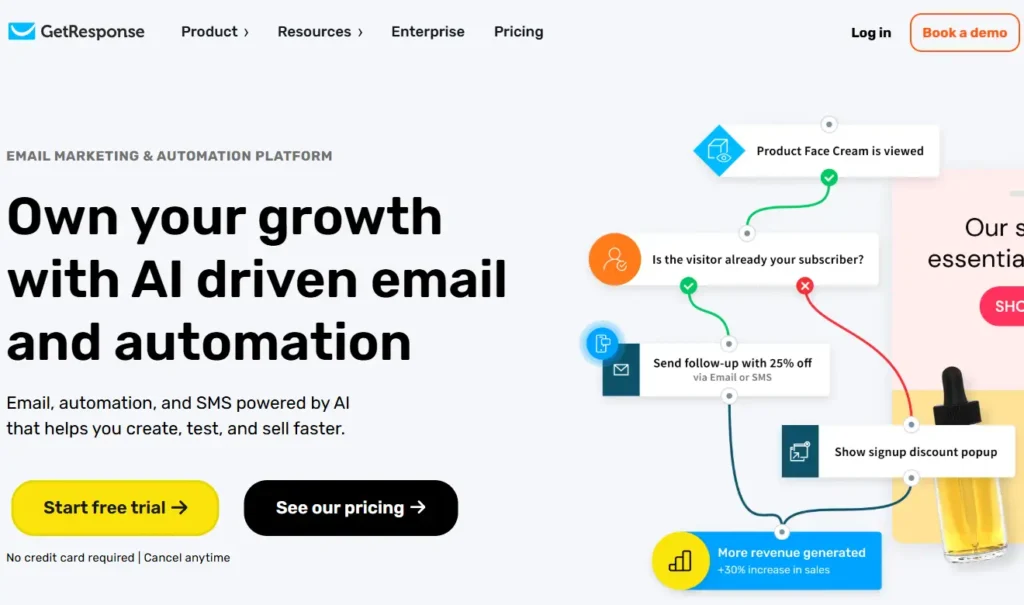
Who Is It Really For?
Ecommerce brands that use educational selling. Do you sell $2,000 laser cutters? Or intricate 3D printers? You probably need to run webinars to sell them. GetResponse does email AND webinars in one tool.
The Killer Feature (That Actually Matters)
The Conversion Funnel Builder.
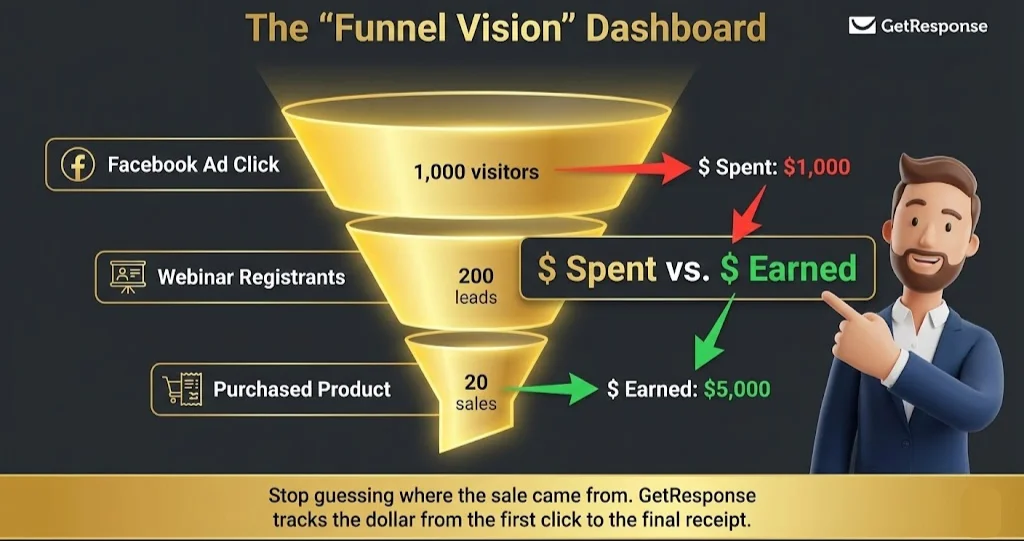
Most email tools just send emails. GetResponse builds the entire funnel: The Ad -> The Landing Page -> The Webinar -> The Follow-up Email -> The Sale. You can visualize and track the ROI of the entire path in one dashboard.
Pricing at a Glance (Late 2025)
- Email Marketing: ~$19/mo.
- Marketing Automation: ~$59/mo (Required for webinars).
- Ecommerce Marketing: ~$119/mo.
Does GetResponse fit for you? Try GetResponse now.
The Smartest Way to Get Started
The “Webinar Replay” Automation. Don’t just do the live webinar. Set up an automation that sends the replay link 2 hours after the event ends, with a dynamic “Coupon Expires in 24 Hours” countdown timer embedded in the email.
GetResponse: Pros & Cons
|
Pros |
Cons |
|---|---|
|
Built-in Webinar hosting. No Zoom integration needed. |
The interface feels a bit “older” than modern SaaS tools. |
|
comprehensive “Funnel” visualization. |
Ecommerce features for Shopify are good, but not Klaviyo-level deep. |
|
Great landing page builder. |
Deliverability can be volatile on lower tiers. |
Final Verdict: BUY (For High-Ticket/Edu-Ecom).
If you need to explain your product before they buy, this is your tool.
Who Should Avoid It?
Fast Fashion. You don’t need a webinar to sell a $20 dress. Stick to Omnisend.
Demystifying Email Marketing Tool Costs: What You Actually Get at Each Price Point
Pricing in this industry is intentionally confusing. Here is the “No Fluff” breakdown of what your money actually buys you in 2026.
$0 – $20/mo (The “Hobby” Tier)
- What you get: Basic “Blast” emails, a simple Welcome automation, and a generic unsubscribe page.
- The Hidden Cost: Your time. You will fight the editor, and you will have zero data on who is actually buying.
- Best Tools: Shopify Email, MailerLite Free.
$50 – $150/mo (The “Growth” Tier)
- What you get: Segmentation. This is where the money is made. You can target “Big Spenders” vs. “Window Shoppers.” You also get SMS capabilities and decent support.
- The Hidden Cost: Complexity. You need to learn how to set up the logic.
- Best Tools: Omnisend, Drip, Sendlane.
$300 – $1,000+/mo (The “Scale” Tier)
- What you get: Prediction & Attribution. You aren’t paying for emails; you are paying for the brain. “Who will buy next?” “Which channel made the sale?” Plus, dedicated account management.
- The Hidden Cost: Personnel. You likely need a dedicated staff member just to run this beast.
- Best Tools: Klaviyo, HubSpot, ActiveCampaign.
Your Action Plan: 5 Steps to a Successful Email Platform Launch
Don’t just sign up and stare at the blank screen. Execute this plan.
The “Data Cleanse” (Day 1):
Before you migrate, export your current list. Delete anyone who hasn’t opened an email in 12 months. Do not pay to move dead weight.
The “DNS Warmup” (Day 2):
Set up your SPF, DKIM, and DMARC records immediately. If you don’t do this, Gmail will put you in the Spam folder. (Most tools have a wizard for this—use it!).
The “Core 4” Automations (Day 3):
Build these before you send a single newsletter:
- Welcome Series: (Immediate value + Brand story).
- Abandoned Checkout: (The money maker).
- Browse Abandonment: (For the window shoppers).
- Post-Purchase Thank You: (To reduce buyer’s remorse).
The “Soft Launch” (Day 4)
Send your first campaign to your most engaged segment only (people who opened in the last 30 days). This signals to Gmail that you are a “good sender” and boosts your reputation instantly.
The “Validation” (Day 7):
Check your attribution. Did the tool track the sale? If the numbers in your email tool match Shopify/WooCommerce, you are ready to scale.
What to Do Next?
If you are still stuck between Klaviyo and Omnisend, do this:
Sign up for the Free Trial of Omnisend first. Try their visual builder. If it feels intuitive and handles your logic, stay there and save the money. If you hit a wall where you say, “I wish I could segment by X,” then upgrade to Klaviyo. Don’t start with the Ferrari if you’re still learning to drive.
Review Methodology: How We Rate Email Marketing Tools
Our Simple Promise: I don’t care about “features lists” on a sales page. I care about the “Saturday Night Crisis.”
When I review these tools, I stress-test them. I simulate a Black Friday traffic spike. I upload a “dirty” CSV file to see if the tool catches the spam traps (or lets me ruin my reputation). I test the “Support” chat at odd hours to see if a human responds or a bot loops me in circles.
We rate based on three pillars: Data Integrity (Does the revenue number match reality?), Workflow Velocity (Can I build a campaign in under 15 minutes?), and Scale Cost (Does the price punish me for growing?). If a tool fails any of these, it doesn’t make the list.
FAQ: Questions You Were Too Afraid to Ask
1. Why shouldn’t I just use Zapier to connect a cheap email tool to my Shopify store?
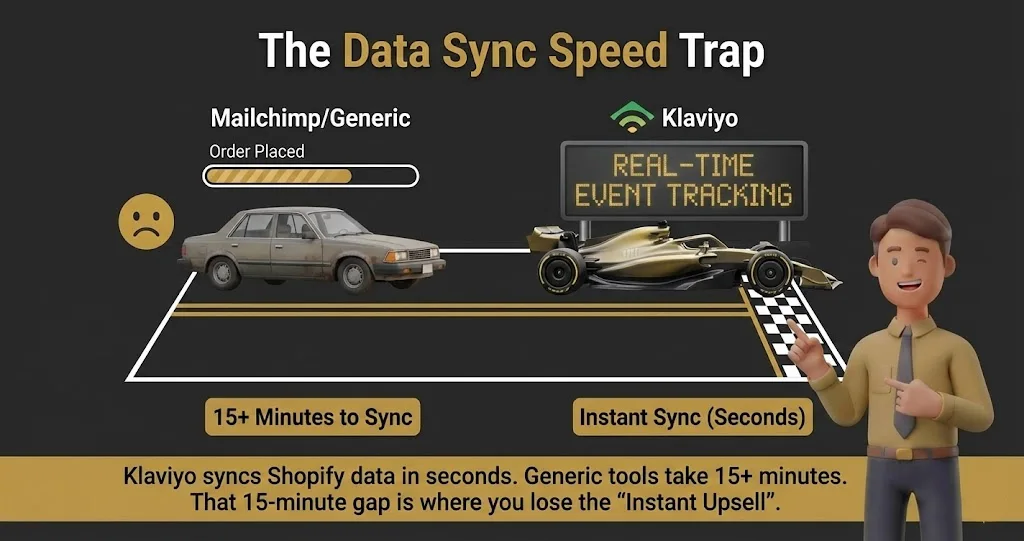
Latency kills conversions. If your budget tool takes 15 minutes to register an abandoned checkout via a third-party connector, the customer has already bought from your competitor on Amazon. Direct, native connections (like Klaviyo or Omnisend) trigger in milliseconds, hitting the customer while their wallet is still out.
2. My email software claims it made me $10,000 this month, but Shopify says $6,000. Who is lying?
They are both taking credit for the same sale. Email platforms use a generous attribution window (usually 5 days). If a customer opens your email on Tuesday, but buys through a Facebook ad on Thursday, your email software claims 100% of that revenue. Always trust your actual ecommerce backend as the final source of truth.
3. I have a highly seasonal business. How do I avoid overpaying for software during slow months?
Switch to a “pay-per-send” pricing model during your off-season. Tools like Mailchimp charge you based on the total number of contacts stored, regardless of whether you actually email them. If you only send blasts during Q4, migrate your list to a platform like Brevo where you only pay when an email leaves the server.
4. Should I care if my product launch emails land in the Gmail Promotions tab?
No, stop fighting the Promotions tab. Your buyers treat that tab like a digital shopping mall; they go there specifically to look for deals and new products. Trying to trick Gmail into putting a heavy, image-filled catalog into the Primary inbox will just get you marked as spam.
5. What is the actual difference between “Abandoned Checkout” and “Abandoned Cart” flows?
Intent and data availability. An “Abandoned Cart” means they added an item but never started typing their details (you can only track this if they are logged in or clicked a past email link). “Abandoned Checkout” means they literally typed their email into the shipping form and bailed at the credit card stage. You need a platform that natively tracks both events to maximize your recovered revenue.