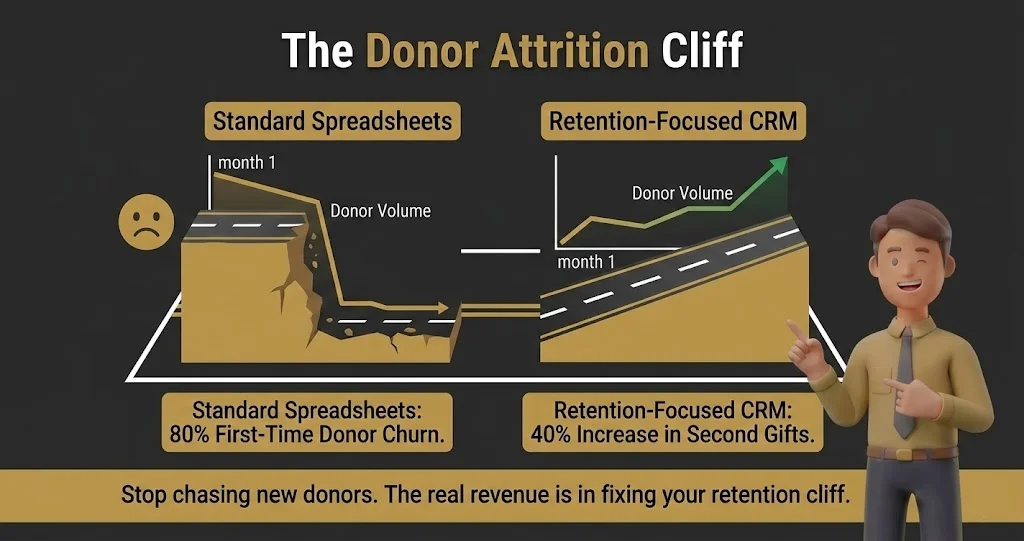
I watch mid-market nonprofits bleed thousands of dollars every year simply because their data is a mess. When you cross the $500k revenue mark, running your major gift pipeline on a tangled web of Google Sheets actively costs you recurring donors. Every dropped follow-up is a lost check.
While 90% of nonprofits collect donor data, only 5% actively use it because it is trapped in disconnected spreadsheets. If your event ticketing, email marketing, and payment processors do not natively talk to each other, your data is effectively useless.
Your development director shouldn’t be spending six hours a week manually merging duplicate spreadsheet rows just to send a basic appeal. The best CRM for nonprofits isn’t the one with the most flashy enterprise features; it is the donor management software your exhausted team will actually log into.
We rigorously evaluated the top platforms to see which ones actually fix your operational chaos.
The Nonprofit CRM Shortlist for 2026: At a Glance
|
CRM Platform |
Best For (The Core Persona) |
Starting Price (Est. 2026) |
The Bottom Line |
|---|---|---|---|
|
1. Bloomerang |
Donor Retention and Simplicity |
$125/month |
Highly intuitive; built specifically to fix your donor churn rate. |
|
Complex Operations & Dedicated Admins |
Free Licenses (+ Heavy Setup Costs) |
Limitless data potential, but will crush your team without an admin. |
|
|
3. Neon CRM |
Event and Membership Tracking |
$99/month |
Stops data leaks by keeping tickets and donor profiles under one roof. |
|
4. HubSpot CRM |
Scaling Marketing Teams |
~$15/month (Marketing Starter) |
World-class inbound marketing and workflow automations. |
|
5. DonorPerfect |
Custom Reporting and Grant Tracking |
$99/month |
Granular financial reports built for strict board oversight. |
|
6. Virtuous |
Responsive Multi-Channel Fundraising |
~$400/month |
Triggers personalized tasks based entirely on donor behavior. |
|
7. Keela |
AI-Assisted Donor Insights |
~$100/month |
Uses past data to mathematically calculate the perfect asking amount. |
|
Budget-Conscious Small Teams |
$45/month |
The ultimate workhorse that connects easily to third-party apps. |
|
|
9. Givebutter |
Free All-in-One Fundraising |
$0 (Funded by tips) |
Frictionless, modern checkout flows that younger demographics expect. |
|
10. Zeffy |
Zero-Fee Core CRM |
$0 (Covers processing fees) |
Eats your 2.9% credit card fees so you keep every penny raised. |
|
11. Bonterra |
Automated Donor Outreach |
~$100/month |
Tells your team exactly who to call and includes built-in video messaging. |
|
12. Aplos |
Built-in True Fund Accounting |
$79/month |
Keeps restricted grants and operating budgets strictly separated. |
|
13. CiviCRM |
Open-Source Freedom and Custom Builds |
$0 (Plus hosting/dev costs) |
Absolute data control, but requires a developer to keep the server alive. |
|
14. Streak |
Gmail-Obsessed Solo Founders |
$0 (Free basic tier) |
urns your Gmail inbox into a color-coded pipeline with zero context switching. |
|
15. Bitrix24 |
Internal Operations and Unlimited Users |
$0 (Unlimited free users) |
Replaces Slack and your CRM, but the interface is a cluttered corporate mess. |
The table above gives you the 30-second view, but you cannot make a five-year software decision based on a summary grid. Every single platform listed above has a specific, frustrating breaking point. If you pick a system that misaligns with how your team actually works, you will be migrating your messy data all over again in 18 months.
Below, I break down the brutal reality of each platform. You will see the exact features that justify the monthly price tag, along with the hidden limitations the vendor sales reps conveniently skip over.
1. Bloomerang – Best for Donor Retention and Simplicity
Quick Verdict: A wildly intuitive donor management software built entirely around keeping the donors you already have, though it lacks heavy architectural customization.
Who Is It Really For?
Scaling teams with 2 to 10 staff members who need volunteers and board members to learn the system in under 20 minutes.
The Killer Feature (That Actually Matters)
The Generosity Engagement Meter is an absolute lifesaver. Bloomerang automatically scores your donors based on their past interactions, showing you exactly who is primed for a major gift ask. It prevents your team from wasting hours calling cold contacts.
Pricing at a Glance (as of early 2026)
- Standard: Starts at $125/month for up to 1,000 records. Honestly, it is slightly pricey for a small list, but the retention tools pay for themselves quickly.
- Scaling Tiers: Pricing scales directly with your contact count, easily hitting $400+/month for growing lists.
Does Bloomerang fit for you? Try Bloomerang now.
Bloomerang: Pros & Cons
|
Pros |
Cons |
|---|---|
|
Unmatched focus on donor retention metrics |
Reporting is rigid and hard to customize |
|
Incredibly low learning curve for new staff |
Built-in email builder feels a bit dated |
The Smartest Way to Get Started
Skip the complex historical data migration during month one. Import just your last two years of active donors to keep your list clean and your monthly tier cost as low as possible.
Final Verdict
Buy. It is the most reliable cloud-based CRM for charities prioritizing human relationship building over complex data manipulation.
Who Should Avoid It?
Do not buy this if you run highly complex, multi-tiered institutional grant programs. The grant tracking software capabilities here are too basic for heavy foundation funding.
2. Salesforce Nonprofit Cloud – Best for Complex Operations with Dedicated Admins
Quick Verdict: The most powerful data engine on the market, but it will absolutely crush your team if you do not have the technical chops to run it.
Who Is It Really For?
Large charities managing diverse income streams, multi-year grant tracking, and massive international volunteer networks.
The Killer Feature (That Actually Matters)
Limitless architectural freedom. If you can dream up a specific workflow or data relationship, Salesforce can build it. The automation potential for complex major gift pipelines is simply unmatched by anything else on this list.
Pricing at a Glance (as of early 2026)
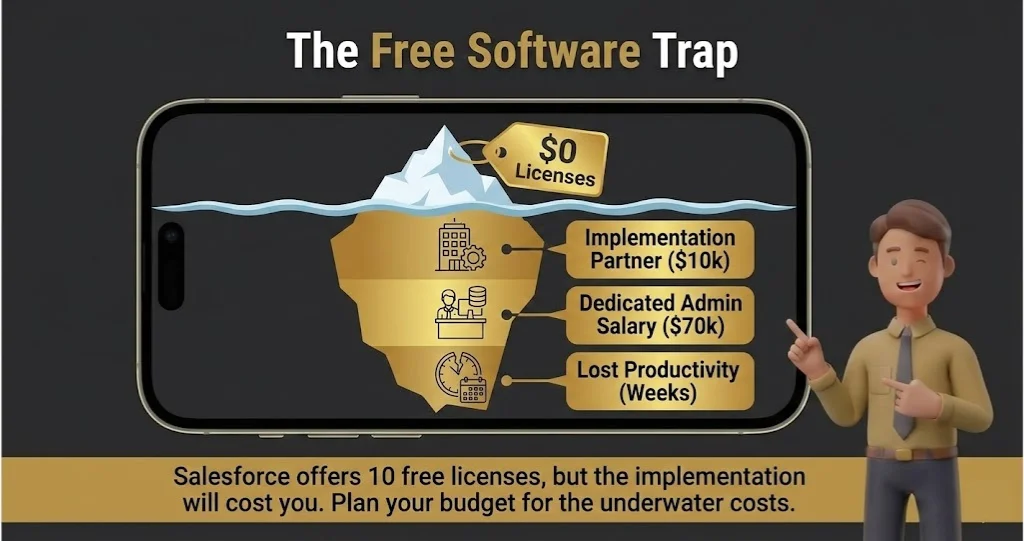
- Power of Us Program: 10 free licenses for eligible nonprofits.
- The Hidden Reality: The licenses are free, but you will likely spend $5,000 to $15,000 on an implementation partner just to make the database usable.
Does Salesforce fit for you? Try Salesforce now.
Salesforce: Pros & Cons
|
Pros |
Cons |
|---|---|
|
The most powerful reporting and API available |
Steepest learning curve of any tool listed here |
|
Deeply customizable grant tracking software |
Requires a dedicated, trained admin to prevent data rot |
The Smartest Way to Get Started
Do not attempt to self-implement this system. Budget for a certified Salesforce consultant from day one, or you will end up with a tangled, unusable database in six months.
Final Verdict
Pass, unless you have the explicit budget for a dedicated, full-time database manager.
Who Should Avoid It?
Grassroots teams, volunteer-heavy operations, or any organization that wants a simple “plug-and-play” solution out of the box.
3. Neon CRM – Best for All-in-One Event and Membership Tracking
Quick Verdict: A robust cloud-based CRM for charities that want donor management, event ticketing, and paid memberships living firmly under one roof.
Who Is It Really For?
Mid-market organizations that run frequent fundraising galas, annual conferences, or paid tier-based membership programs.
The Killer Feature (That Actually Matters)
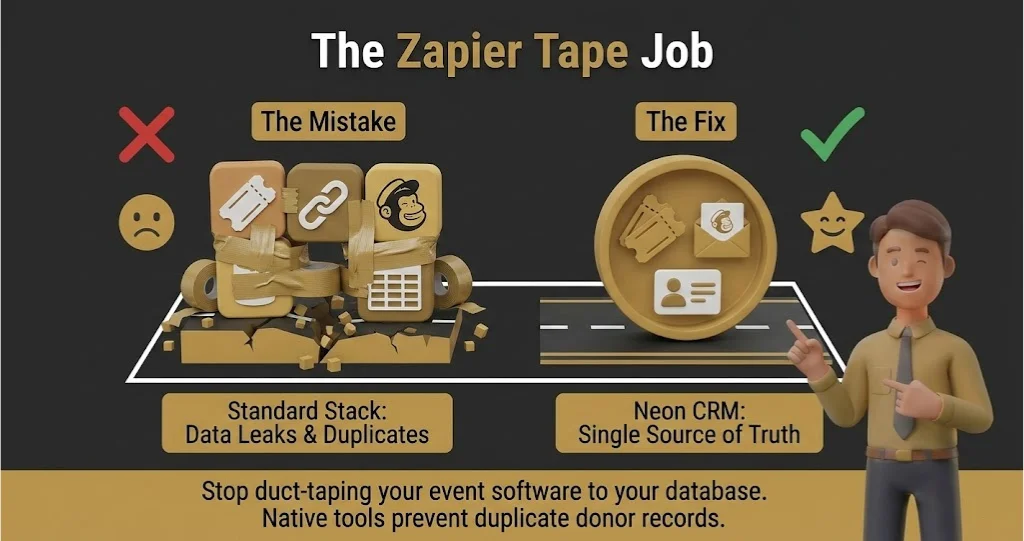
Native event management. Unlike other systems that force you to tape Eventbrite to your database via Zapier, Neon handles ticketing, seating charts, and immediate donor profiling natively. This stops duplicate records and data leaks dead in their tracks.
Pricing at a Glance (as of early 2026)
- Essentials: Starts at $99/month. Good entry point, but you are missing critical automation features.
- Impact: Starts at $199/month. This is the tier you actually want for proper workflow automation and custom executive dashboards.
Does Neon CRM fit for you? Try Neon CRM now.
Neon CRM: Pros & Cons
|
Pros |
Cons |
|---|---|
|
Excellent native event and membership tools |
The user interface feels clunky and slightly outdated |
|
Strong nonprofit CRM with email marketing features |
Email templates are rigid compared to dedicated tools |
The Smartest Way to Get Started
Run your next major event entirely through Neon before migrating your massive legacy historical data. It acts as a low-risk stress test for your team to learn the interface naturally.
Final Verdict
Buy, if your revenue model relies heavily on ticketed events, galas, or recurring memberships.
Who Should Avoid It?
Purely advocacy-focused nonprofits. If you do not run events or membership programs, you are paying a premium for heavy features you will never touch.
4. HubSpot for Nonprofits – Best for Scaling Marketing Teams
Quick Verdict: A corporate heavyweight offering world-class email and inbound marketing, but it requires serious third-party integrations to handle basic donor tracking.
Who Is It Really For?
Mid-market organizations that function more like media companies. If your strategy relies heavily on inbound content, SEO, landing pages, and complex email funnels, this is your engine.
The Killer Feature (That Actually Matters)
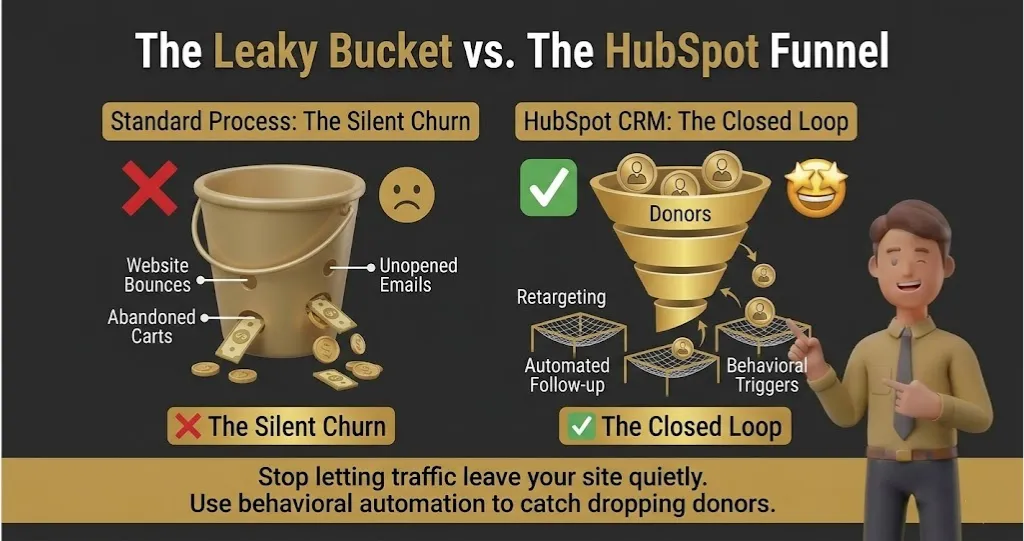
The Visual Workflow Builder is untouchable. You can build branching, multi-step communication paths based on exactly how a supporter interacts with your website. If a donor watches 75% of your campaign video but leaves the donation page, HubSpot can automatically trigger a personalized follow-up email 10 minutes later.
Pricing at a Glance (as of early 2026)
- The HubSpot for Nonprofits Program: You get a 40% discount on professional software tiers.
- Marketing Hub Starter: Roughly $15/month to start, which is a steal for the email capabilities.
- The Reality Check: Once you need custom reporting and heavy automation, the Pro tier easily jumps past $480/month even with the discount.
Does HubSpot for Nonprofits fit for you? Try HubSpot now.
HubSpot for Nonprofits: Pros & Cons
|
Pros |
Cons |
|---|---|
|
Industry-leading marketing automation tools |
Not a native donor management software out of the box |
|
Massive app ecosystem for third-party connections |
Pricing scales aggressively as your contact list grows |
The Smartest Way to Get Started
Do not try to force HubSpot to be your primary financial ledger right away. Start by using it strictly as a powerful nonprofit CRM with email marketing capabilities, and connect it to a dedicated donation processor like Classy or Fundraise Up via their native integrations.
Final Verdict
Buy, if your primary bottleneck is marketing reach and website conversion.
Who Should Avoid It?
Old-school organizations relying entirely on direct mail and offline major gift checks. If you do not have a digital-first marketing strategy, you are wasting money on a sports car you will only drive in a school zone.
5. DonorPerfect – Best for Custom Reporting and Grant Tracking
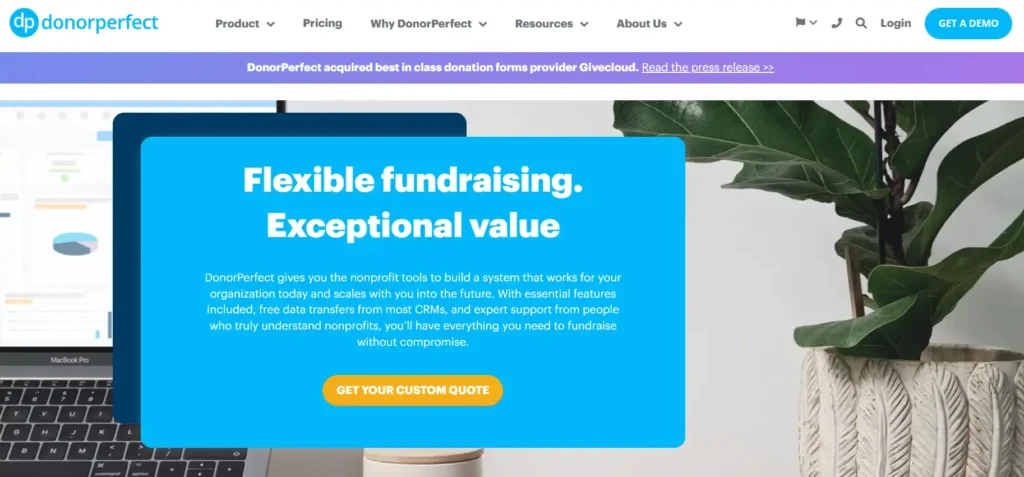
Quick Verdict: A deeply customizable donor management software that handles complex financial reporting beautifully, though the user interface feels like it belongs in 2014.
Who Is It Really For?
Established organizations that live and die by complex, multi-variable financial reports, heavy grant tracking software requirements, and rigid board reporting.
The Killer Feature (That Actually Matters)
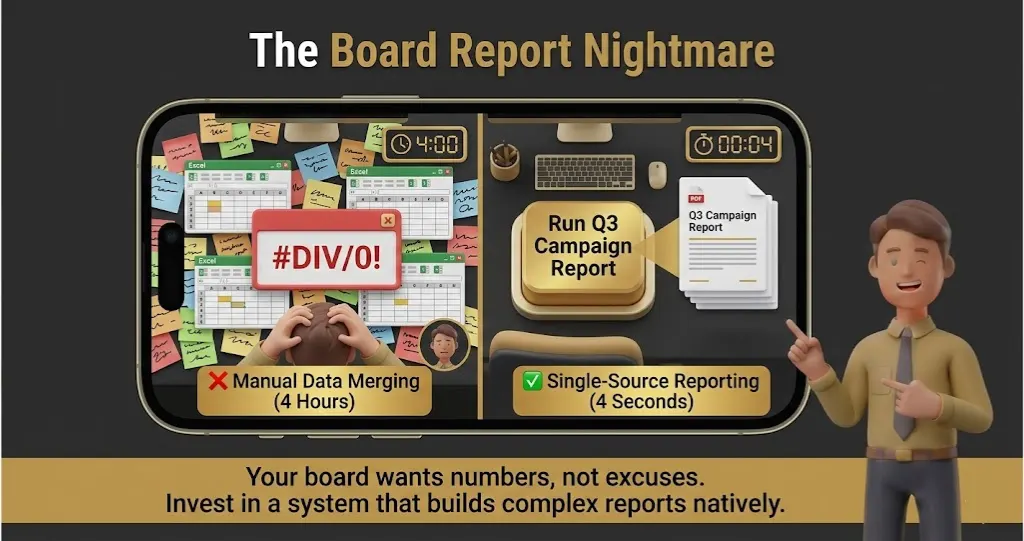
The Granular Report Builder is a financial officer’s dream. You can cross-reference virtually any data point in the system, from volunteer hours to specific campaign codes, and export it instantly for your board. It removes the need to export five different CSV files and manually merge them in Excel.
Pricing at a Glance (as of early 2026)
- Lite: Starts at $99/month for up to 1,000 records.
- Express: Jumps to $179/month for 2,500 records.
- The Catch: While base pricing is fair, many modern features require paid add-ons, turning your $99 bill into a $300 bill very quickly.
Does DonorPerfect fit for you? Try DonorPerfect now.
DonorPerfect: Pros & Cons
|
Pros |
Cons |
|---|---|
|
Exceptional grant tracking software capabilities |
The user interface is dense, gray, and uninspiring |
|
Handles complex householding and relationships perfectly |
Email marketing templates feel dated compared to competitors |
The Smartest Way to Get Started
Pay for their expert onboarding package. Because DonorPerfect is so heavily customizable, setting your custom fields up incorrectly on day one will ruin your reports for years.
Final Verdict
Buy, if you need an ironclad financial database and care more about accurate ledgers than pretty software interfaces.
Who Should Avoid It?
A CRM for small nonprofit teams run by young, tech-savvy staff who expect a modern, intuitive, plug-and-play app experience. The learning curve here will frustrate a team that wants simplicity.
6. Virtuous – Best for Responsive Multi-Channel Fundraising
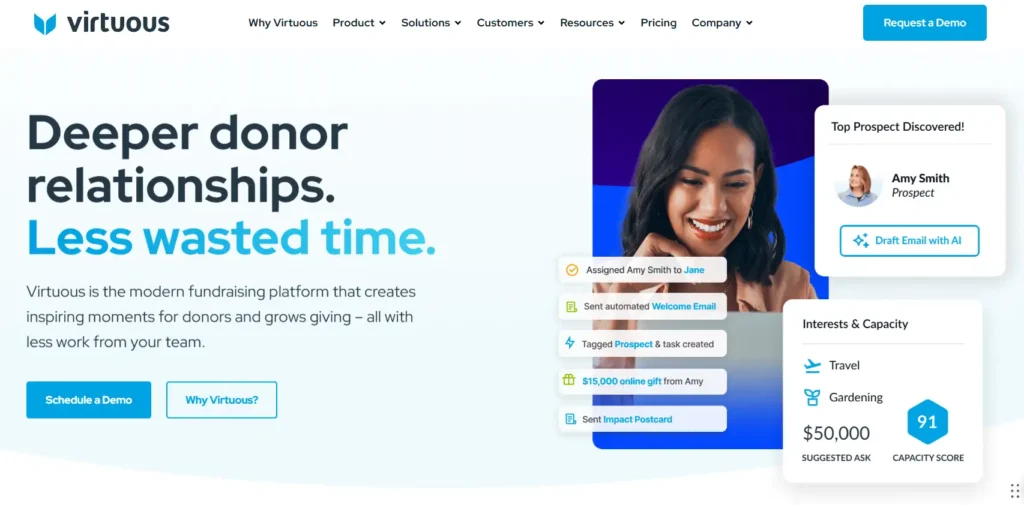
Quick Verdict: A modern CRM designed specifically to trigger personalized donor journeys across mail, email, and SMS based entirely on how donors behave.
Who Is It Really For?
Mid-market teams heavily invested in automated, multi-channel communication who want to treat a $50 donor with the same personalization as a $5,000 donor.
The Killer Feature (That Actually Matters)
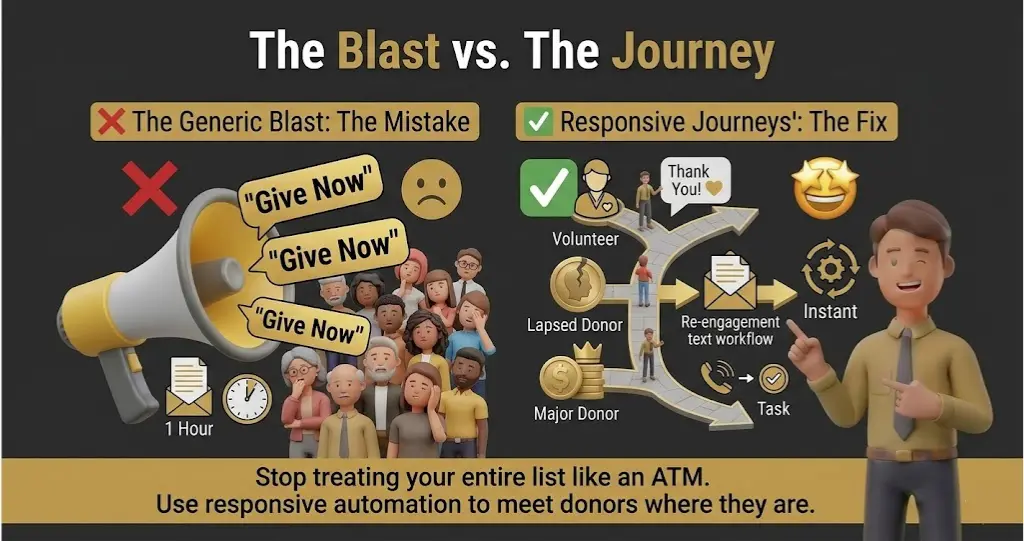
The Responsive Automation Engine is brilliant. Instead of sending massive, identical email blasts, Virtuous listens to donor signals—like website visits or social media clicks—and triggers a specific task. If a mid-level donor visits your “Planned Giving” page, Virtuous automatically assigns a task to your development director to call them tomorrow.
Pricing at a Glance (as of early 2026)
- Entry Tier: Usually starts around $400/month.
- The Reality: Virtuous is expensive. You are paying a premium for enterprise-grade automation wrapped in a user-friendly interface.
Does Virtuous fit for you? Try Virtuous now.
Virtuous: Pros & Cons
|
Pros |
Cons |
|---|---|
|
Incredible multi-channel workflow automations |
Very high starting price blocks out smaller charities |
|
Built-in wealth screening helps identify major donors |
Setup requires mapping out complex “if/then” logic |
The Smartest Way to Get Started
Map your ideal donor journeys on a physical whiteboard before you ever log into the software. If you do not know what actions you want your donors to take, the automation engine is useless to you.
Final Verdict
Buy, if you have the budget and the content ready to feed a highly automated, responsive fundraising machine.
Who Should Avoid It?
Organizations making less than $1 million annually in revenue. The price tag is too steep, and you simply will not have the donor volume to justify the heavy automation costs.
7. Keela – Best for AI-Assisted Donor Insights
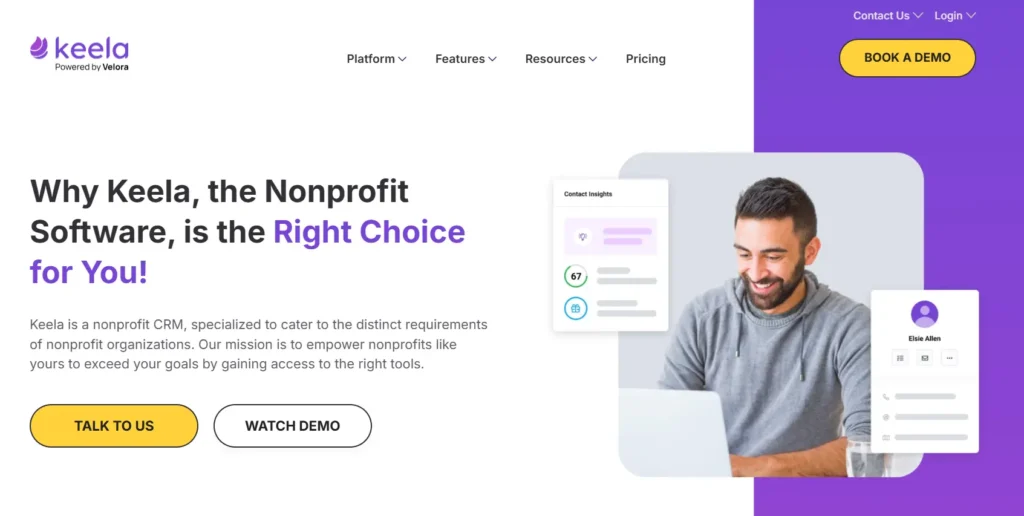
Quick Verdict: A surprisingly smart, cloud-based CRM for charities that uses built-in artificial intelligence to tell you exactly how much money to ask a donor for.
Who Is It Really For?
Small-to-mid teams who want the power of predictive analytics and wealth screening without paying for a massive, separate enterprise tool.
The Killer Feature (That Actually Matters)
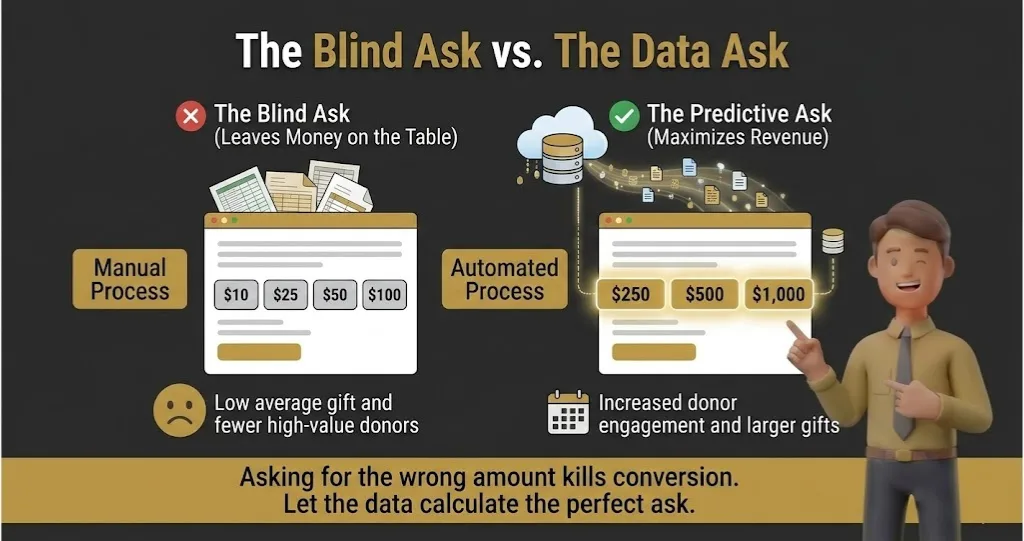
The Smart Ask capability completely removes the guesswork from fundraising. Keela looks at a donor’s past giving history, geographic data, and engagement level, and spits out a mathematically calculated asking amount for their next appeal. It stops you from insulting a high-capacity donor with a $20 ask, or scaring off a $50 donor with a $500 ask.
With 82% of nonprofits already using AI in 2025, predictive tools that mathematically score a donor’s churn risk are now a baseline expectation, not a luxury. If your database cannot automatically calculate the perfect asking amount for your next campaign, you are leaving money on the table.
Pricing at a Glance (as of early 2026)
- Pricing Model: Keela scales strictly based on your contact count.
- The Sweet Spot: Starting around $100 to $150/month for smaller lists. It remains highly affordable until you break the 10,000-contact threshold.
Does Keela fit for you? Try Keela now.
Keela: Pros & Cons
|
Pros |
Cons |
|---|---|
|
Built-in predictive AI tools actually work |
Integrations with outside software are limited |
|
Fantastic built-in donation forms and landing pages |
Support can sometimes be slow for complex technical issues |
The Smartest Way to Get Started
Run an A/B test on your very first campaign. Use your gut instinct on asking amounts for half your list, and use Keela’s Smart Ask for the other half, then track the conversion rates.
Final Verdict
Buy, if you want a modern, intelligent system that actively coaches you on how to raise more money from your existing base.
Who Should Avoid It?
Massive organizations needing a highly customized API build to connect with legacy accounting software. Keela is a fairly closed ecosystem, which is great for simplicity but bad for heavy custom engineering.
8. Little Green Light – Best for Budget-Conscious Small Teams
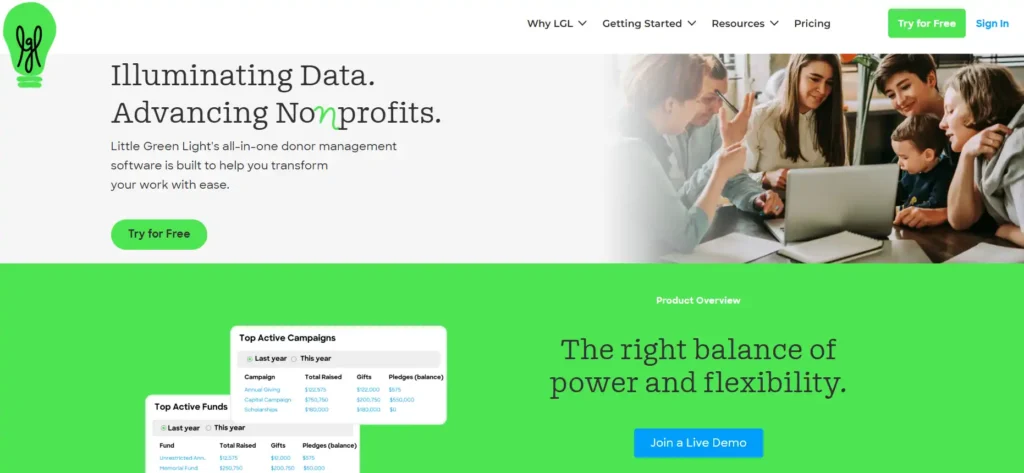
Quick Verdict: An incredibly stable, highly capable donor management software that gives you enterprise-level custom fields for the price of a gym membership.
Who Is It Really For?
The classic CRM for small nonprofit teams (1 to 5 staff members) who have outgrown Excel but cannot stomach a $200+ monthly software bill.
The Killer Feature (That Actually Matters)
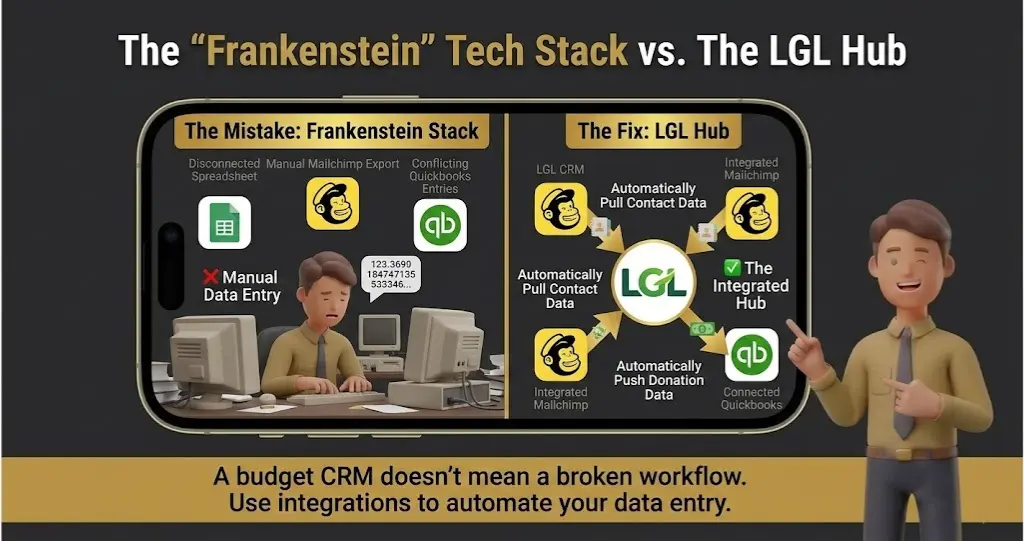
The sheer volume of integrations at this price point. Unlike other budget CRMs that lock you into their native tools, Little Green Light connects deeply with the software you already use, like Mailchimp, QuickBooks Online, and Stripe. You do not have to rebuild your entire tech stack just to switch your database.
Pricing at a Glance (as of early 2026)
- Tier 1: $45/month for up to 2,500 constituents.
- Tier 2: $60/month for up to 5,000 constituents.
- The Reality: It is transparent, usage-based pricing with zero hidden implementation fees. You pay strictly for the size of your list.
Does Little Green Light fit for you? Try Little Green Light now.
Little Green Light: Pros & Cons
|
Pros |
Cons |
|---|---|
|
Unbeatable price-to-feature ratio on the market |
The user interface looks and feels like it is from 2012 |
|
Unlimited users included on every single plan |
Built-in email templates are basic; you will likely want Mailchimp |
The Smartest Way to Get Started
Do not rely on their native email builder for your major end-of-year appeals. Immediately set up the Mailchimp integration during week one so your heavy marketing lives in a dedicated tool while LGL handles the secure financial ledger.
Final Verdict
Buy, if you need an affordable, rock-solid database and do not care about having a flashy, modern aesthetic.
Who Should Avoid It?
Organizations that refuse to use third-party tools. If you want a platform that natively handles advanced drag-and-drop email design and heavy accounting without integrations, this will frustrate you.
9. Givebutter – Best for Free All-in-One Fundraising
Quick Verdict: A massive disruptor in the space offering a surprisingly robust, modern CRM and fundraising suite completely free of charge, funded by optional donor tips.
Who Is It Really For?
Modern, digital-first nonprofits that run heavily on peer-to-peer campaigns, live events, and social media giving, but still need a centralized place to track those donors.
The Killer Feature (That Actually Matters)
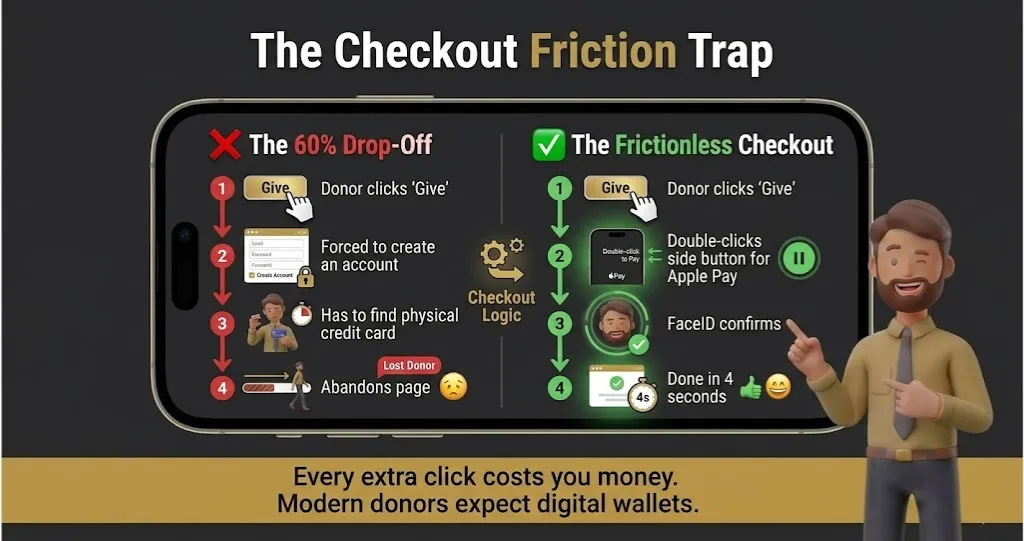
The native, frictionless checkout flow. Givebutter allows donors to give via Venmo, Apple Pay, Google Pay, and standard cards directly inside your campaign page without creating an account. This drastically reduces the number of donors who abandon your form halfway through.
Mobile devices generate over 53% of nonprofit website traffic, yet the average mobile gift ($76) is nearly half the size of a desktop gift ($145) due to clunky forms. If your CRM’s checkout process forces a mobile donor to type in a 16-digit credit card number, you are actively killing your conversion rate.
Pricing at a Glance (as of early 2026)
- Givebutter CRM: $0. Completely free, with unlimited contacts.
- Processing Fees: If you leave “optional donor tips” enabled, your platform and processing fees are $0. If you turn tips off, you pay a flat 3% platform fee plus standard processor costs.
- Givebutter Plus (Optional): Starts at $29/month if you want advanced automated workflows and data hygiene tools.
Does Givebutter fit for you? Try Givebutter now.
Givebutter: Pros & Cons
|
Pros |
Cons |
|---|---|
|
The core CRM and fundraising tools are completely free |
The “donor tip” model can confuse or annoy older demographics |
|
Flawless modern UI that volunteers learn in minutes |
Lacks heavy grant tracking software capabilities |
The Smartest Way to Get Started
Test the waters with a single peer-to-peer fundraising event before moving your entire donor base. It allows your board to see the “donor tipping” model in action and decide if it aligns with your organization’s brand.
Final Verdict
Buy, if you are an agile team that wants world-class digital fundraising tools without signing a multi-year software contract.
Who Should Avoid It?
Major universities, hospitals, or highly conservative legacy charities. Your major gift donors writing $50,000 checks will likely not appreciate being asked to leave a “tip” to cover software costs.
10. Zeffy – Best for Zero-Fee Core CRM & Event Management
Quick Verdict: A 100% free cloud-based CRM for charities that actually covers your credit card processing fees, making it the only truly zero-cost option on the market.
Who Is It Really For?
Strictly registered nonprofits (they require proof of status) who want to keep every single penny of their donations and need a simple, centralized database for events, raffles, and daily gifts.
The Killer Feature (That Actually Matters)
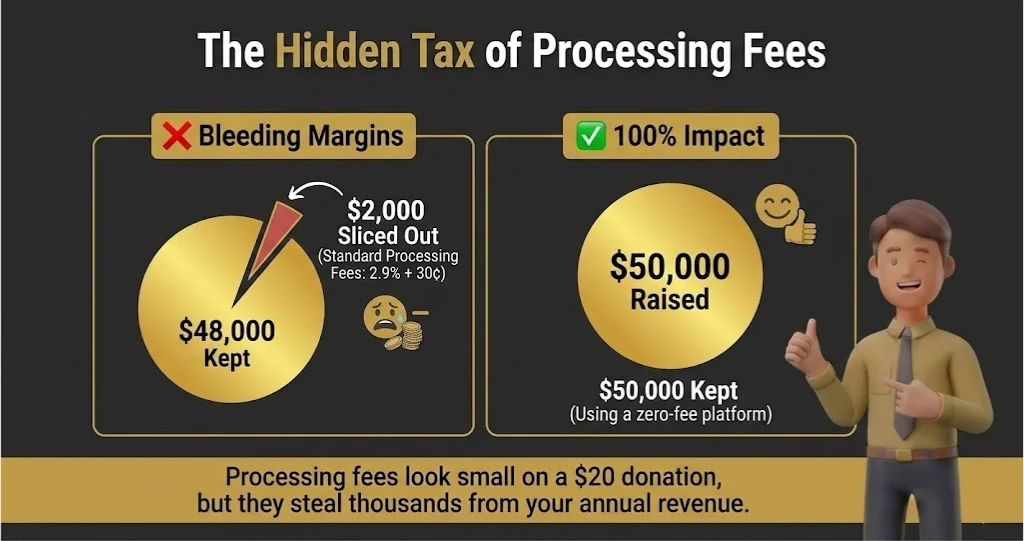
They pay your transaction fees. Zeffy relies entirely on voluntary contributions from donors at checkout to fund their business; they do not charge you a platform fee, and they eat the standard 2.9% + $0.30 credit card processing fee. If a donor gives $100, exactly $100 hits your bank account.
Pricing at a Glance (as of early 2026)
- The Cost: $0. No monthly fees, no platform fees, no processing fees.
Does Zeffy fit for you? Try Zeffy now.
Zeffy: Pros & Cons
|
Pros |
Cons |
|---|---|
|
Literally saves thousands of dollars in processing fees |
Third-party integrations are heavily limited |
|
Excellent built-in ticketing for galas and events |
Not available for standard businesses or personal causes |
The Smartest Way to Get Started
Route your lowest-margin activities—like $10 event tickets or $20 charity merchandise sales—through Zeffy immediately. The standard $0.30 flat transaction fee from typical processors absolutely murders the margins on small transactions; Zeffy fixes this overnight.
Final Verdict
Buy, if minimizing overhead costs is the single most important metric for your board of directors right now.
Who Should Avoid It?
Teams that rely on complex, branching email marketing automations. Zeffy is an incredible financial and event tool, but it is not a dedicated nonprofit CRM with email marketing workflows that can compete with something like HubSpot.
11. Bonterra Network for Good– Best for Automated Donor Outreach
Quick Verdict: A highly opinionated platform that actively coaches your team on who to call, email, or text each day, taking the guesswork out of daily development work.
Who Is It Really For?
Small development teams that lack a formal fundraising strategy and need software that tells them exactly what to do when they log in on Monday morning.
The Killer Feature (That Actually Matters)
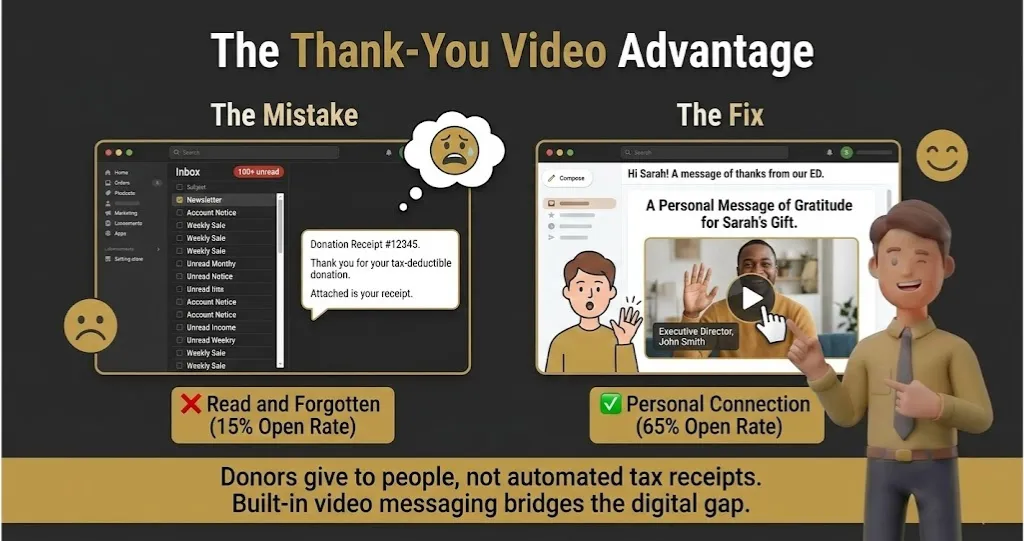
The built-in video messaging tool is a secret weapon. Instead of sending another boring text-based thank you, you can record a personalized 30-second video from your webcam directly inside the CRM and email it to a donor the minute they give. It drastically increases second-gift conversion rates.
Pricing at a Glance (as of early 2026)
- The Reality: Pricing is largely hidden behind sales calls, but typically starts around $100 to $200/month depending on your contact size. It scales up quickly as you add features like auctions.
Does Bonterra Network fit for you? Try Bonterra Network now.
Bonterra Network for Good: Pros & Cons
|
Pros |
Cons |
|---|---|
|
Smart dashboards tell you exactly who needs follow-up |
Pricing transparency is poor compared to competitors |
|
Incredible built-in templates for emails and direct mail |
Post-merger support times have historically fluctuated |
The Smartest Way to Get Started
Rely heavily on their included fundraising coaches during your first 90 days. You are paying a premium for their strategy and templates, so do not try to reinvent the wheel—use their proven email sequences out of the box.
Final Verdict
Buy, if your team struggles with “blank page syndrome” and needs a system that provides the strategy alongside the software.
Who Should Avoid It?
Highly experienced development directors who already have strict, proven communication cadences. If you just want a raw database to execute your own complex plans, the built-in coaching will feel restrictive and unnecessary.
12. Aplos – Best for Built-in True Fund Accounting
Quick Verdict: A database built specifically to solve the massive headache of nonprofit fund accounting, ensuring your development team and your CFO are finally looking at the same numbers.
Who Is It Really For?
Mid-sized nonprofits and faith-based organizations that manage complex, restricted grants and need strict compliance with FASB (Financial Accounting Standards Board) regulations.
The Killer Feature (That Actually Matters)
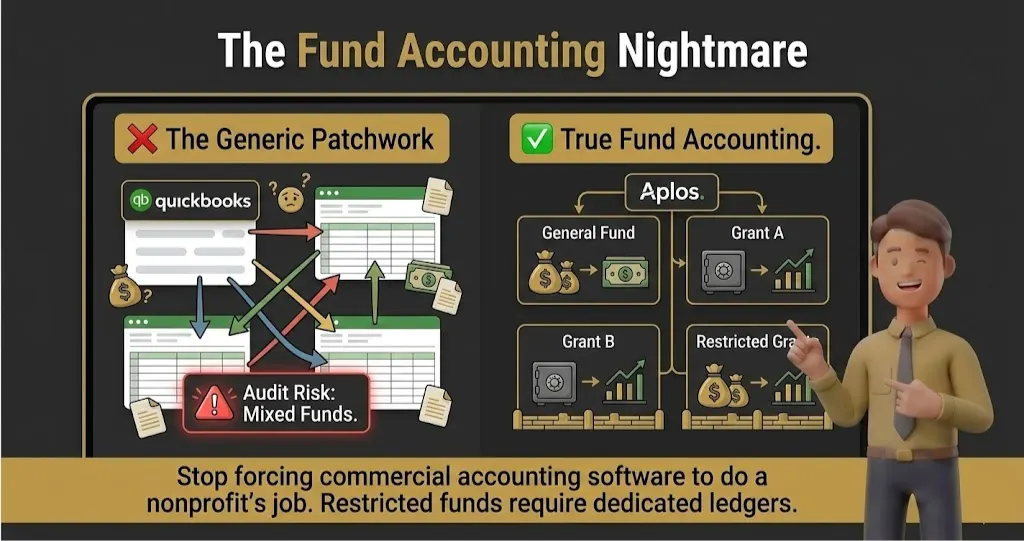
True, native fund accounting. Unlike generic accounting tools that force you to use messy workarounds for restricted funds, Aplos is built from the ground up to keep your general operating budget completely separate from your restricted grant money. It prevents you from accidentally spending a restricted $50,000 foundation grant on your electric bill.
Pricing at a Glance (as of early 2026)
- Lite Tier: Starts at $79/month. Good for basic ledgers, but limited on advanced features.
- Core Tier: Jumps to roughly $129/month. This unlocks accounts payable and heavier budgeting tools.
- The Reality: The Advanced tier pushes past $200/month, but considering it can outright replace both your CRM and QuickBooks, the consolidation makes it highly cost-effective.
Does Aplos fit for you? Try Aplos now.
Aplos: Pros & Cons
|
Pros |
Cons |
|---|---|
|
Unmatched compliance for restricted fund accounting |
The CRM side feels slightly basic compared to the accounting side |
|
Completely replaces the need for a separate QuickBooks account |
Email templates and marketing automations are rigid |
The Smartest Way to Get Started
Do not attempt to migrate your entire historical financial ledger without your accountant present. Bring your CFO or external bookkeeper into the onboarding process on day one so your chart of accounts is configured correctly from the start.
Final Verdict
Buy, if your organization frequently deals with restricted funding, complex audits, and heavy financial oversight.
Who Should Avoid It?
Marketing-focused teams who prioritize beautiful email campaigns and behavioral workflows over strict financial ledgers. If your priority is slick digital fundraising, the rigid, accounting-first interface will frustrate your creative staff.
13. CiviCRM– Best for Open-Source Freedom and Custom Builds
Quick Verdict: A completely free, open-source donor management software that gives you absolute control, provided you know how to host a server and write code.
Who Is It Really For?
Highly technical nonprofits with an in-house developer who refuse to pay monthly licensing fees and want total ownership of their data architecture.
The Killer Feature (That Actually Matters)
You own the code and the data entirely. Unlike proprietary systems that hold your data captive behind a paywall, CiviCRM sits natively inside your own WordPress, Drupal, or Joomla website. You can custom-code exact grant tracking software features without waiting for a vendor to release an update or approve an integration.
Pricing at a Glance (as of early 2026)
- The Software: $0 forever.
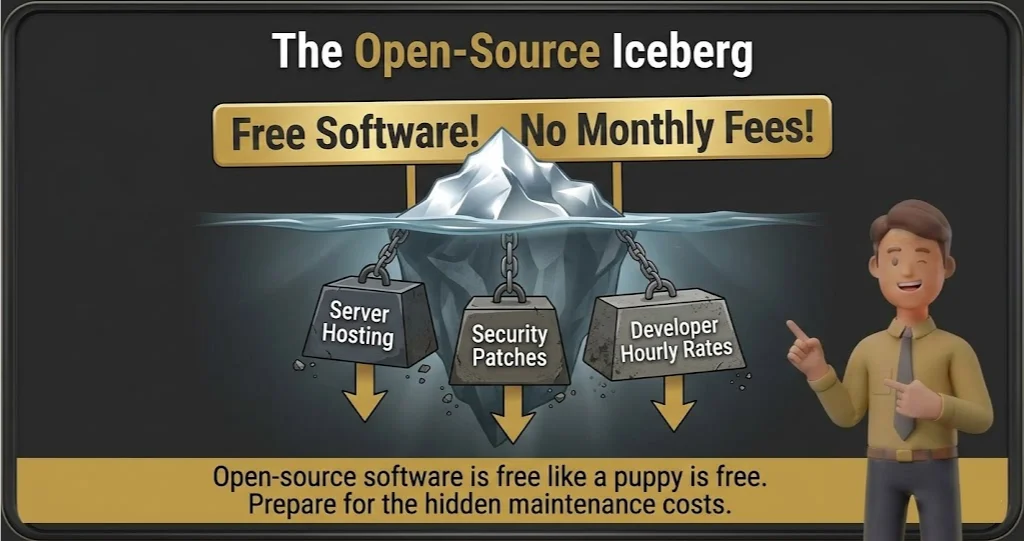
- The Reality Check: While the license is free, you will pay for your own secure web hosting, and you will pay heavily in developer hours to keep the system patched, secure, and updated.
Does CiviCRM fit for you? Try CiviCRM now.
CiviCRM: Pros & Cons
|
Pros |
Cons |
|---|---|
|
Zero monthly subscription or licensing fees |
Brutal, highly technical server setup process |
|
Limitless customization if you can write the code |
The interface feels like a database from 1998 |
The Smartest Way to Get Started
Do not attempt to install this yourself if you are not a web developer. Pay a specialized CiviCRM consultant a one-time fee to handle the initial server installation and security protocols, then manage the daily data entry yourself.
Final Verdict
Buy (or rather, Download), if you have a web developer on staff and demand absolute data sovereignty.
Who Should Avoid It?
A standard CRM for small nonprofit teams looking for a modern, plug-and-play app. If the thought of managing server PHP versions terrifies you, stay far away from this platform.
14. Streak – Best for Gmail-Obsessed Solo Founders
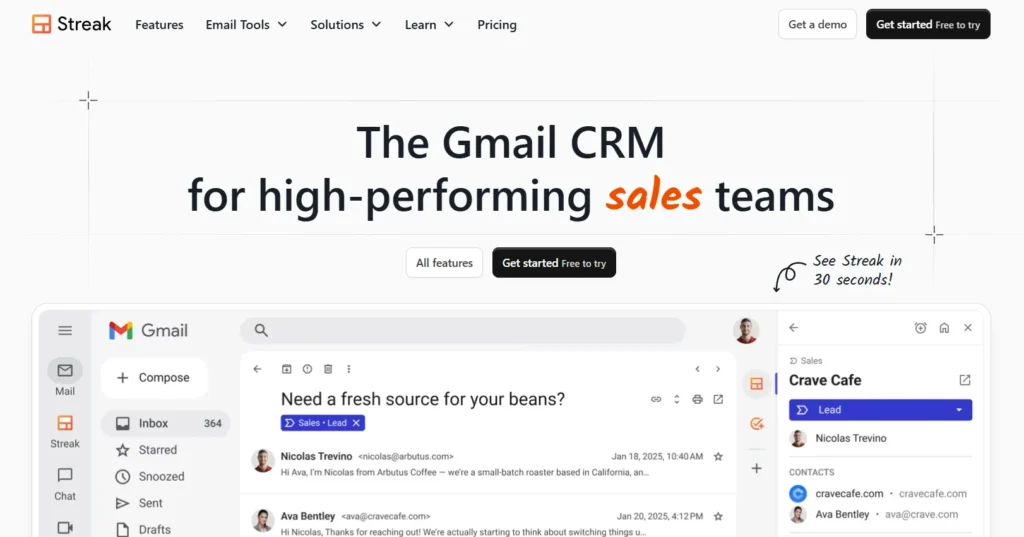
Quick Verdict: A brilliant, lightweight CRM that lives entirely inside your Gmail inbox, turning your everyday email threads into a trackable donor pipeline.
Who Is It Really For?
Micro-teams and solo executive directors who already use Google Workspace for everything and absolutely refuse to open a separate browser tab to log into a database.
The Killer Feature (That Actually Matters)
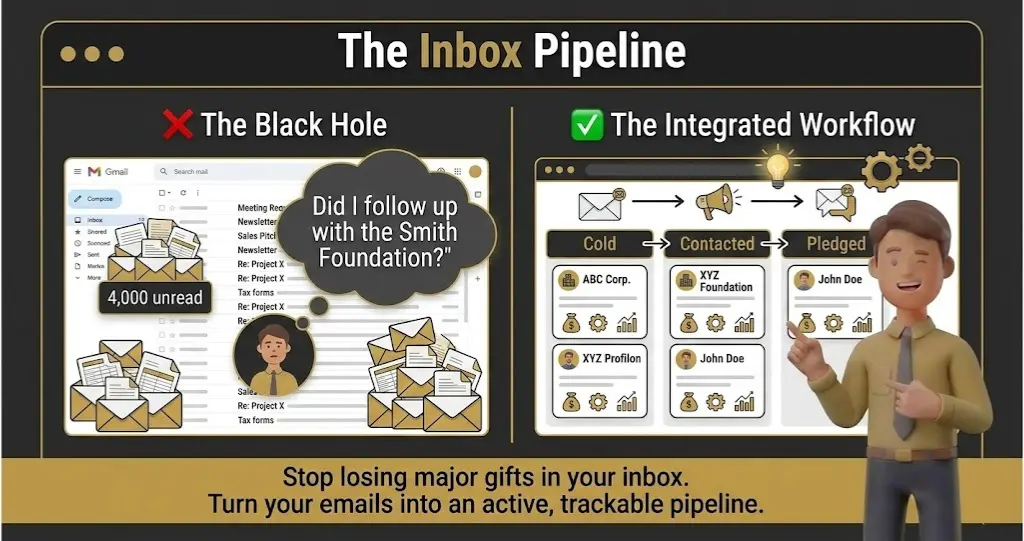
Zero context switching. Streak literally alters your Gmail interface, adding color-coded pipelines right next to your inbox so you can update a donor’s status the exact second you reply to their email. It completely eliminates the “I’ll log that in the CRM later” excuse that leads to dirty data.
Pricing at a Glance (as of early 2026)
- Free Tier: $0 for up to 500 rows of data. Perfect for a grassroots charity just starting out.
- Solo Tier: $15/month. Unlocks link tracking and basic email routing.
- Pro Tier: Starts at $49/month when you need shared team pipelines.
Does Streak fit for you? Try Streak now.
Streak: Pros & Cons
|
Pros |
Cons |
|---|---|
|
Zero learning curve if you already know how to use Gmail |
Limited purely to Google Workspace (No Outlook support) |
|
Built-in email tracking shows you exactly when donors open your mail |
Lacks native donation forms or event ticketing tools |
The Smartest Way to Get Started
Build a “Major Gift Pipeline” on day one. Create simple, color-coded stages (e.g., “Identified,” “First Meeting,” “Verbal Yes,” “Check Received”) and manually drop your top 20 email contacts into that pipeline to see how satisfying the visual tracking is.
Final Verdict
Buy, if your entire operational life currently revolves around your Gmail inbox and you just need to organize the chaos.
Who Should Avoid It?
Mid-market organizations that need complex, automated tax receipt generation. Streak is incredible for relationship tracking, but it is not a financial ledger and cannot replace dedicated donor management software.
15. Bitrix24 – Best for Internal Operations and Unlimited Users
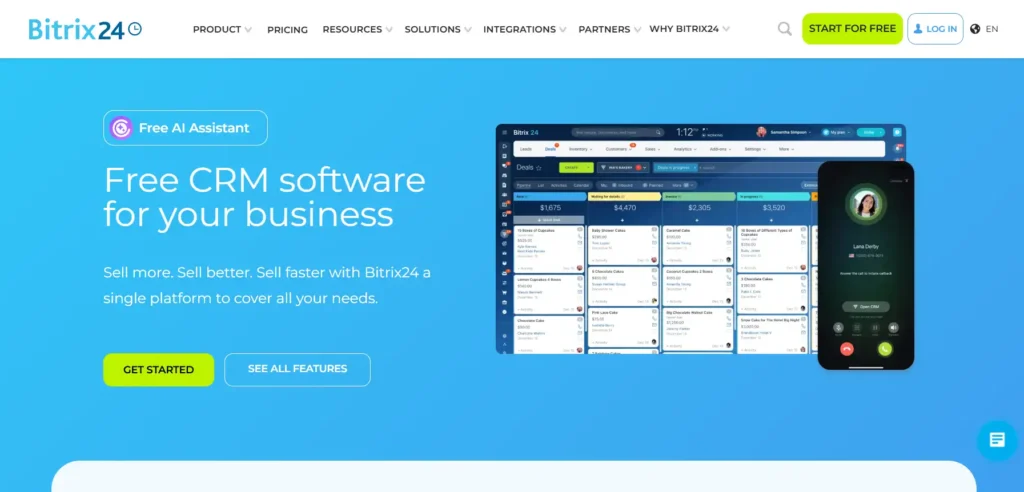
Quick Verdict: A massive suite of business tools that throws a free CRM, team chat, and task manager at you, but the interface is terrifyingly dense.
Who Is It Really For?
Grassroots organizations that need a central hub for hundreds of volunteers to chat, track physical tasks, and log basic contact info without paying per-seat software licenses.
The Killer Feature (That Actually Matters)
The internal social intranet. Bitrix24 functions like a free version of Slack, Trello, and a basic CRM rolled into one single dashboard. You can assign a task to a volunteer, chat with your board, and check a donor’s phone number without ever switching apps.
Pricing at a Glance (as of early 2026)
- Free Plan: $0 for an unlimited number of users. This is mathematically unbeatable for massive, volunteer-led organizations that need to stay connected.
- Basic/Standard Tiers: Start around $49 to $99/month for the entire organization to unlock proper email marketing and heavy automation.
Does Bitrix24 fit for you? Try Bitrix24 now.
Bitrix24: Pros & Cons
|
Pros |
Cons |
|---|---|
|
Unlimited free users is basically unheard of in this industry |
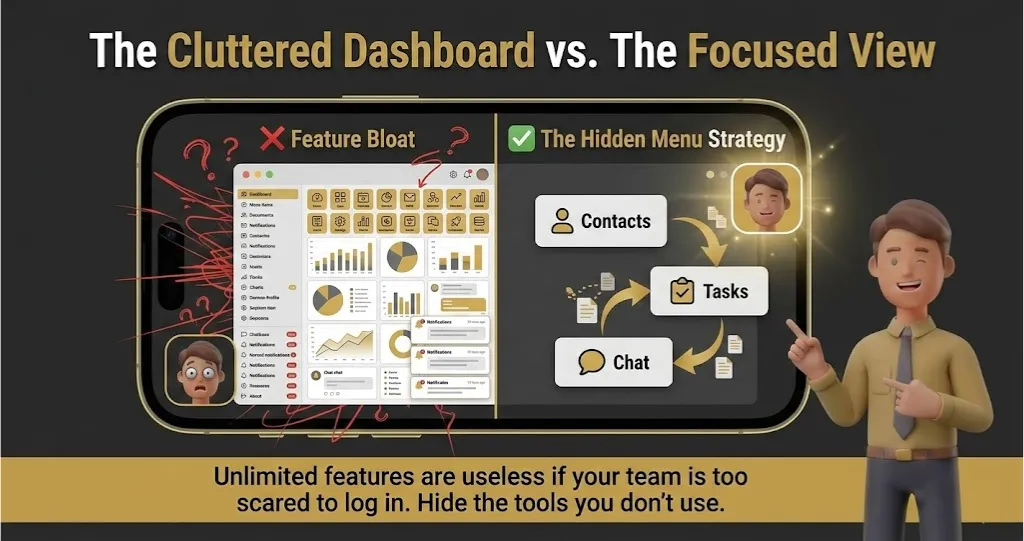
The dashboard is aggressively cluttered and confusing |
|
Replaces your need for separate team chat and task apps |
Not a dedicated nonprofit CRM with email marketing workflows |
The Smartest Way to Get Started
Use the interface customization tools immediately. Hide 80% of the menu items (like “Inventory Management” or “HR Tracking”) on day one, or your volunteers will log in once, get totally overwhelmed by the corporate features, and never return.
Final Verdict
Buy, if managing massive team communication and volunteer tasks is currently a bigger headache for you than tracking major gifts.
Who Should Avoid It?
Organizations that need clean, highly professional, outbound donor communication. Bitrix24 is fantastic for internal operational chaos, but it is too clunky to run a polished, high-dollar fundraising campaign.
CRM for Nonprofits: What You Actually Get at Each Price Point
Pricing in the donor management software space is notoriously opaque. Here is exactly what your budget buys you right now.
- Free to $50/month (The Danger Zone): You get basic contact storage and simple donation forms. Expect severe caps on email sends and zero automated workflows.
- $100 to $250/month (The Sweet Spot): This is where legitimate nonprofit CRM with email marketing features live. You unlock automated tax receipts, basic grant tracking software, and recurring donation management.
- $500+/month (The Enterprise Tier): You are paying for advanced custom reporting, dedicated major gift pipelines, and complex API access. Do not buy this tier unless you have a dedicated database administrator on staff.
Your Action Plan: 5 Steps to a Successful CRM Launch
Nearly 7 in 10 nonprofit leaders report severe trouble filling staff vacancies, making labor your biggest operational bottleneck. Your development director cannot act as a part-time data entry clerk; you must successfully implement an automated system just to retain your exhausted staff.
Buying the software is only 10% of the work. If you want your team to actually use the new platform, follow this exact rollout sequence.
Step 1: Audit Your Garbage:
Do not move dirty data into a clean house. Spend two weeks manually deleting bounced emails, standardizing name formats, and merging duplicate records in your current system before you export anything.
Step 2: Define Your “Must-Haves” vs. “Nice-to-Haves”:
Write down the three specific tasks your team absolutely must execute daily (e.g., tax receipts, event check-ins, major donor calls). If a system cannot do those three things flawlessly, walk away, regardless of how many flashy bonus features it has.
Step 3: Run a Micro-Test:
Pick your smallest, lowest-risk campaign of the year—like a local bake sale or a minor volunteer drive. Run it entirely through the new platform while keeping your main operations on the old system to find the friction points safely.
Step 4: Appoint a Single Admin:
Software dies by committee. Give one specific person absolute authority over custom fields and data entry rules to prevent your team from creating six different tags for the exact same donor segment.
Step 5: Freeze the Old System:
Once the migration is complete, change the passwords on your old database. If you leave the old system accessible, panicked staff members will quietly revert to their old habits during a stressful campaign.
What to Do Next
Stop researching and start testing. Pick the two platforms from this list that best match your budget and your biggest operational bottleneck, and immediately book a demo for both. Do not let the sales rep drive the demo; bring a specific, messy spreadsheet from your organization and ask them to show you exactly how their software handles your actual data.
How We Rate Nonprofit CRMs: Our Simple Promise
We refuse to just regurgitate vendor feature lists. To find the best CRM for small nonprofit teams scaling up to mid-market, we rely on aggregated user data, deep technical documentation, and known industry friction points.
A platform only makes this list if it actively reduces administrative bloat. We look for cloud-based CRM for charities that handle everything from complex tax receipts to major gift pipelines without requiring a computer science degree.
If a tool requires a $10,000 implementation consultant just to send a basic newsletter, we brutally dock its score. Our goal is radical honesty. You will see exactly where these platforms shine and exactly where their reporting limits will break your heart.
Frequently Asked Questions About Nonprofit CRMs
1. What is the real difference between a corporate CRM and a nonprofit CRM?
Corporate software is built to track sales pipelines, leads, and closed deals. Nonprofit databases are engineered to track complex household relationships, recurring donation histories, and volunteer hours. If you buy a standard corporate system, you will spend your first month manually renaming “closed-won deals” to “received donations” just to make the dashboard usable.
2. Can we just use Mailchimp and Google Sheets until we get bigger?
You can, but only until your spreadsheet hits about 1,000 rows. At that breaking point, your formulas will fail, and you will inevitably send an embarrassing duplicate email to a major donor. Email platforms track marketing clicks, while a true donor management software tracks deep financial relationships and restricted giving.
3. What should a mid-market charity realistically budget for this software?
Ignore the heavily marketed base price, because you will outgrow it immediately. For a scaling team of 3 to 10 people, expect to spend between $150 and $300 a month for a system with proper automated workflows. If you try to run your entire operation on free software tiers, you will pay for it through your staff’s wasted administrative hours.
4. How long does the data migration process actually take?
Do not believe any software sales rep who promises a two-day setup. Moving messy, historical donor data from your old system into a new database requires a hard minimum of four to six weeks. Rushing your data migration guarantees broken formatting, lost recurring pledges, and an absolute nightmare during your next financial audit.
5. Is Salesforce actually free for nonprofits?
Salesforce generously gives eligible 501(c)(3) organizations 10 free user licenses through their Power of Us program. However, the software itself is essentially an empty, highly complex engineering shell out of the box. You must budget at least $5,000 to $15,000 for a certified implementation consultant just to build the architecture you need to send a simple tax receipt.