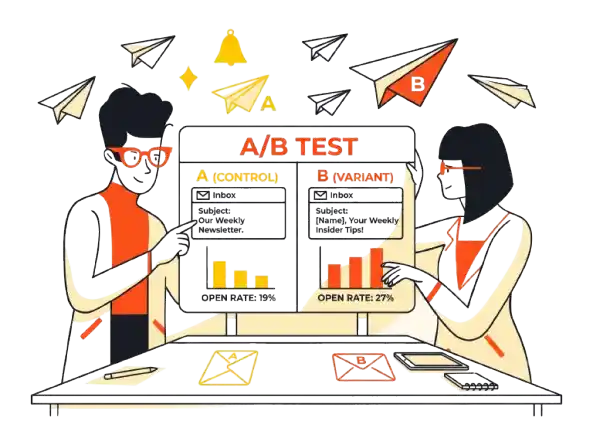
Stop looking at your open rate to boost your ego. It’s lying to you.
For over a decade, marketers treated the Open Rate as the holy grail of email marketing. If people opened, we assumed they were interested. If the line went up, we high-fived.
Then, Apple released iOS 15 with Mail Privacy Protection (MPP), and everything broke.
Now, we are in a reality where bots “open” emails to check for safety, and iPhones pre-load images (triggering an open) before the user even unlocks their screen.
If you are trying to decide between tracking open rate vs click through rate, the short answer is simple:
Click Through Rate (CTR) is your metric for money. Open Rate is your metric for technical health.
Here is the breakdown of why your dashboard is deceiving you, and how I actually read these numbers in late 2026.
Quick Verdict: The TL;DR
- The Winner: Click-Through Rate (CTR). It is the only metric that proves human intent. You can fake an open; you cannot easily fake a click on a specific landing page link.
- The Loser: Open Rate. It is no longer a reliable measure of human engagement due to privacy tools and bot filters.
- The Exception: Use Open Rate only as a “Canary in the Coal Mine” for deliverability issues (e.g., hitting spam traps).
The “Vanity Metric” Trap: Why Open Rates Are Dead (Sort Of)
Let’s get the “Hot Take” out of the way immediately. Open rates are dead for engagement, but alive for deliverability.
If you treat open rates as a measure of “how many people read my email,” you are lying to yourself. Between Apple MPP (which marks unread emails as opened) and aggressive corporate spam filters (which “click” links to check for malware), the data is too noisy to trust for content quality.
I don’t ignore them completely, though.
The “Canary in the Coal Mine”
I use open rates strictly to monitor my domain health. They are my early warning system.
- If opens suddenly drop from 35% to 10%: You likely hit a spam trap or have a major domain health issue. Your emails aren’t landing in the inbox.
- If opens stay flat but clicks drop: That is a content problem. Your subject line worked, but your copy failed.
Key Takeaway: If your open rate is steady, stop obsessing over it. If it crashes overnight, panic.
The Horror Story: “The Bait & Switch”
To illustrate why Open Rate is a vanity metric, let me share a disaster I witnessed with a client campaign.
We wanted to grab attention. We got greedy.
The Setup: The client sent a campaign with the subject line: “Bad news about your account…”
Naturally, panic ensued. The results looked like this:
- Open Rate: 68% (Astronomical. People thought they were hacked.)
- Click-Through Rate: 0.4% (Pathetic.)
What Went Wrong?
The email body wasn’t actually about their specific account being in trouble. It was a generic newsletter article about “How to secure your account from hackers.”
The audience felt tricked. They opened it out of fear, realized it was clickbait, and immediately closed it without clicking. We burned trust for a vanity metric.
The Lesson: You can’t pay your rent with curiosity. If the subject line writes a check that the body copy doesn’t cash, your CTR will crash.
The North Star: Why CTR is King
My North Star is 100% the Click-Through Rate (CTR).
It is the only metric that proves a human actually took a deliberate action. A bot might “open” an email, but it rarely navigates a landing page, reads the offer, and fills out a form.
What is a Good CTR? (Benchmarks)
Generic benchmarks are dangerous because every industry varies, but here is a rough baseline for 2026:
- 1% or lower: Something is broken. Either your offer is weak, or you are targeting the wrong people.
- 2% – 3%: Average. You are doing okay, but there is room for optimization.
- 5%+: Excellent. Your audience is highly engaged and trusts your recommendations.
Comparison: Open Rate vs Click-Through Rate
Here is how you should view these two metrics side-by-side.
|
Feature |
Open Rate |
Click-Through Rate (CTR) |
|---|---|---|
|
What it measures |
How many emails were “loaded” (by humans or bots). |
How many people took action. |
|
Reliability |
Low (Inflated by Apple MPP). |
High (Harder to fake). |
|
Primary Use Case |
Monitoring Deliverability & Domain Health. |
Measuring Content Quality & Offer Relevance. |
|
Bottom Line Impact |
Zero |
High (Directly correlates to sales). |
The “Fix-It” Tactic: How to Boost CTR
You sent an email. You got great opens (30%+), but your clicks are hovering at 0.5%. What do you do?
The first thing I tweak is the “Above the Fold” Alignment.
I immediately look at the first three sentences and the first link in the email body.
The Problem:
Often, writers bury the lede. They write a catchy subject line, but then start the email with three paragraphs of “updates” or “storytelling” before giving the reader the thing they opened the email to get.
The Fix:
If your subject line made a specific promise (e.g., “The PDF you asked for”), that link needs to be visible immediately without scrolling.
Don’t make them hunt for it. Move the primary CTA up. Make the first link match the subject line’s promise perfectly.
The Best Tool for Tracking Real Metrics: ActiveCampaign
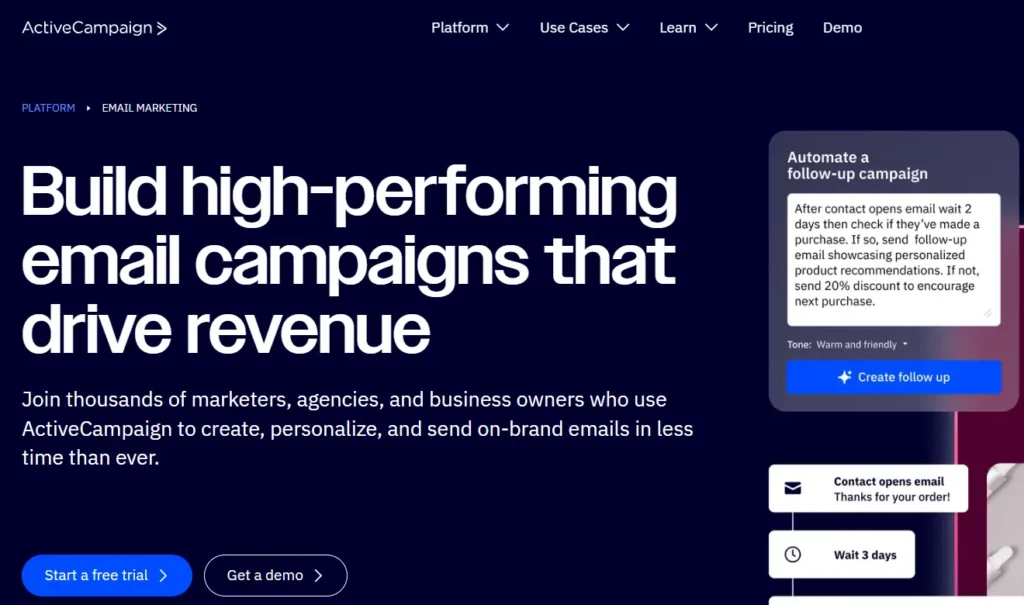
If you are serious about separating “fake” Apple opens from real human engagement, I currently recommend ActiveCampaign.
Most platforms just hide from the Apple MPP issue. ActiveCampaign built a specific feature to expose it.
ActiveCampaign – Best for Data Transparency
Who Is It Really For?
Serious email marketers and business owners who need granular automation and accurate reporting, not just a “send” button.
The Killer Feature (That Actually Matters)
The Apple Privacy Filter.
I recommend ActiveCampaign for this specific problem because they give you control over the data.
When you go into the Reports section of a campaign in ActiveCampaign, look for the “Filter” dropdown on the right side. They have a specific toggle called “Include Apple Privacy opens.”
- Uncheck it: You see the “Real” open rate (excluding the inflated Apple machine opens).
- Check it: You see the “Inflated” rate.
This transparency allows you to see if your “high open rate” is actually just a bunch of iPhones pre-loading your images.
Pricing at a Glance (As of 2026)
- Starter: ~$15/mo. Good for basic newsletters.
- Plus: ~$49/mo. Adds the landing pages and advanced reporting.
- Professional: ~$149/mo. For teams needing predictive sending.
Pros & Cons
|
Pros |
Cons |
|---|---|
|
Identifies Apple Privacy Opens specifically. |
The UI can be overwhelming for total beginners. |
|
Best-in-class automation builder. |
Price jumps significantly as your contact list grows. |
|
High deliverability rates. |
The Smartest Way to Get Started
Don’t import your whole list immediately if you are migrating. Start with your most engaged segment (people who clicked in the last 30 days). This warms up your IP on ActiveCampaign’s servers and ensures your initial “Real Open Rate” is high.
Final Verdict
Buy. If you care about data accuracy and automation, this is the industry standard.
Who Should Avoid It?
Simple Newsletter Writers. If you just want to send a weekly text email and don’t care about tagging or complex funnels, use a simpler tool like Beehiiv or ConvertKit (Kit). ActiveCampaign is overkill for a “hobby” blog.
Demystifying Email Costs: What You Actually Get
Many beginners get sticker shock with email marketing tools. Here is the reality of the “Feature vs. Cost” breakdown.
- The Free Tier: usually gives you basic sending capability. You get open rates, but rarely advanced click-tracking heatmaps or “bot filtering.”
- The $29-$49 Tier: This is where the magic happens. You pay for Logic. This tier unlocks automations (If they click X, send email Y).
- The $150+ Tier: You are paying for CRM integration. This connects your email data to your sales team’s pipeline.
Key Takeaway: You don’t need the expensive tier to track CTR accurately. Even cheap tools track clicks well. You pay extra to act on those clicks automatically.
Your Action Plan: 5 Steps to Fixing Your Metrics
Stop guessing. Follow this plan to shift your focus from vanity to value.
- Audit Your Last 5 Campaigns: Ignore the open rate. Look strictly at CTR. Which email had the highest clicks? Analyze why.
- Check Your Platform Settings: Go to your reporting dashboard. Can you filter out “Apple Privacy Opens”? If yes, turn that filter ON immediately.
- The “Three Sentence” Rule: For your next email, ensure your primary link appears within the first three sentences.
- Prune the Zombies: If a subscriber hasn’t clicked (not opened) a link in 6 months, put them in a re-engagement sequence. If they still don’t click, delete them. They are dead weight hurting your deliverability.
- Subject Line Sync: Review your next subject line. Does the body copy fulfill that promise in the first paragraph? If not, rewrite it.
What to do next
Open your current email service provider right now. Look at your last campaign. Calculate the click-to-open rate (Clicks divided by Opens). If it’s under 10%, your content is mismatching your subject line. Rewrite your welcome email template to fix this alignment today.
FAQ
1. Is a 20% open rate good?
In the past, yes. Today, it is meaningless without context. If you have 20% opens but 0% clicks, it is terrible. If you have 10% opens (real humans) and 5% clicks, that is fantastic. Focus on the click.
2. Does clicking a link count as an open?
Technically, yes. Most email service providers will register an “open” if a link is clicked, even if the tracking pixel (image) didn’t load.
3. How do I stop bots from skewing my data?
You cannot stop them entirely. However, using tools like ActiveCampaign that filter out Apple Privacy opens helps. Also, avoid using URL shorteners (like bit.ly) in your emails, as they often trigger aggressive spam filters that “test click” your links.
4. Why is my open rate high but no clicks?
This is the “Bait & Switch” problem. Your subject line is promising something your content isn’t delivering, or you are burying the link too far down in the email.
5. Should I remove inactive subscribers based on open rates?
No! Because of MPP, some people might be opening your emails, but the pixel is blocked. Only remove subscribers based on lack of clicks over a long period (e.g., 6-12 months).