I have seen businesses vanish overnight. Not because they ran out of money, but because they lost their ability to communicate. They treated a cold outreach list like a newsletter subscriber base, got flagged by Spamhaus, and their primary domain—the one on their business cards and invoices—went into the abyss.
If you are confusing “Cold Email” with “Newsletters,” you aren’t just risking a fine; you are risking your digital existence.
Here is the hard truth about the legal and technical walls separating these two strategies.
TL;DR: The Quick Verdict
- Cold Email is unsolicited sales. In the US (CAN-SPAM), it is legal without consent if you offer an opt-out. In the EU (GDPR), it is a minefield. Goal: A reply.
- Newsletters are permission-based marketing. You need explicit consent (Opt-in). Goal: A click or read.
- The Golden Rule: Never cross the streams. Do not upload cold leads to Mailchimp. You will be banned.
The Core Difference: Intent vs. Consent
Most people think the difference is content. It isn’t. The difference is permission.
1. The “Geography” Factor: Where Are Your Prospects?
The laws governing email are not universal. When I consult with clients, the first thing I look at is the target country. You cannot conflate the US with the rest of the world.
The US: The Wild West (CAN-SPAM)
Under the CAN-SPAM Act, the philosophy is “innocent until proven guilty.” You do not need prior consent to email a B2B prospect.
- The Rule: You can email anyone provided you offer a clear way to opt-out (unsubscribe) and do not use deceptive subject lines.
- My Take: This makes the US the easiest market for volume outreach. However, ease of access means higher competition.
The EU: The Fortress (GDPR)
GDPR makes “Legitimate Interest” a high-risk gamble.
- The Counterpoint: Many marketers claim “Legitimate Interest” (Article 6(1)(f)) covers B2B cold email in Europe. I challenge this. Legitimate Interest requires a “Balancing Test.” Does your commercial interest override the prospect’s right to privacy?
- The Reality: In Germany, the answer is almost always no. In the UK (PECR), you have slightly more leeway with corporate bodies (LLPs, Ltds), but sole traders are strictly off-limits.
- Strategic Advice: If you are risk-averse, treat the EU as “Inbound/Warm Only.” If you are aggressive, segment your list. US data gets the volume approach; EU data requires hyper-personalization to argue “Legitimate Interest” effectively (i.e., “I emailed you specifically because [Context]”).
Comparison: Cold Outreach Legality by Region
|
Feature |
US (CAN-SPAM) |
EU (GDPR) |
Canada (CASL) |
|---|---|---|---|
|
Permission Needed? |
No (Opt-out model) |
Yes (Opt-in mostly) |
Yes (Strict Opt-in) |
|
B2B Exception? |
Yes |
Limited (UK/Corp only) |
Limited |
|
Unsubscribe Link |
Mandatory |
Mandatory |
Mandatory |
|
Risk Level |
Low |
High |
Very High |
The “Mailchimp Sin”: Why You Get Banned
This is where 90% of beginners fail. They scrape a list of 2,000 leads and upload them to Mailchimp, ConvertKit, or ActiveCampaign.
Do not do this.
The Technical Reality
Tools like Mailchimp utilize Shared IP Pools. These pools are optimized for high-volume, opt-in delivery. Their reputation relies on low spam complaints (typically under 0.1%).
The Mechanics of the Ban
When you upload a cold list to Mailchimp and get a 0.5% spam complaint rate—which is normal for cold email but fatal for newsletters—you poison the IP reputation for all their other customers.
I have seen businesses lose their entire database because they mixed lists. They got banned, locked out of their account, and couldn’t export their valid subscribers. Their algorithm will ban you instantly to protect their herd.
Key Takeaway: Cold email goes through SMTP/Specialized tools (Smartlead/Instantly); Newsletters go through ESPs (ConvertKit/Beehiiv).
The Infrastructure: “Shield” Domains vs. Primary Domains
If your main site is leadoom.com, never send cold emails from name@leadoom.com. If you hit a spam trap, your website emails (password resets, invoices, support tickets) will start going to spam.
Stop Calling Them “Burner” Domains
“Burner” implies they are disposable trash used for spamming. This is a dangerous mindset. They should be viewed as “Shield” Domains.
They require the same SPF, DKIM, and DMARC reputation building as your primary domain.
The Setup I Use:
- Primary: leadoom.com (Newsletters / Client coms only)
- Shields: getleadoom.com, tryleadoom.com, leadoom-agency.com
The Logic Test:
If you send 50 emails a day from one account, you risk a burn. If you send 50 emails spread across 5 accounts (10 each), you fly under the radar. Modern tools like Smartlead or Instantly handle this “Inbox Rotation” architecture automatically.
Success Metrics: The “Check Engine Light”
How do you measure success?
Newsletter Metric: Opens & Clicks
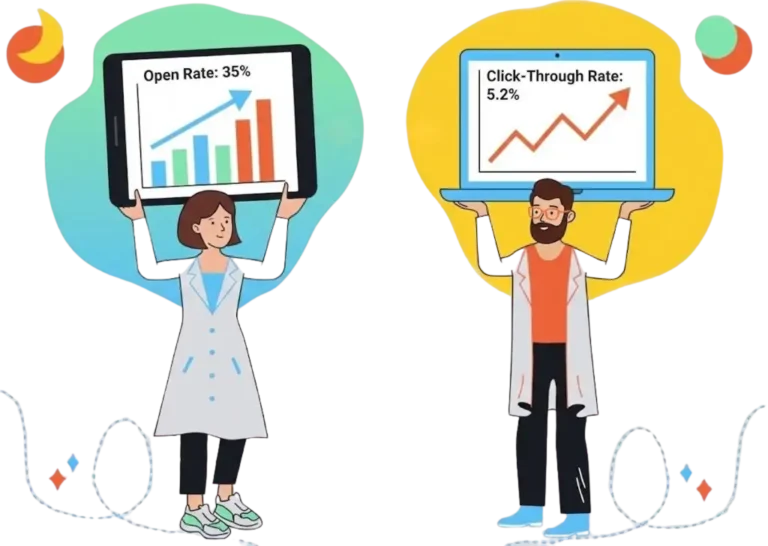
For a newsletter, open rate is a vanity metric, but Click-Through Rate (CTR) is cash. You want engagement.
Cold Email Metric: Replies
“Open Rates are Dead” is a common take in 2026, but it’s lazy.
- The Nuance: Yes, Apple’s MPP (Mail Privacy Protection) inflates open rates by pre-loading pixels. A 40% open rate might actually be 20%.
- My Stance: While you should optimize for Replies (Revenue), you must still monitor Opens for Technical Health.
- If your open rate is 50%, ignore it (could be bots/Apple).
- But: If your open rate drops to 15% or 10%, you have a Deliverability Crisis. It means your domains are burned, or your DNS records are broken.
Verdict: Don’t report Open Rate to clients as a “Success Metric,” but keep it on your internal dashboard as a “Check Engine Light.”
Tool Snapshot: The Right Tool for The Job
To keep this practical, here is how I categorize the tools based on the “Review” structure.
1. Cold Email Powerhouse: Smartlead.ai
- Who Is It Really For?: Agencies and B2B teams running high-volume outreach using the “Shield Domain” strategy.
- The Killer Feature (That Actually Matters): Unlimited Inbox Rotation. I can hook up 50 different Outlook/Google workspace accounts, and Smartlead automatically rotates between them to keep volume per account low.
Pros & Cons:
|
Pros |
Cons |
|---|---|
|
Unlimited Email Accounts |
UI can be overwhelming for beginners |
|
“Warm-up” feature included |
Not built for newsletters (HTML limited) |
Final Verdict: Buy. It is the industry standard for a reason.
2. Newsletter Titan: ConvertKit (Kit)
Who Is It Really For?: Creators and businesses building a relationship with an Opt-in audience.
The Killer Feature (That Actually Matters): The Sponsor Network. Once you grow, they help you monetize. But technically? Their “Deliverability Team” is top-tier because they aggressively ban spammers.
Pros & Cons:
|
Pros |
Cons |
|---|---|
|
High Deliverability for Opt-in |
Expensive as your list grows |
|
Best-in-class automation |
Strict ban policy for cold lists |
Final Verdict: Buy (For inbound marketing only).
Demystifying Costs: What You Actually Get
Don’t let the “Free Trial” fool you. Cold email is expensive if done legally and effectively.
- The “Hobbyist” ($0 – $50/mo): Manual G-Suite account. Sending 20 emails a day. High risk of burnout.
- The “Pro” ($150 – $300/mo):
- Data: Apollo/ListKit ($99/mo)
- Sending Tool: Smartlead/Instantly ($30-$90/mo)
- Domains: Google Workspace/Outlook x 5 accounts ($30/mo)
- The “Agency” ($1000+/mo): Enterprise data, dedicated sending servers, and 50+ inboxes.
Your Action Plan: 5 Steps to Safe Launch
- Define the Intent: Are you selling (Cold) or nurturing (Newsletter)?
- Buy Shield Domains: Purchase 2-3 domains that look similar to your main brand. Redirect them to your main website.
- Authenticate: Set up SPF, DKIM, and DMARC immediately. DMARC is no longer optional for Google/Yahoo in 2026.
- The Warm-up: Connect your Shield domains to a warm-up pool (Instantly/Smartlead) for 14 days before sending a single sales email.
- Segment by Geography: If targeting the EU, ensure your copy defends “Legitimate Interest.” If targeting the US, ensure your Unsubscribe link is one-click compatible.
What to Do Next
Go check your DMARC policy on your current domain. If it is set to p=none, you are flying blind. Change it to p=quarantine or p=reject once you are confident in your setup to prevent spoofing.
FAQ
Q: Can I send a cold email asking people to sign up for my newsletter?
In the US, yes. In the EU, generally no. However, conversion rates on this are terrible. You are better off offering a Lead Magnet (PDF/Asset) in the cold email. If they download it, then ask for opt-in.
Q: Is Gmail free good enough for cold email?
Absolutely not. Sending from @gmail.com looks unprofessional and lands in spam. You need a business domain (@getleadoom.com) via Google Workspace or Microsoft 365.
Q: What is the penalty for violating CAN-SPAM?
Technically, it’s up to $50,120 per email. In reality, the FTC goes after massive fraud rings. The real penalty for small businesses is getting your domain blacklisted, which kills your revenue.
Q: Does “Legitimate Interest” work for B2C in Europe?
No. Never. You cannot cold email individual consumers (B2C) in Europe without consent. Period.