Let’s get straight to the point. If you are running a generic blog or a consultancy, stop reading. Go use ConvertKit or stick with Mailchimp.
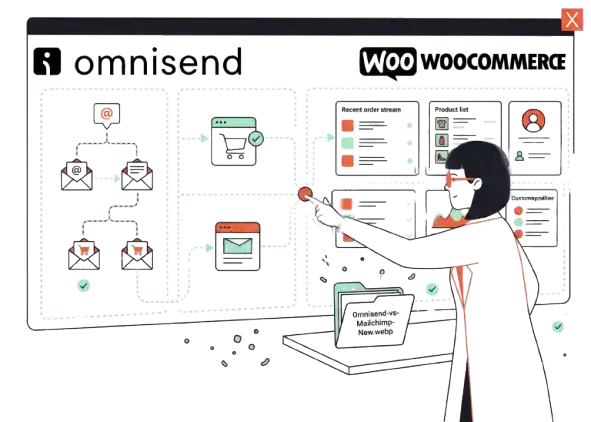
But if you are running a WooCommerce store and your goal is to move physical inventory, Mailchimp is likely costing you money—not just in subscription fees, but in lost revenue.
I have managed email migrations for dozens of WooCommerce stores. The story is always the same: You start with Mailchimp because it’s the brand everyone knows. Then, you realize you are paying for features you don’t use, and the one feature you actually need—integrated SMS and Email automation in a single workflow—requires a clunky third-party integration like Yotpo or SMSBump.
I switched my latest project to Omnisend specifically to fix this fragmentation. Here is the unvarnished truth about what works, what creates friction, and why the “Browse Abandonment” feature alone might be worth the migration.
The “Switch” Moment: Why Mailchimp Failed Us
The dealbreaker wasn’t the price—though Mailchimp’s history of charging for unsubscribed contacts was a massive pain point. The dealbreaker was the Automation Builder.
In Mailchimp, trying to build a cohesive customer journey that mixes Email and SMS is a nightmare. You end up with siloed data: your email stats sit in Mailchimp, and your SMS stats sit in another app. You cannot easily say, “If they don’t open this email, send this text.”
The Omnisend Difference:
When I opened the Omnisend workflow editor, I could drag an SMS block right next to an Email block.
- Scenario: A customer abandons their cart.
- Step 1: Send an email 1 hour later.
- Step 2: If the email isn’t opened in 24 hours, send a text.
This sounds simple, but in the WooCommerce ecosystem, having this natively integrated saves you from managing two separate subscriptions and fragmented customer profiles.
Omnisend for WooCommerce: The Integration Reality
Is the setup “seamless”? Yes and no.
The marketing copy says “One-Click Install.” Technically, that is true. You install the plugin via your WordPress dashboard, authorize the API connection, and you are done.
However, here is the part nobody tells you:
If you have a store with history (say, 5+ years of orders), the initial sync is not instant. When we connected a store with roughly 15,000 historical orders, we stared at a “Syncing…” bar for nearly 6 hours.
Warning for Shared Hosting:
If your WooCommerce site is hosted on cheap shared hosting (like basic Bluehost or GoDaddy tiers), this heavy sync process can spike your server resources. We experienced a temporary slowdown on the WP Admin panel during the sync. My advice: run the initial sync overnight or during low-traffic hours.
The “Opt-in” Trap:
Another friction point we hit immediately: thousands of our past customers synced as “Non-Subscribed.” Why? Because WooCommerce doesn’t always capture explicit marketing consent by default.
To fix this, you have to manually go into the Omnisend plugin settings in WordPress and enable the “Add opt-in checkbox to checkout” feature. Do this before you launch, or you will lose subscribers.
The Killer Feature (That Actually Matters)
Forget the newsletters. The reason you buy Omnisend is for Product Abandonment (Browse Abandonment).
Most shop owners have a “Cart Abandonment” flow (triggered when someone adds to cart and leaves). But looking at our analytics, ~80% of visitors never add to cart. They view the product, scroll, and leave. Mailchimp lets these people go.
Omnisend tracks them.
The Highest ROI Workflow:
We set up a simple Browse Abandonment flow:
- Trigger: User views a product page but does not add to cart.
- Email 1 (1 hour later): “Did you see something you liked?” (Includes a dynamic block showing the exact item they viewed).
- Email 2 (24 hours later): “Here is 5% off if you decide to grab it.”
The Result: This flow consistently outperforms our standard newsletters because it targets high-intent window shoppers. It is automated revenue that feels like magic.
SMS Marketing: A Tool or a Trap?
Omnisend pushes their SMS features hard. My verdict? It is a money pit IF you use it like email.
SMS credits are expensive. We ran a test sending a “New Blog Post” blast via SMS to 5,000 contacts. We burned through about $75 in seconds. The click-through rate was decent, but the conversion rate was low.
The Smart Strategy:
Use SMS only for high-urgency, transactional moments.
- Good Use: “Your cart is expiring in 1 hour.”
- Bad Use: “Check out our new spring arrival!”
Note on Pricing: The Free and Standard plans come with very few SMS credits (sometimes just ~$1 worth). If you plan to use SMS heavily, you practically have to be on the Pro plan or buy auto-top-ups. If you are a small store on a tight budget, you will likely turn this feature off after the first month to save cash.
Pros & Cons
|
Pros |
Cons |
|---|---|
|
Unified Workflow: Email + SMS in one visual builder. |
Design Rigidity: Templates are boxy and hard to customize creatively. |
|
WooCommerce Deep Dive: Syncs historical data and specific product details perfectly. |
Sync Lag: Initial setup on large stores can take hours. |
|
Browse Abandonment: Tracks window shoppers, not just cart abandoners. |
SMS Cost: Credits get expensive fast if not managed carefully. |
|
Gamification: The “Wheel of Fortune” popup has a high opt-in rate. |
Limited Non-Ecom Features: Useless for bloggers or service businesses. |
Who Is It Really For?
Best For:
- WooCommerce-first businesses: You sell physical or digital goods and use WooCommerce as your source of truth.
- Lean Teams: You don’t have a dedicated “Email Guy” and an “SMS Guy.” You need one person to handle both.
- Data Junkies: You want to segment users based on exactly what they bought (e.g., “Send this email only to people who bought size Large t-shirts”).
Who Should AVOID It:
- The “Artist”: If you are a designer who obsesses over pixel-perfect emails, you will hate Omnisend. The builder is rigid. It is grid-based and “blocky.” You cannot easily overlay text on images or do fancy typography without custom HTML.
- Non-Ecommerce: If you are a consultant, B2B agency, or non-profit, 80% of Omnisend’s dashboard (Product pickers, cart recovery, sales tracking) will be useless clutter. Stick to ConvertKit or ActiveCampaign.
What You Actually Get at Each Price Point
Pricing for email tools is notoriously confusing. Here is the “Feature vs. Cost” breakdown for late 2026.
|
Feature |
Free Plan |
Standard Plan |
Pro Plan |
|---|---|---|---|
|
Email Volume |
500 emails/mo |
Unlimited |
Unlimited |
|
SMS Credits |
Very few (Testing only) |
Limited (Pay as you go) |
Free credits included (High value) |
|
Automation |
Full Access |
Full Access |
Full Access |
|
Reporting |
Basic |
Advanced |
Advanced |
|
Support |
|
24/7 Chat |
Priority Support |
The “Hidden” Cost: Remember that SMS credits are calculated separately on lower tiers. You might pay a monthly subscription plus overage charges if you get trigger-happy with text messages.
Your Action Plan: 5 Steps to a Successful Launch
Don’t just install it and hope for the best. Follow this sequence to avoid the “non-subscribed” disaster.
- The “Night Shift” Install: Install the plugin and connect your store in the evening. Let the data sync run overnight so you don’t stress about the “Syncing…” bar or server load.
- The Checkbox Fix: Immediately go to Omnisend Settings > Contact Collection and enable “Add opt-in checkbox to checkout.” Set it to unchecked by default (GDPR compliance) or checked (if your local laws permit).
- Activate “The Wheel”: Turn on the “Wheel of Fortune” popup. Set the discount to something small (5% or Free Shipping). This captures the email before they browse.
- The Money Flow: Activate the Product Abandonment automation immediately. Use the default template; just add your logo. It doesn’t need to be pretty; it just needs to be timely.
- The SMS Test: Enable SMS only inside your Abandoned Cart flow. Do not send broadcast SMS campaigns until you have generated enough revenue to cover the credit costs.
What to do next:
Go check your current “Abandoned Cart” recovery rate in your current tool. If it’s below 15%, sign up for the Omnisend free trial and run the “Browse Abandonment” flow for 14 days. The revenue difference usually pays for the subscription.
FAQ: Omnisend for WooCommerce
1. Does Omnisend slow down my WooCommerce site?
The plugin itself is lightweight. However, the initial data sync is heavy. Once that is done, the impact on frontend site speed is negligible compared to other marketing scripts.
2. Can I migrate my Mailchimp templates to Omnisend?
No. You cannot export the design code directly. You will have to rebuild your templates using Omnisend’s drag-and-drop builder. This is a one-time pain.
3. Is Omnisend free for WooCommerce?
There is a “Free Forever” plan, but it is capped at 500 emails per month. It is good for testing, but once you have a real list, you will hit the cap within days.
4. Does it work with Elementor or Divi?
Yes. Omnisend works independently of your page builder. Its forms and popups overlay your site regardless of the theme you use.
Final Verdict
If you are on WooCommerce, Omnisend is a Buy.
It simply understands ecommerce data better than Mailchimp. The ability to see exactly what a customer looked at—and automatically email them about that specific item—is the difference between a “subscriber” and a “customer.”