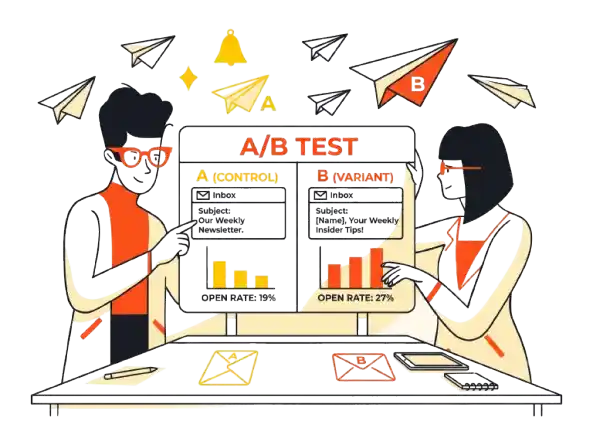
I used to think the perfect subject line was a mix of calculated urgency, a specific number, and a rocket emoji. I was wrong.
A few months ago, I ran a split test that shattered my assumptions about subject line optimization.
- Subject Line A (The “Best Practice”): “🚀 3 steps to double your open rates today”
- Subject Line B (The Weird One): “internal question”
Subject Line A had everything marketing gurus tell you to use: a benefit, a number, and a visual pop. Subject Line B was all lowercase, vague, and looked like a boring email from a colleague.
The Result: “internal question” outperformed the “best practice” version by a 45% margin in Open Rate.
Why? Because in an inbox screaming for attention with polished marketing copy, the “boring” email felt personal. It bypassed the recipient’s mental “ad filter.”
This article isn’t about generic tips like “keep it short.” This is a breakdown of how to run subject line A/B tests that actually move the needle on revenue, not just vanity metrics.
Quick Verdict: The TL;DR
If you are just scanning, here is the truth about email subject line testing:
- Don’t test for Opens; test for Revenue. High open rates often lead to lower sales if the subject line is “clickbait.”
- Lowercase beats Title Case. Raw authenticity is currently beating high-production copywriting.
- Emojis are dangerous. Placing them at the start of a line triggers spam filters. Put them at the end.
- Sample size matters. If your list is under 5,000 subscribers, A/B testing is likely statistically insignificant. Focus on segmentation instead.
The Metric Trap: Why Open Rates Are Lying to You
Most marketers obsess over how to improve email open rates, but that is often the wrong goal. You can trick anyone into opening an email, but you can’t trick them into buying.
I learned this the hard way with a campaign promoting a high-ticket offer. I ran a classic split testing subject lines experiment:
The “Curiosity vs. Intent” Test
|
Metric |
Subject Line A: “You won’t believe this…” |
Subject Line B: “The pricing for the Q4 Mastermind” |
|---|---|---|
|
Strategy |
Blind Curiosity (Clickbait) |
Clear Intent (Pre-qualification) |
|
Open Rate |
42% (Winner) |
28% (Loser) |
|
Click-Through (CTR) |
1.5% |
8.0% |
|
Actual Sales |
3 |
14 |
The Takeaway: Subject Line A won the “popularity contest” but failed the business test. It tricked people into opening, but they were annoyed when they saw a sales pitch, leading to a massive drop-off. Subject Line B pre-qualified the reader. Fewer people opened, but those who did raised their hand saying, “I am interested in buying.”
Always optimize your A/B test email campaigns for Revenue per Recipient, not Open Rate.
The “Horror Story”: When NOT to A/B Test
There is a widespread myth that everyone should be A/B testing every email. That is false. If you don’t have the volume, you are just reading noise.
I once ran a test on a small segment of 1,000 subscribers (500 received A, 500 received B).
- Variation A: 110 Opens
- Variation B: 125 Opens
I declared B the winner and rolled it out to my main list of 50,000 people. The launch flopped.
Why? Because the difference between 110 and 125 opens is statistically insignificant. It was pure luck. I acted on random variance rather than data.
The Rule of Thumb: Unless you have a list size where each variation receives at least 2,000–3,000 sends, subject line experiments are often a waste of time. You are better off focusing on better list segmentation.
The Tool Stack: Testing with ConvertKit (Kit)
I primarily use ConvertKit (now rebranded as Kit) for these tests because it caters to writers and creators who rely on text-heavy emails. However, even great tools have limitations you need to know about.
The “4-Hour Window” Problem
Most ESPs, including Kit, use a standard testing logic:
- Send Variation A and B to a small percentage of the list (e.g., 15% each).
- Wait for a set period.
- Auto-send the winner to the remaining 70%.
In Kit, this testing window is often defaulted to 4 hours.
The Limitation: 4 hours is rarely enough time to account for global time zones. If I send a test at 9 AM EST, the “winner” is determined solely by my East Coast and European subscribers. I am completely ignoring the West Coast habits.
The Fix: If your ESP allows it, extend the testing duration to at least 8 hours, or run the test manually on two separate random segments before sending the main blast the next day.
Best Practices: The “Anti-Best Practice” Rules
Through thousands of emails and aggressive subject line optimization, I have developed a set of rules that often contradict standard advice.
1. The “Emoji” Stance: End-of-Line Only
In 2023 and 2024, my data showed a high correlation between aggressive emoji usage and the Gmail Promotions Tab.
- The Hard Rule: Never use an emoji as the first character.
- Bad: “🔥 The sale starts now”
- Good: “The sale starts now 🔥”
Why it works: Starting with text helps the preview snippet in the inbox look conversational and human. Starting with a colorful icon signals “Mass Marketing Blast” to both the algorithm and the human eye.
2. Lowercase is the New “Professional”
As mentioned in the intro, “internal question” won because it felt authentic. We are seeing a shift where “Title Case Subject Lines” look like ads, while “sentence case subject lines” look like letters.
If you are a personal brand or a B2B consultant, try writing your subject line exactly as you would if you were emailing your mom or a coworker.
3. The “Review Methodology” of Personalization
Don’t overuse the {First Name} tag.
- Cheesy: “John, here is a special offer for you!”
- Effective: “Quick question about your project, John”
Placing the name at the end of the subject line often feels less robotic than forcing it at the start.
5 Steps to a Valid A/B Test Email Subject Line
Don’t just guess. Follow this protocol to run a email subject line experiment that yields actionable data.
- Define the ONE Variable: Do not change the subject line and the preview text and the send time. Test one thing. (e.g., Question vs. Statement).
- Select Your Sample: Ensure you have at least 2,000 subscribers per variation. If not, test across your whole list and apply the learning to the next email.
- Choose Your Metric: Are you looking for engagement (Open Rate) or sales (Click/Conversion)? Pick one before you start.
- Run the “Spam Check”: Before sending, run both variations through a tool like GlockApps or Mail-Tester to ensure your “creative” subject line isn’t triggering filters.
- Wait 24 Hours: If possible, do not call the winner immediately. Let the email breathe across time zones to get true data.
What A/B Testing Actually Costs You
Many people skip A/B testing because they think it’s technically difficult. It’s not. It’s an operational cost, not a financial one.
- The Setup Cost: $0. Most ESPs (ConvertKit, ActiveCampaign, HubSpot) include this in the base plan.
- The Time Cost: ~10 Minutes per email. You need to write two distinct angles.
- The Risk: Sending a “loser” subject line to 15% of your audience.
- The Reward: A potential 10-20% increase in revenue from the 70% of the list that receives the winner.
Verdict: If your list is over 5,000 people, the ROI on those 10 minutes is massive.
What To Do Next
Go to your last 5 sent emails. Look at the one with the highest open rate and the one with the lowest open rate. Analyze the difference. Was it the length? The tone? The emoji?
Take that insight, write two variations for your next newsletter, and if your list is big enough, run the test. Stop guessing and start knowing.
FAQ: Common Questions on Subject Line Testing
1. How long should I run an A/B test for?
If automating the winner, give it at least 4 hours (though 8-24 is better). If testing manually, wait 24 hours to analyze the full lifecycle of the open rates.
2. What is a good open rate difference?
Look for a statistically significant difference. A 21% vs 21.5% difference is noise. A 20% vs 30% difference is a learning moment you can apply to future campaigns.
3. Does changing the Preview Text count as a subject line test?
Technically, no. But the Preview Text is the “second subject line.” You should test it, but never test a different subject line AND a different preview text simultaneously, or you won’t know which variable caused the win.
4. Should I use AI to write my B-variation?
Yes. AI tools like ChatGPT are excellent at generating “boring” or “counter-intuitive” variations. Ask it: “Give me 5 subject lines for this email that sound like a boring internal memo.”